
Admin Panel
import { Aside } from ‘@astrojs/starlight/components’;
Source: Master Spec v2.0, §16.
From the Admin Dashboard, Admin Panel opens Users & Roles by default. Inside the panel sidebar, Dashboard exits back to the main Admin Dashboard.
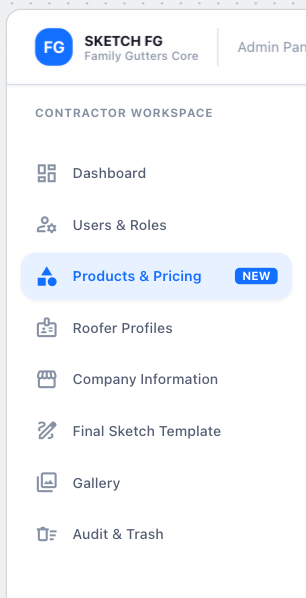
Visual reference 13 — approved visual direction for this section. The written requirements above prevail over labels, sample data, or prices shown in the images. See Admin Screens
Users & Roles
Section titled “Users & Roles”Apple-style Users table: search, All Roles / All Statuses filters, count, pagination; columns User, Role, Status, Last Active, Actions. Fixed role badges — Admin, Office Manager, Estimator — no other labels.
- Invite/edit/deactivate/reactivate users, assign the fixed role, resend invitations, revoke sessions, assign/reassign Estimator responsibility. Removal preserves estimate authorship, assigned history, and audit records.
- The Roles tab shows the fixed permission matrix — no Add Role.
- Admin may grant an individual Estimator View Other Estimators’ Estimates / Edit Other Estimators’ Estimates (Edit requires View; enabling Edit enables View, disabling View disables Edit after confirmation). Overrides never grant Admin Panel, catalog management, Company Information, template, Gallery management, audit admin, or Trash — those require the Admin role. Changes require Save Changes, take effect immediately, and create an immutable audit event.
User detail (Overview / Permissions / Activity & Sessions):
- Overview: identity, role summary (read-only here; edited in Permissions), status, invitation state, Last Active; Admin may upload/replace/remove profile photo (PNG/JPEG < 5 MB); Estimator signature shows status + read-only preview (Admin cannot author/replace). Never expose passwords, hashes, tokens, notification preferences, or session credentials.
- Permissions: role selector (Admin/Office Manager/Estimator) with confirmation; read-only baseline rows; approved individual overrides.
- Activity & Sessions: date scope (Today/Yesterday/Last 7 Days/Custom); Estimator metrics (Created, Completed, Updated, Sketches Added, Drafts Remaining, Last Active) derived from real events; activity timeline; signed-in devices with Log Out Device / Revoke Session / Log Out All Devices (confirmed). Never expose tokens, cookies, passwords, precise GPS, or raw identifiers.
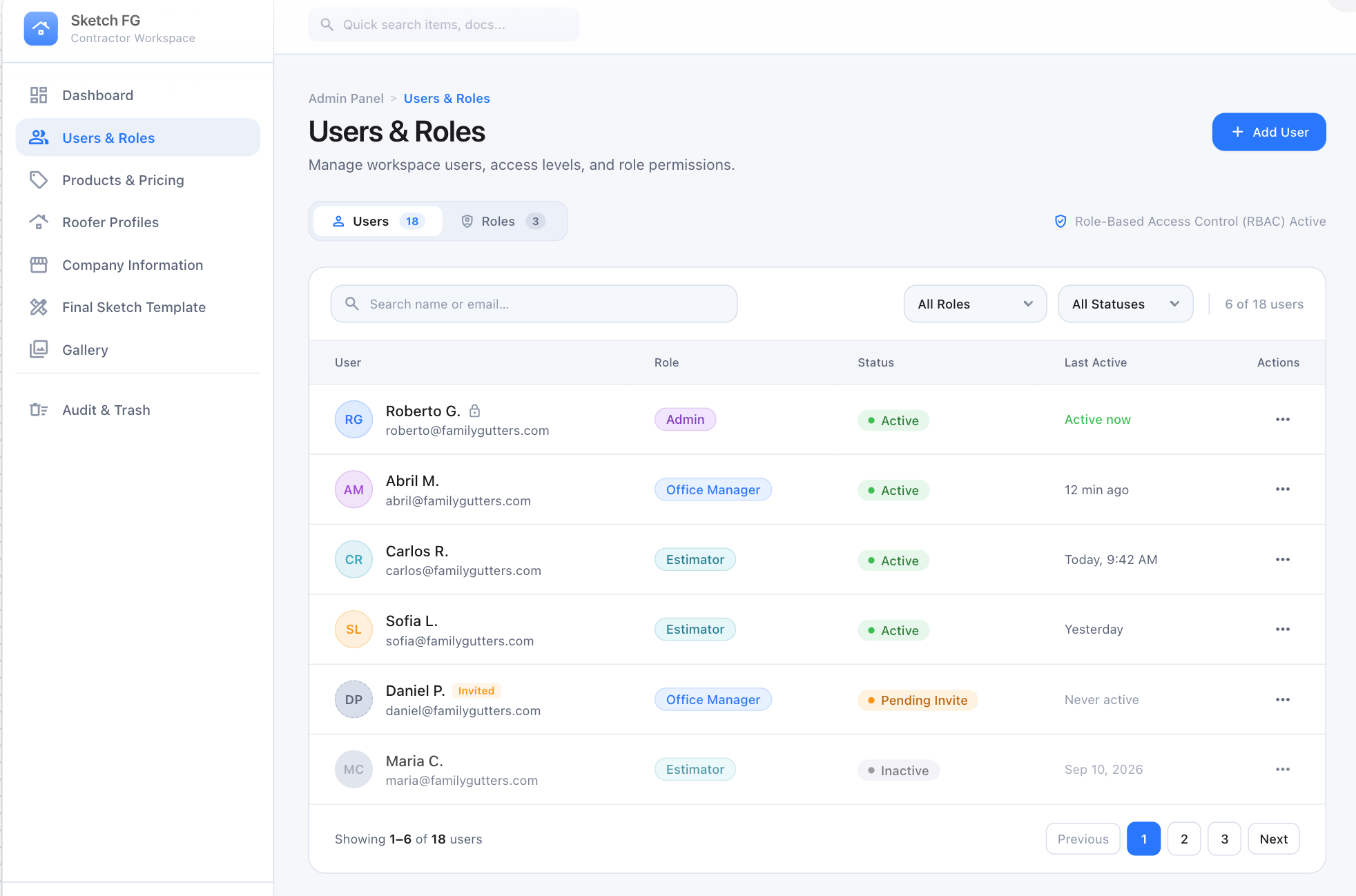
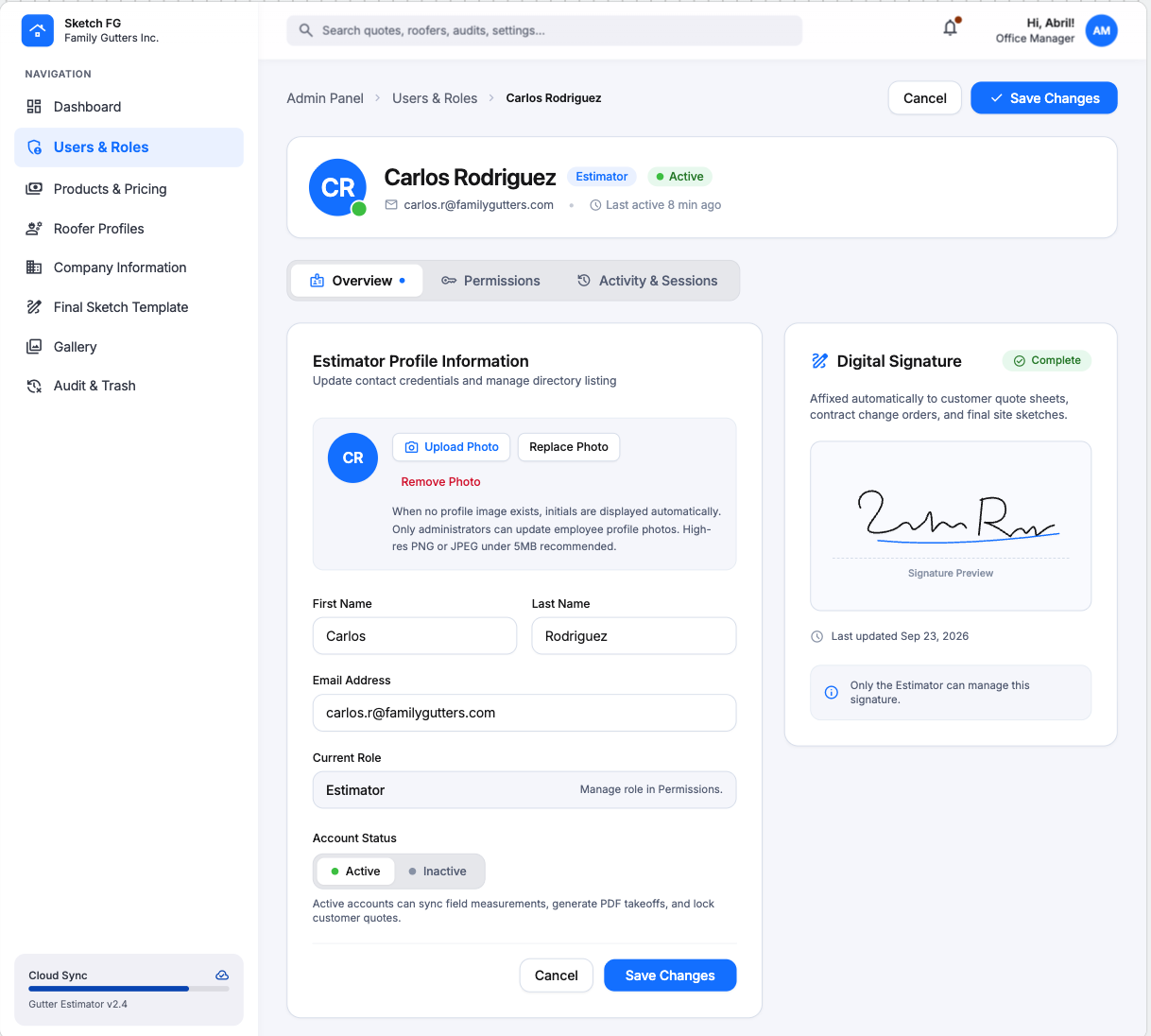
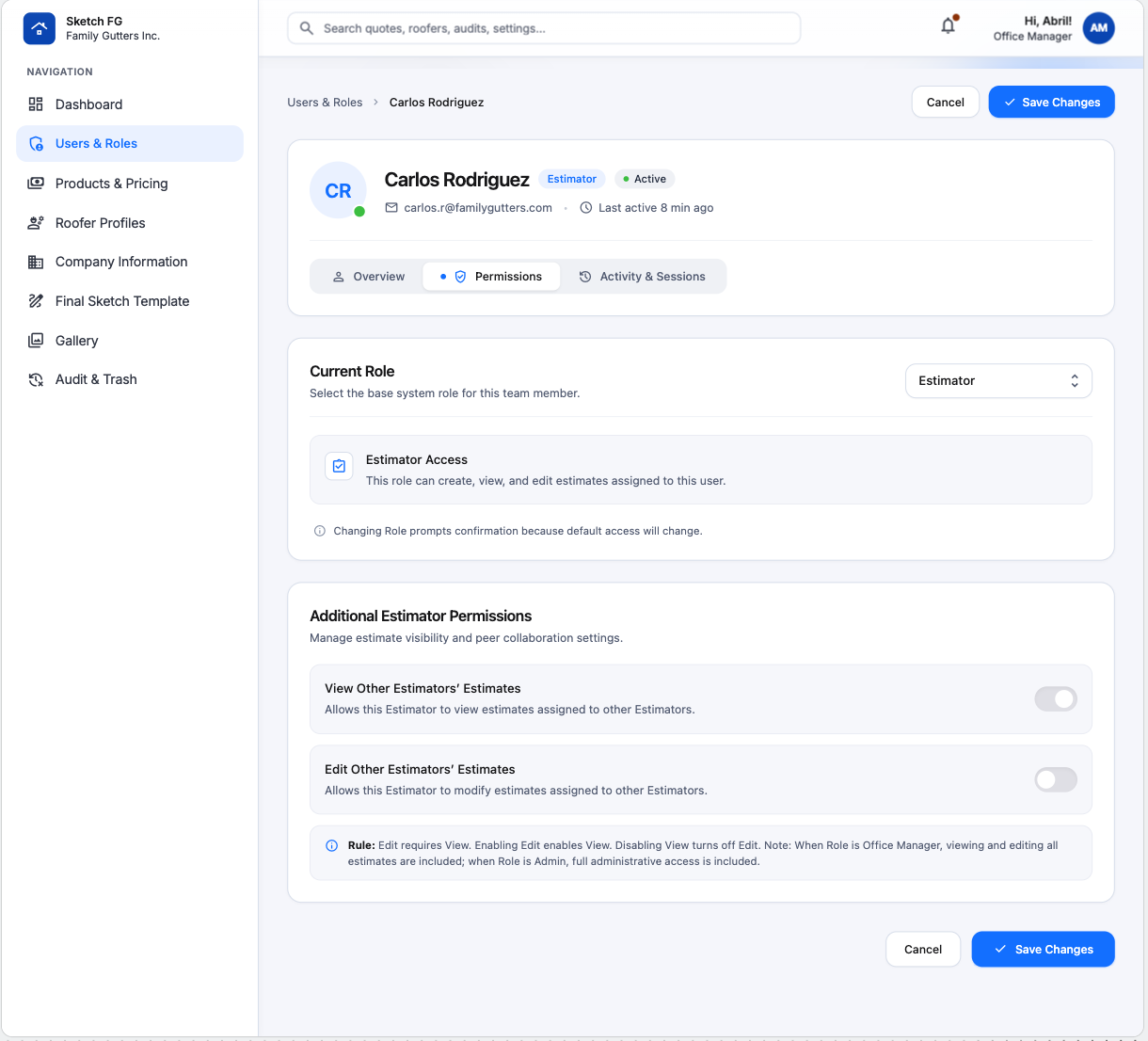
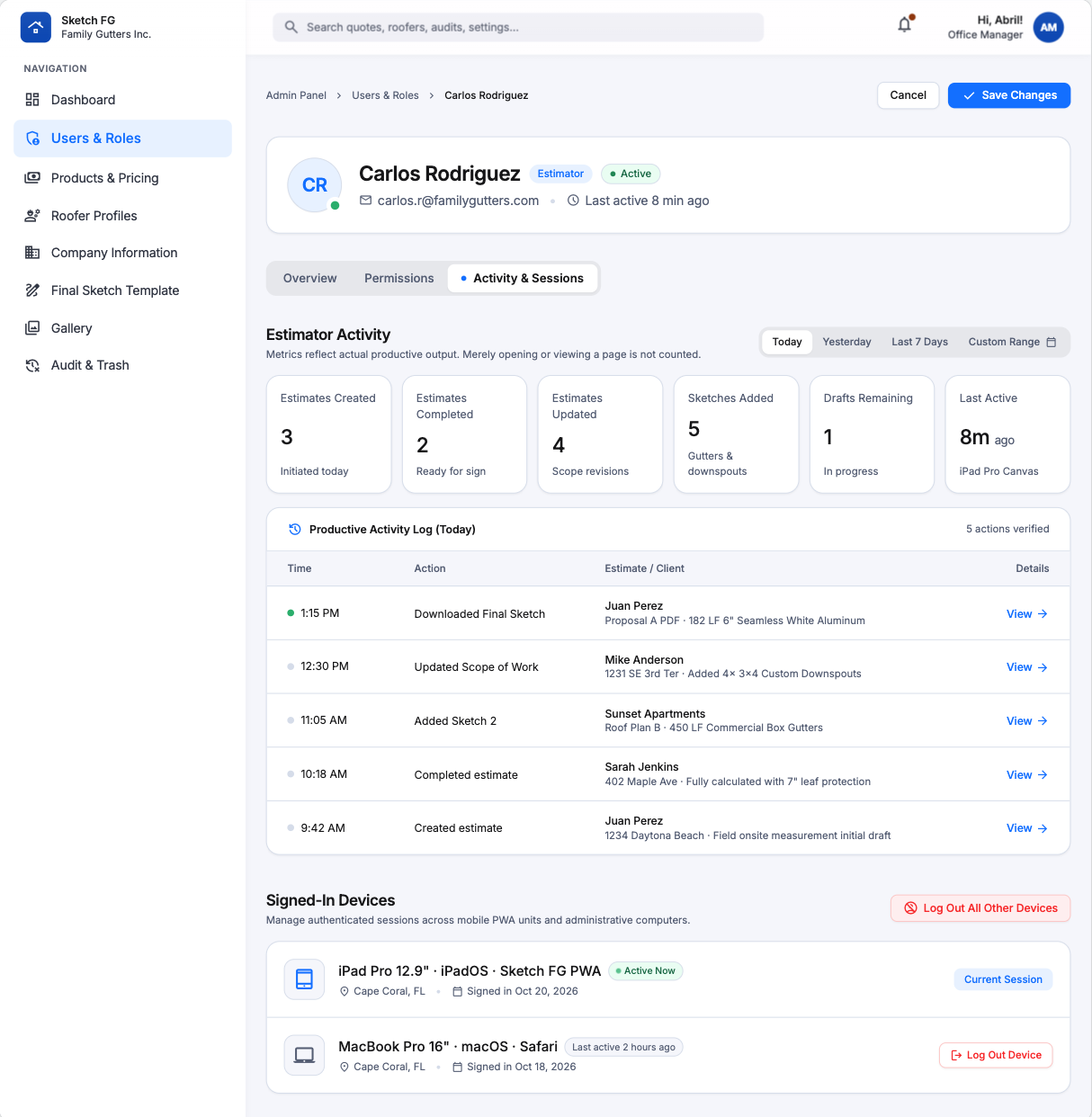
Visual references 47, 56–58 — approved visual direction for this section. The written requirements above prevail over labels, sample data, or prices shown in the images. See Admin Screens
Products & Pricing
Section titled “Products & Pricing”Admin creates/edits/activates/deactivates/reorders products without developer assistance. Every catalog item from the Product Catalog appears here with name, classification, configurations, canvas representation, default footage, SOW behavior, Regular/Roofer prices, and status.
Page: summary filters (Total Items, Products, Services, Accessories), search, Category/Pricing/Last Modified/alphabetical controls, compact rows (icon, name, badge, category, variation summary, Regular Price, Roofer Price or fallback, Edit). K Style 6/7 in show Varies by Roofer; missing Roofer Price shows — or Uses Regular Price.
Add/Edit Product uses one five-step builder:
- Basic Information — icon, name, internal description.
- Classification, Configurations & Rules — type, category, attributes, values, pricing flags, dependency rules.
- Canvas Representation — procedural line/symbol or uploaded SVG/PNG.
- SOW & Final Sketch Mark — reuse canvas mark or upload dedicated asset.
- Pricing & Final Product Preview — Price per Foot/Unit, Regular + optional Roofer prices per variation, reactive previews (Product Picker, Canvas, SOW Row, Final Sketch tabs).
Edit adds Active/Inactive, Cancel, Save Draft, Save Changes, and recoverable delete-to-Trash. Only Affects Pricing attributes generate pricing variations. Deactivation preserves historical estimate data. Downspout price matrix supports the optional Connected Gutter Size (6 in / 7 in) dimension.
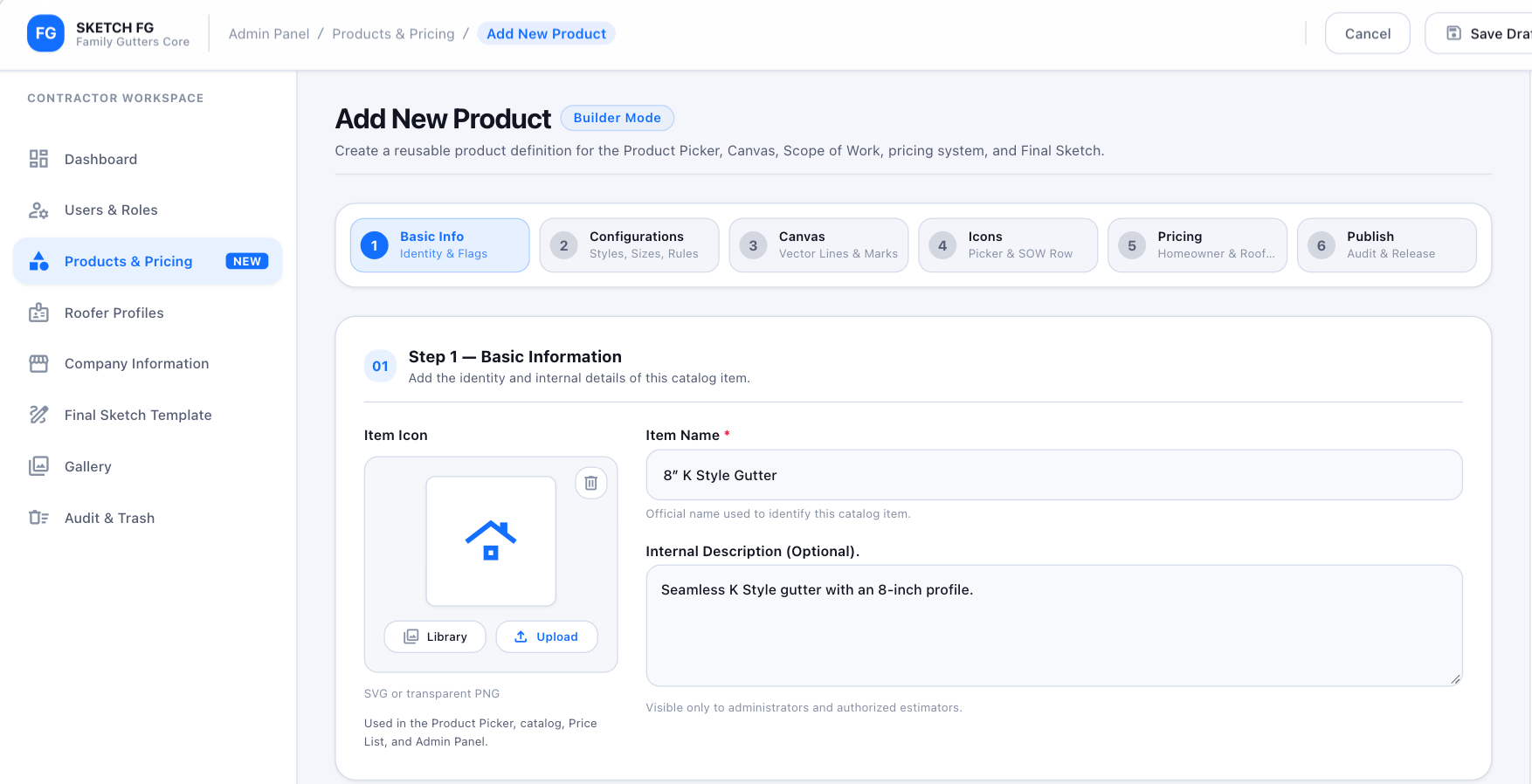
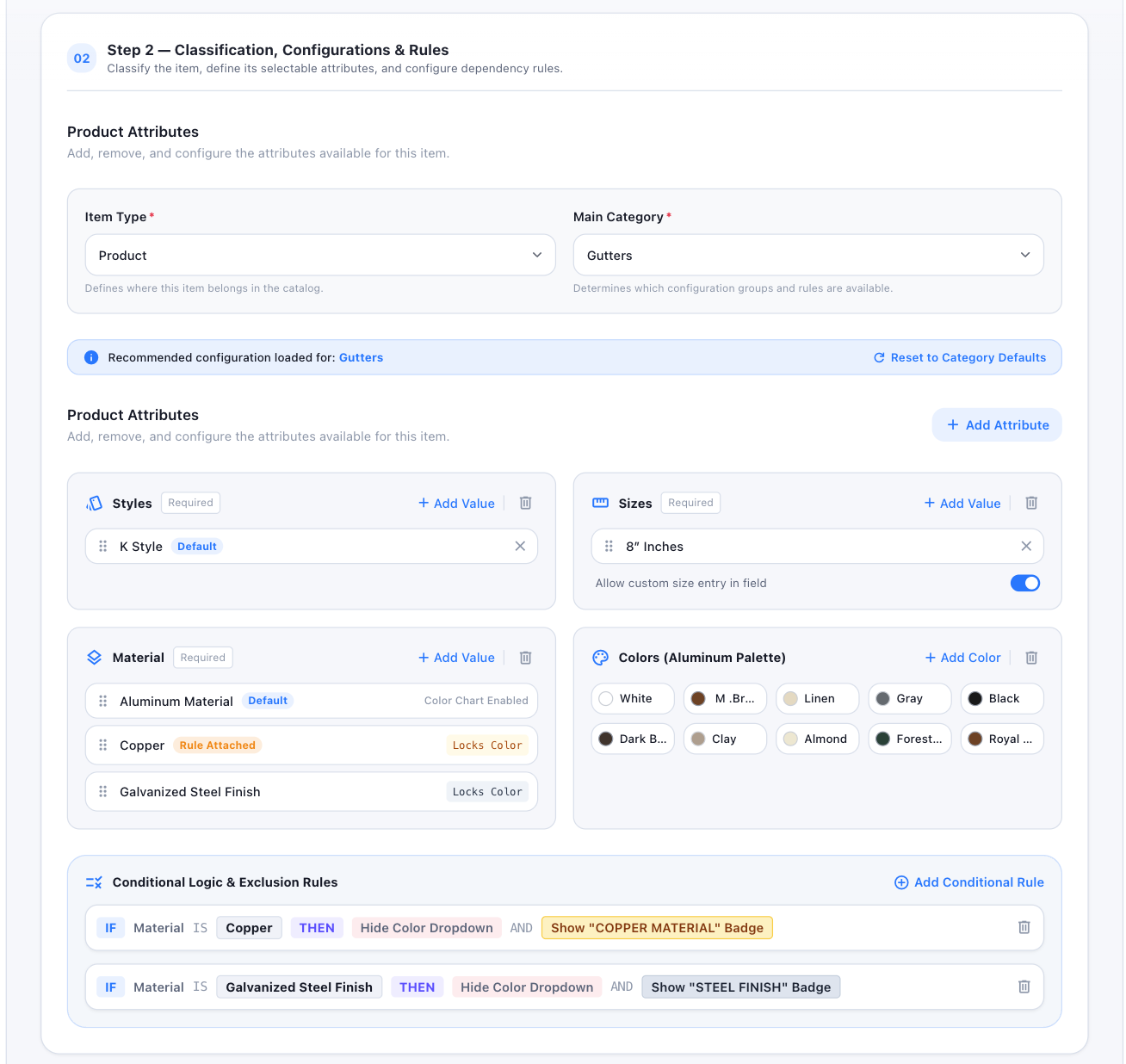
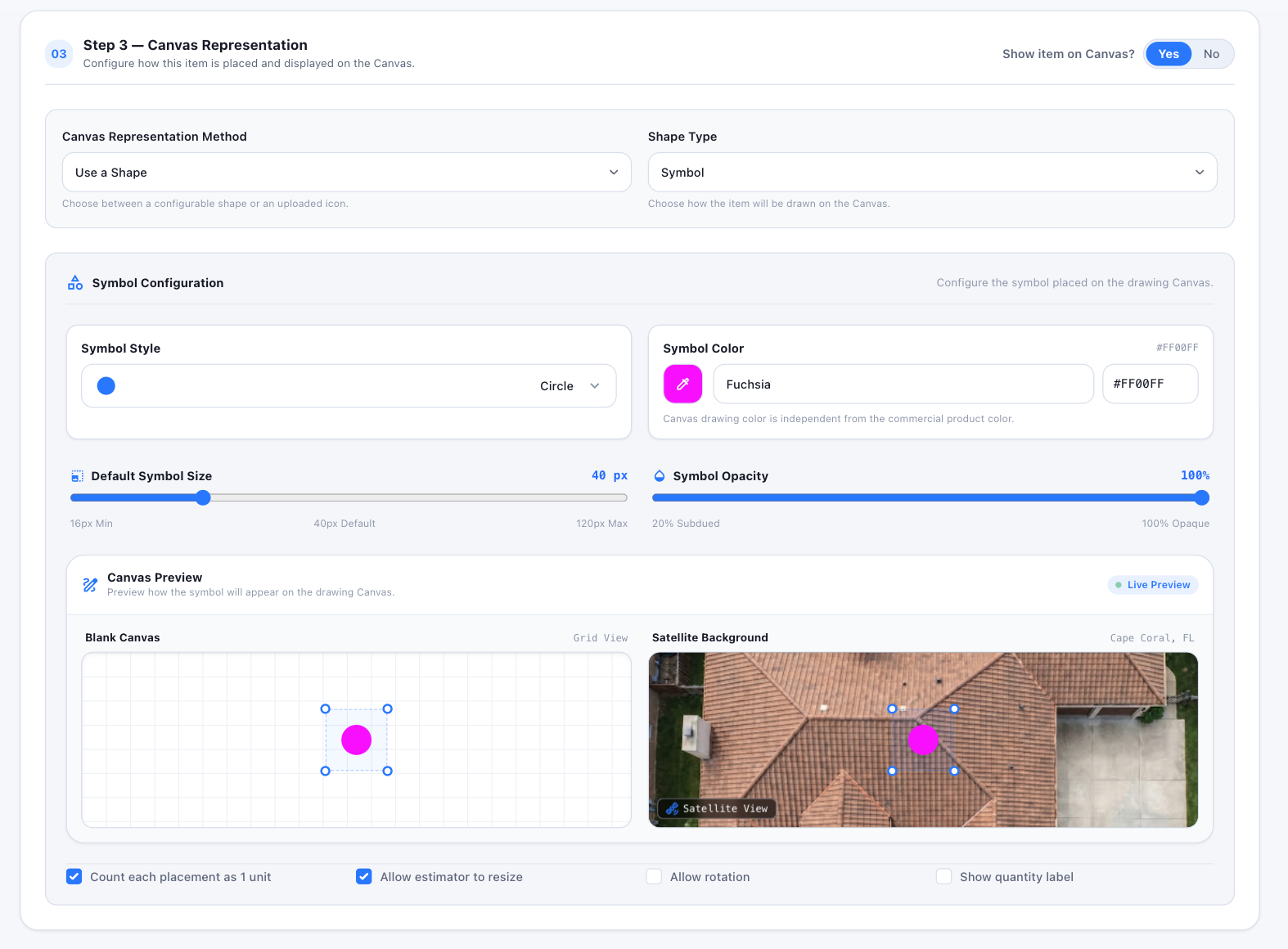
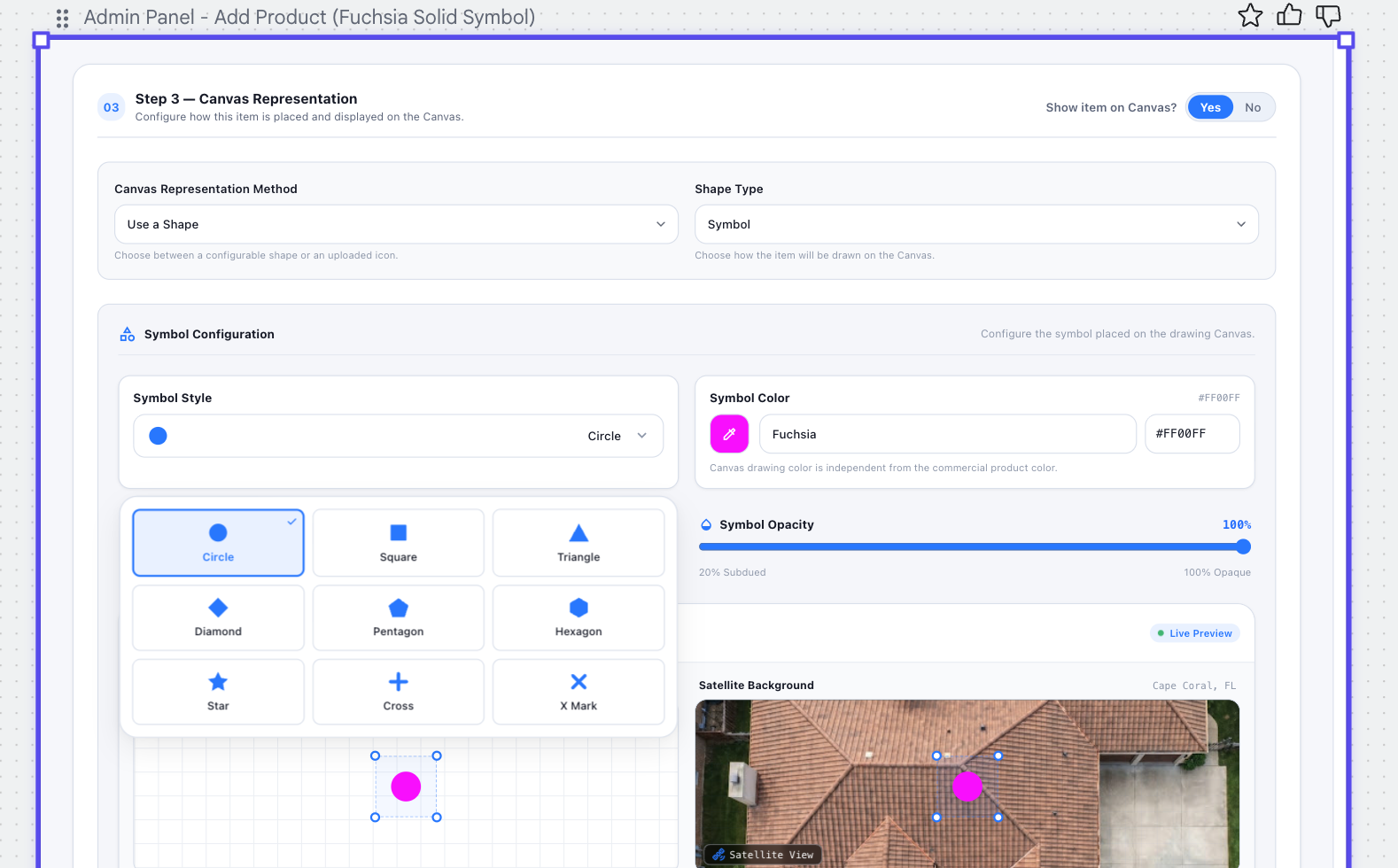
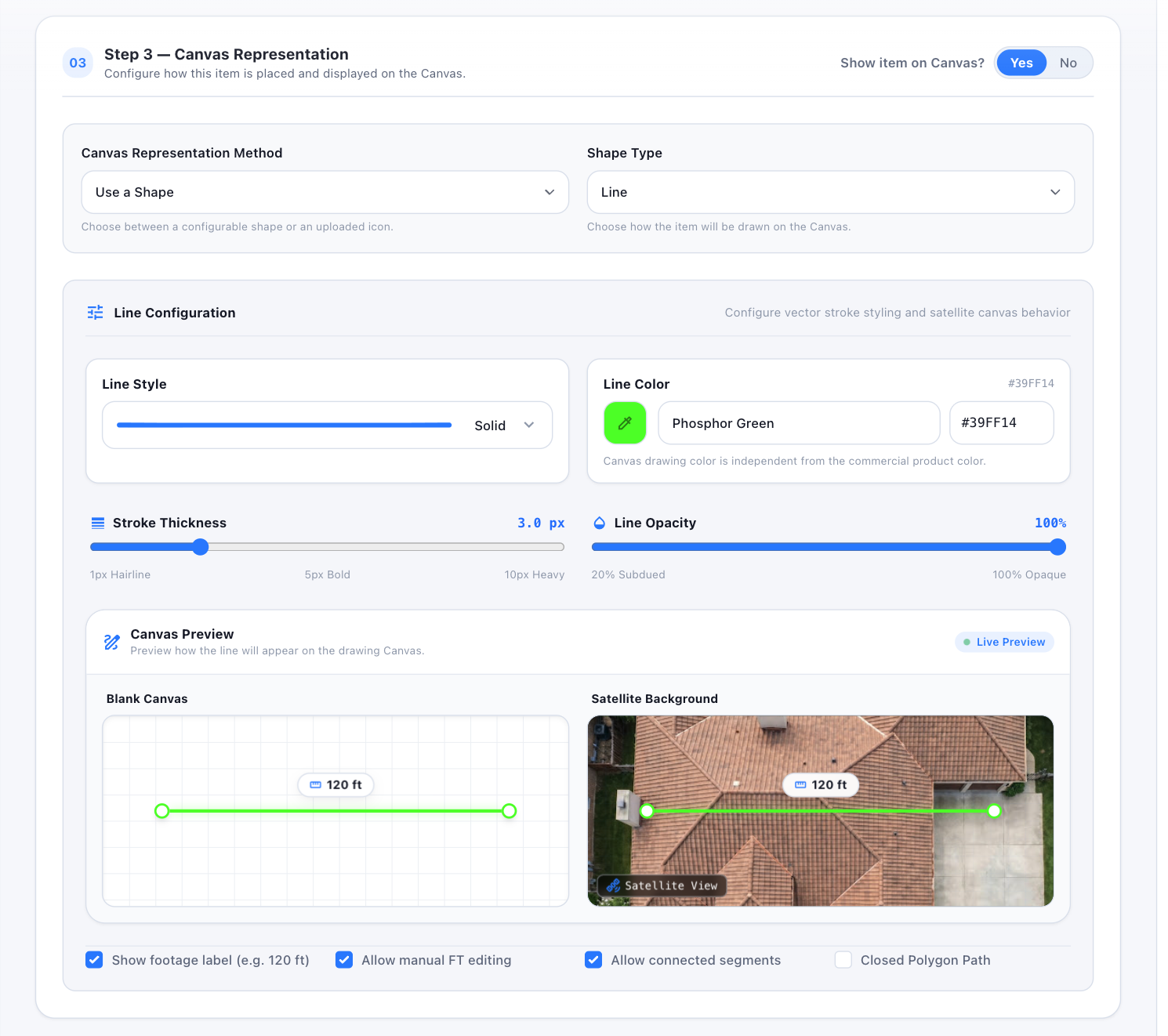
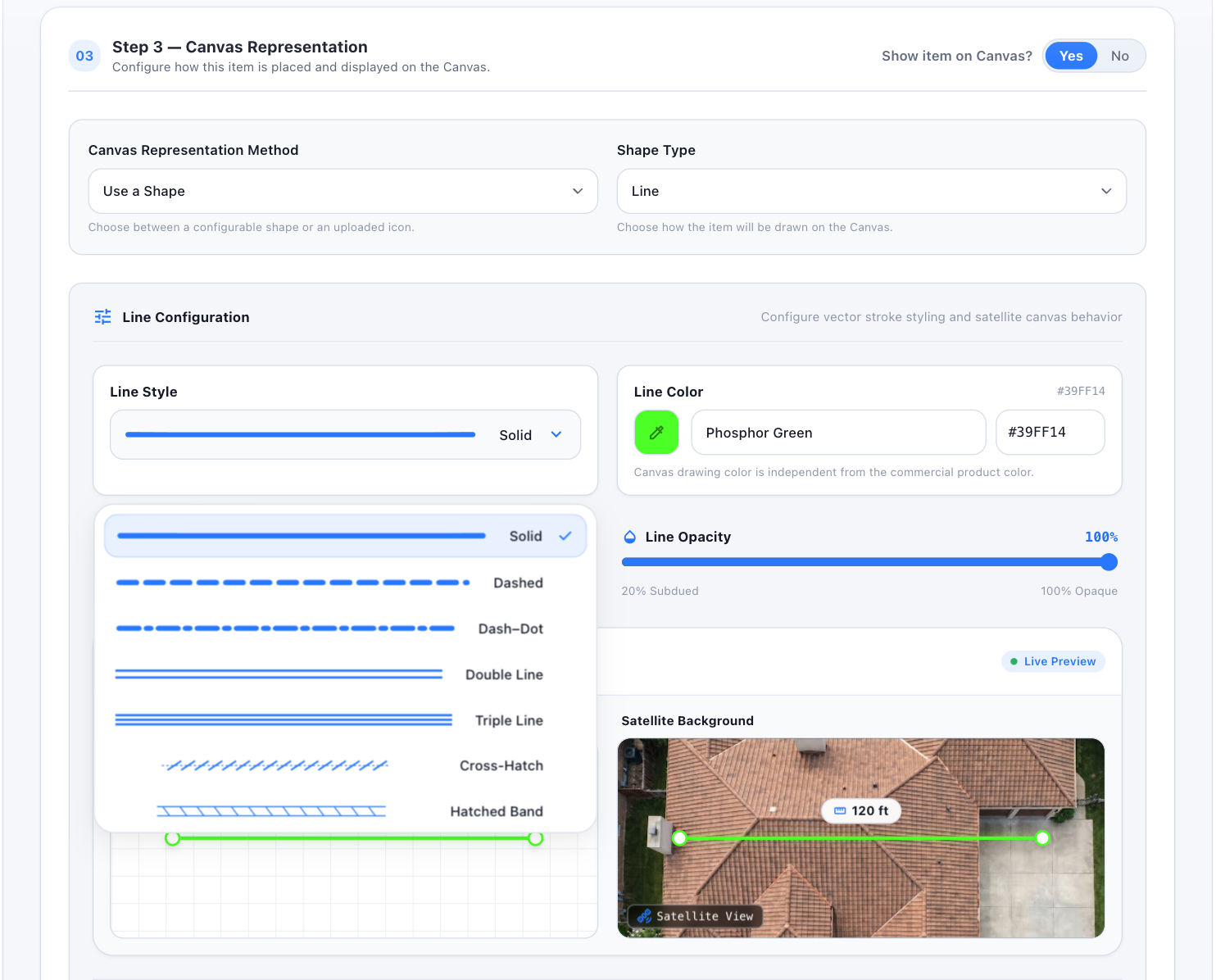
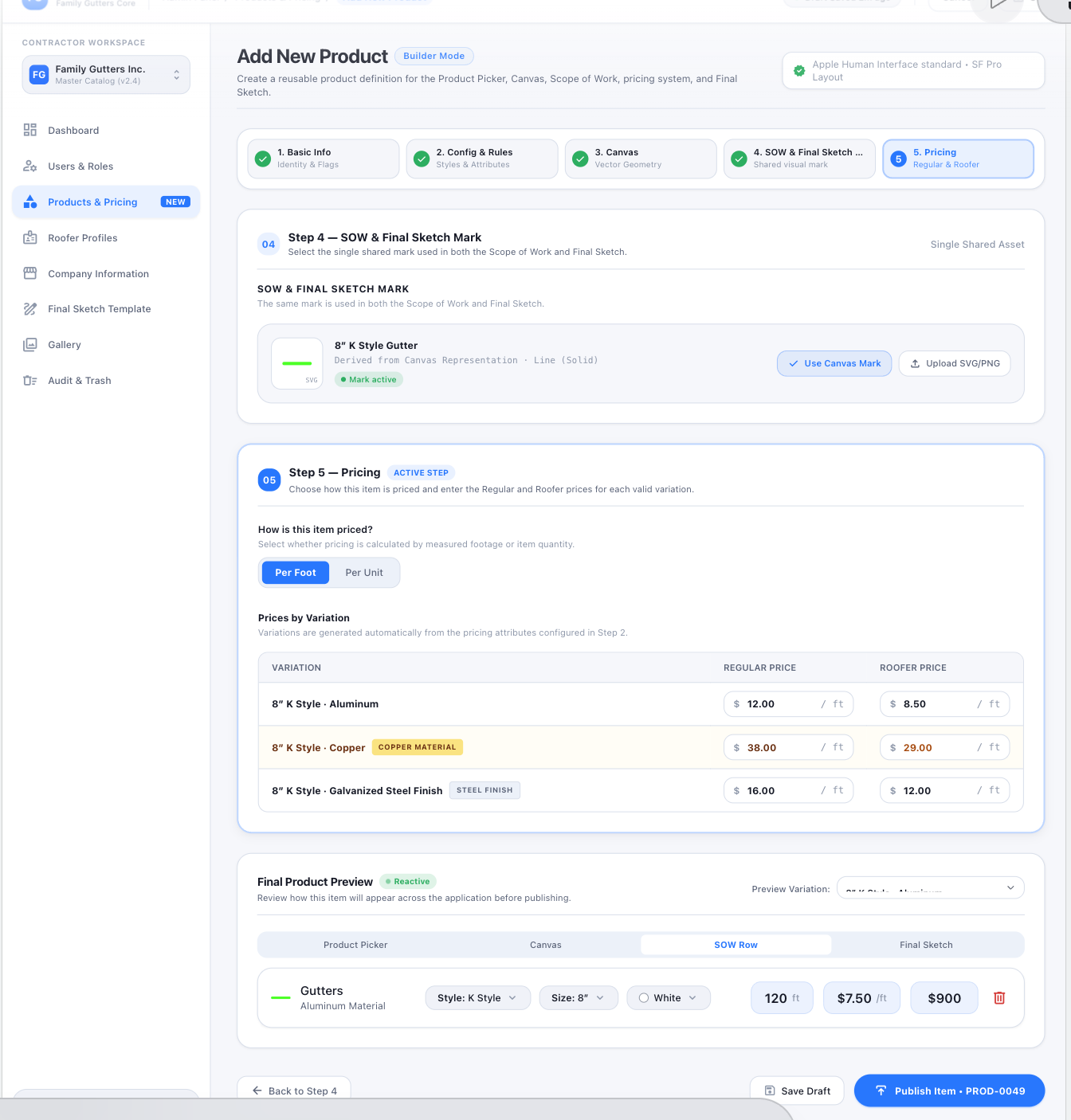
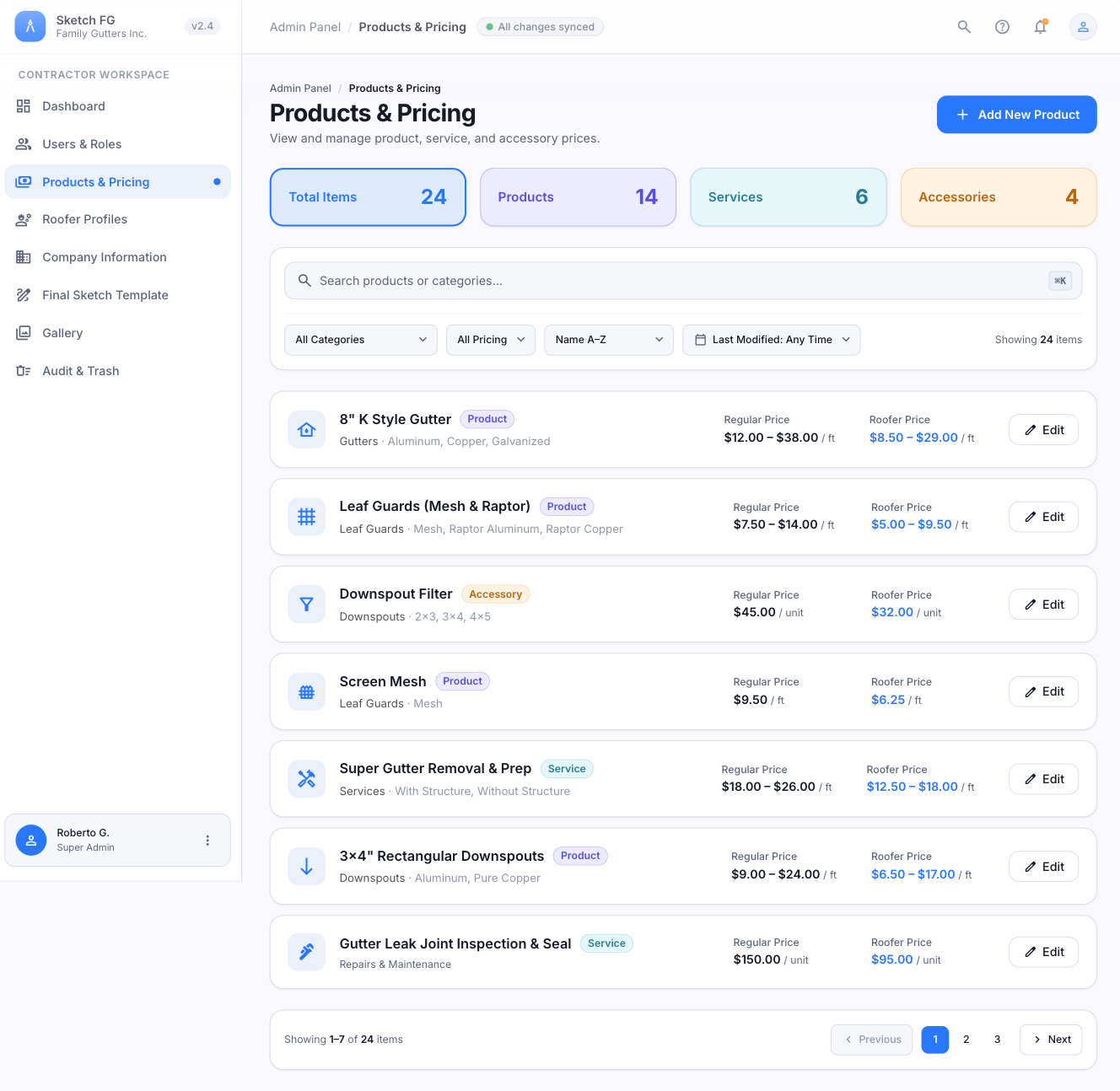
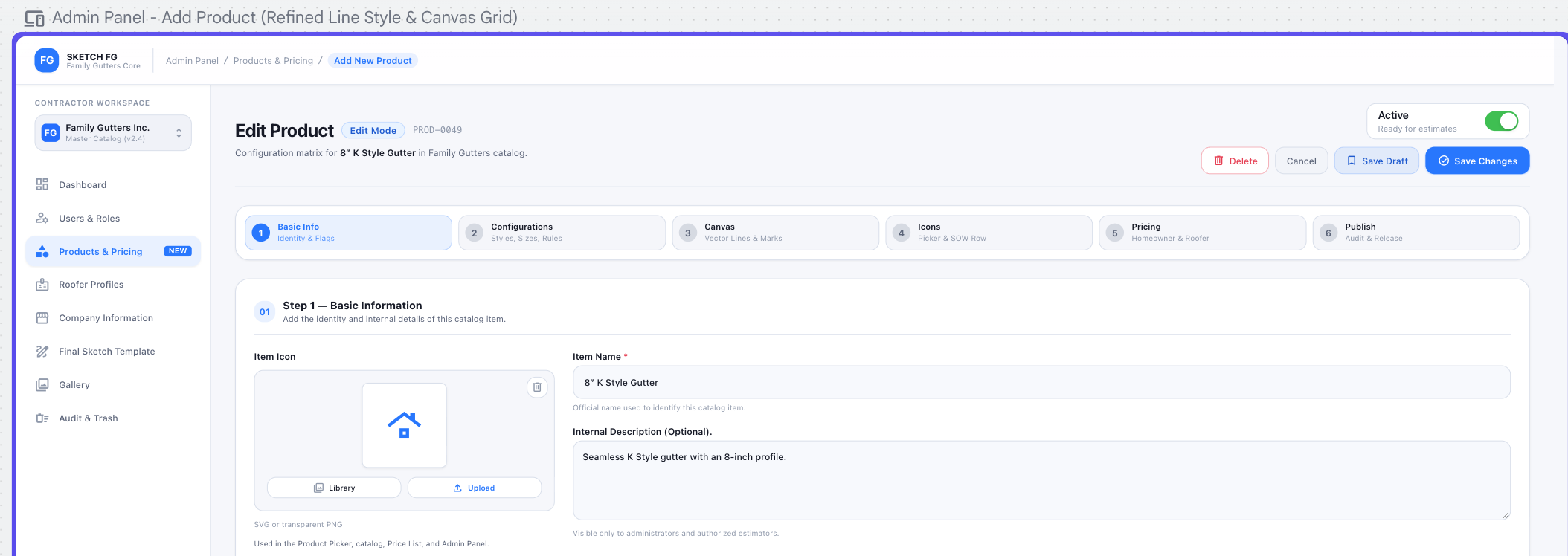
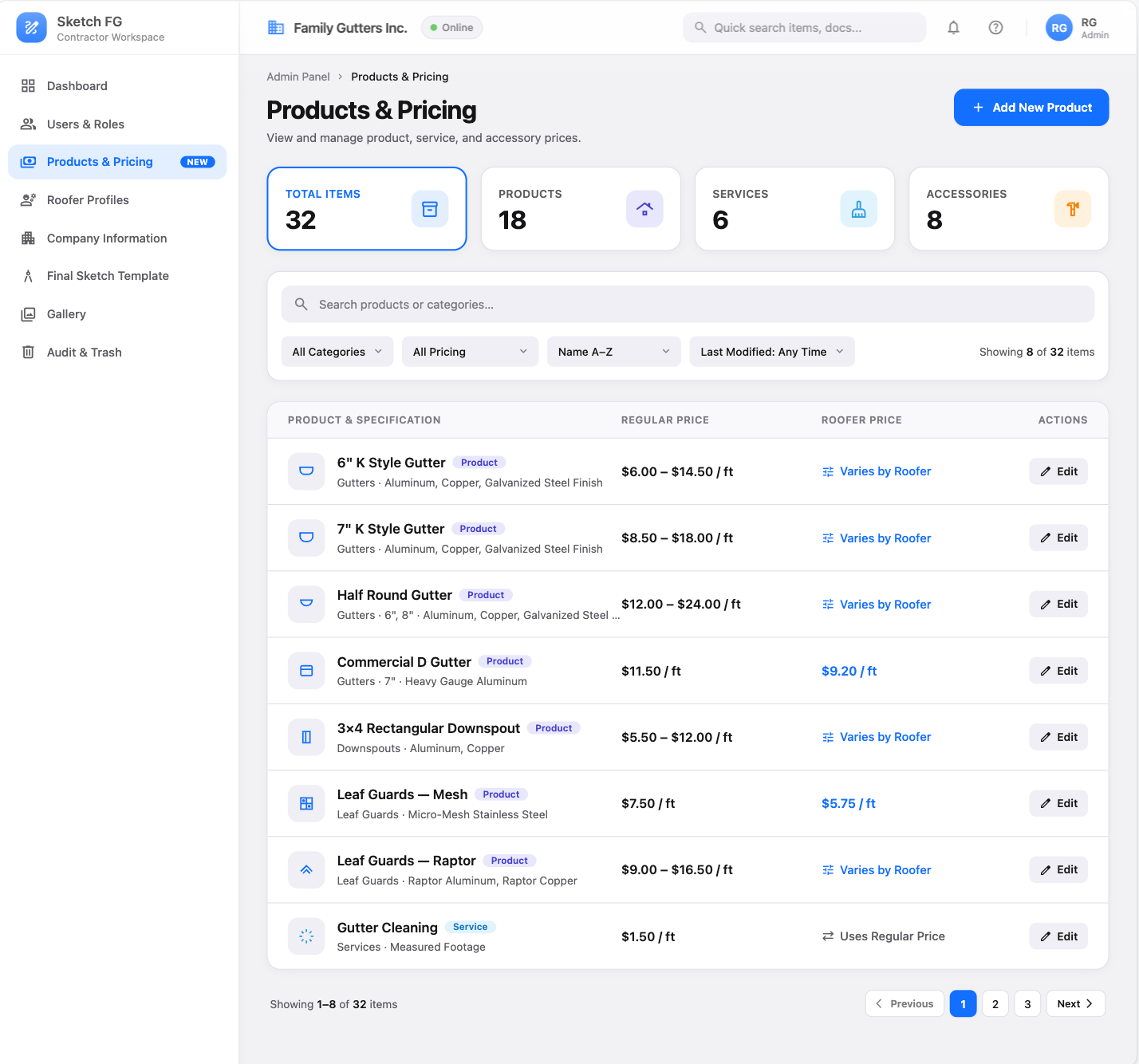
Visual references 35–43, 61 — approved visual direction for this section. The written requirements above prevail over labels, sample data, or prices shown in the images. See Admin Screens
Roofer Profiles
Section titled “Roofer Profiles”Fields: Name, unique Abbreviation, identifying icon color, Active/Inactive, 6 in + 7 in K Style price/ft, Minimum Fee (reference only — never inserted into Canvas/SOW/Preview/Final Sketch), default Commission %, Include Commission in SOW switch.
List: compact rows (color icon, Abbreviation / Roofer Name, status, Commission, Last Modified, Edit); Total/Active/Inactive summary cards; search + filters. Edit is inline (one row at a time). Add New Roofer is an in-page modal. No Lower/Standard/Higher levels.
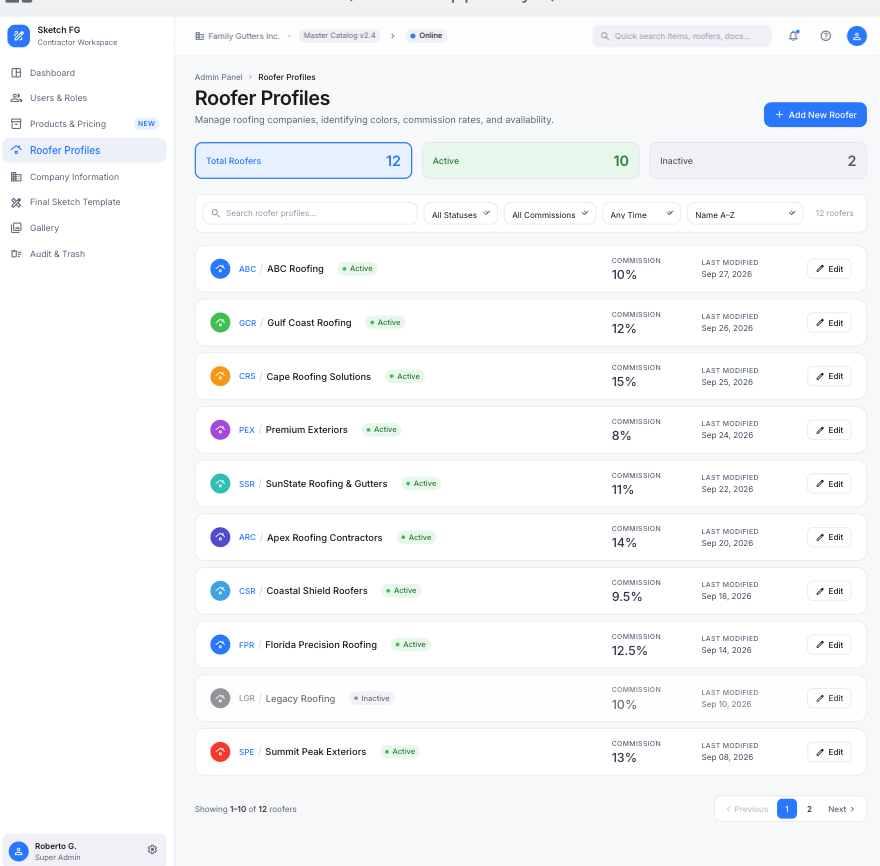
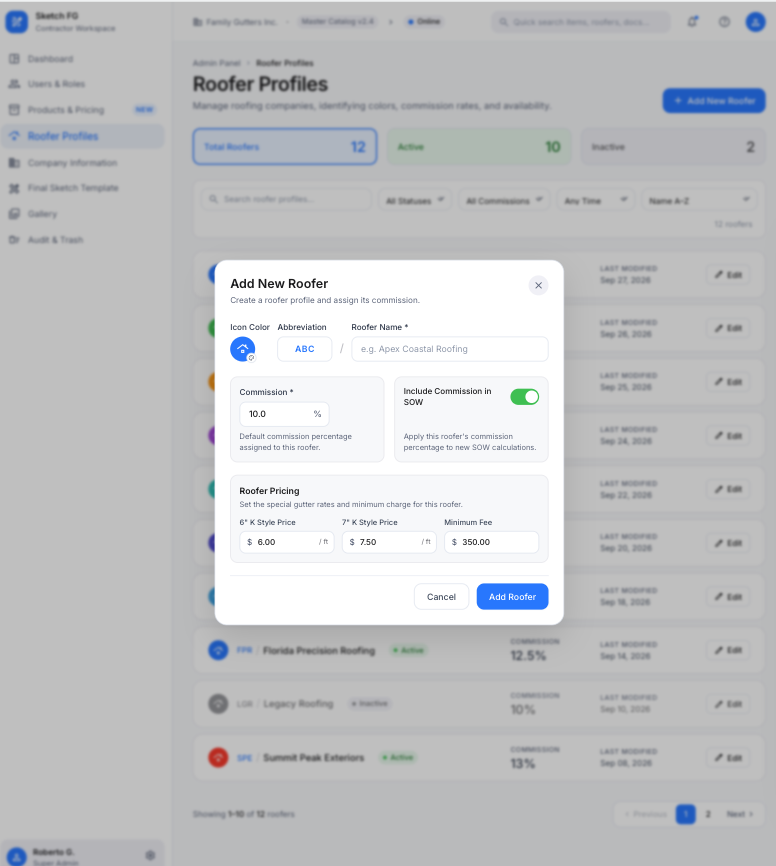
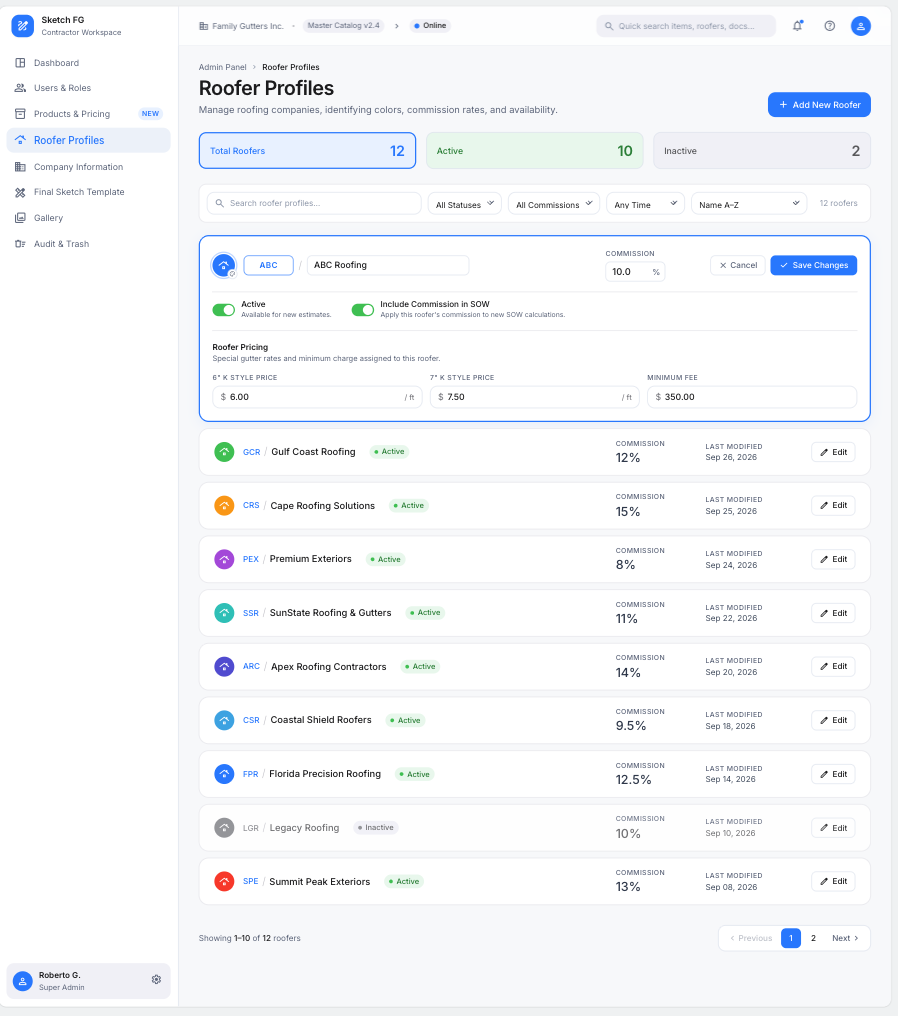
Visual references 44–46 — approved visual direction for this section. The written requirements above prevail over labels, sample data, or prices shown in the images. See Admin Screens
Company Information
Section titled “Company Information”Admin-only form: Company Identity (logo upload/replace/remove — SVG/PNG/JPG ≤ 5 MB; Company Name; Legal Business Name; Website), Contact (Business Phone, Business Email, optional secondary phone), Business Address (street, line 2, city, state, ZIP, country), Business Details (contractor license number/state). Cancel/Save Changes with validation and unsaved-change protection.
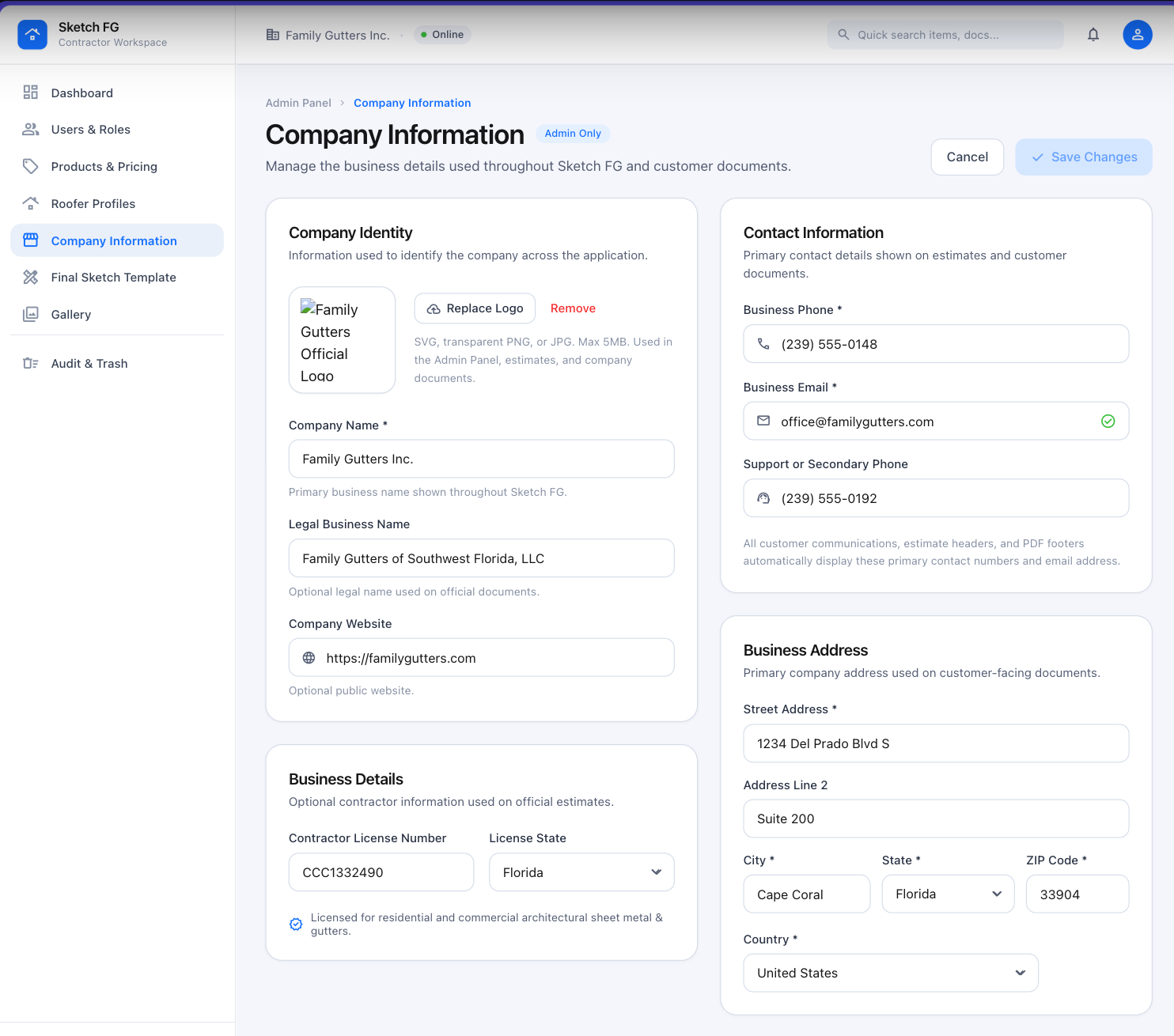
Visual reference 48 — approved visual direction for this section. The written requirements above prevail over labels, sample data, or prices shown in the images. See Admin Screens
Final Sketch Template
Section titled “Final Sketch Template”Admin-only editor: configuration panels left, live preview right (auto-updating, zoom, Regular Customer / Roofer mode switch).
- Branding from Company Information + document accent color.
- Document Content toggles: logo/contact/license, customer info, address, date, property sketch, property details, Scope of Work, Estimator name/signature. (No project photos, no estimate/quote number.)
- SOW Display controls: shared mark, description/material, configuration, quantity/unit, Regular/Roofer pricing, line total, Proposal totals per privacy rules. Roofer preview/output removes every financial value and reflows without gaps.
- Footer Content: Google Reviews text/link/QR, Payment & Notes, Warranty, blank-by-default Other Information, Estimator signature block.
- Output Settings: US Letter, Portrait/Landscape, PDF/JPG, high-res quality, PDF page numbers, bottom document note.
- Reset to Default / Save Changes. Live Preview must match generated output.
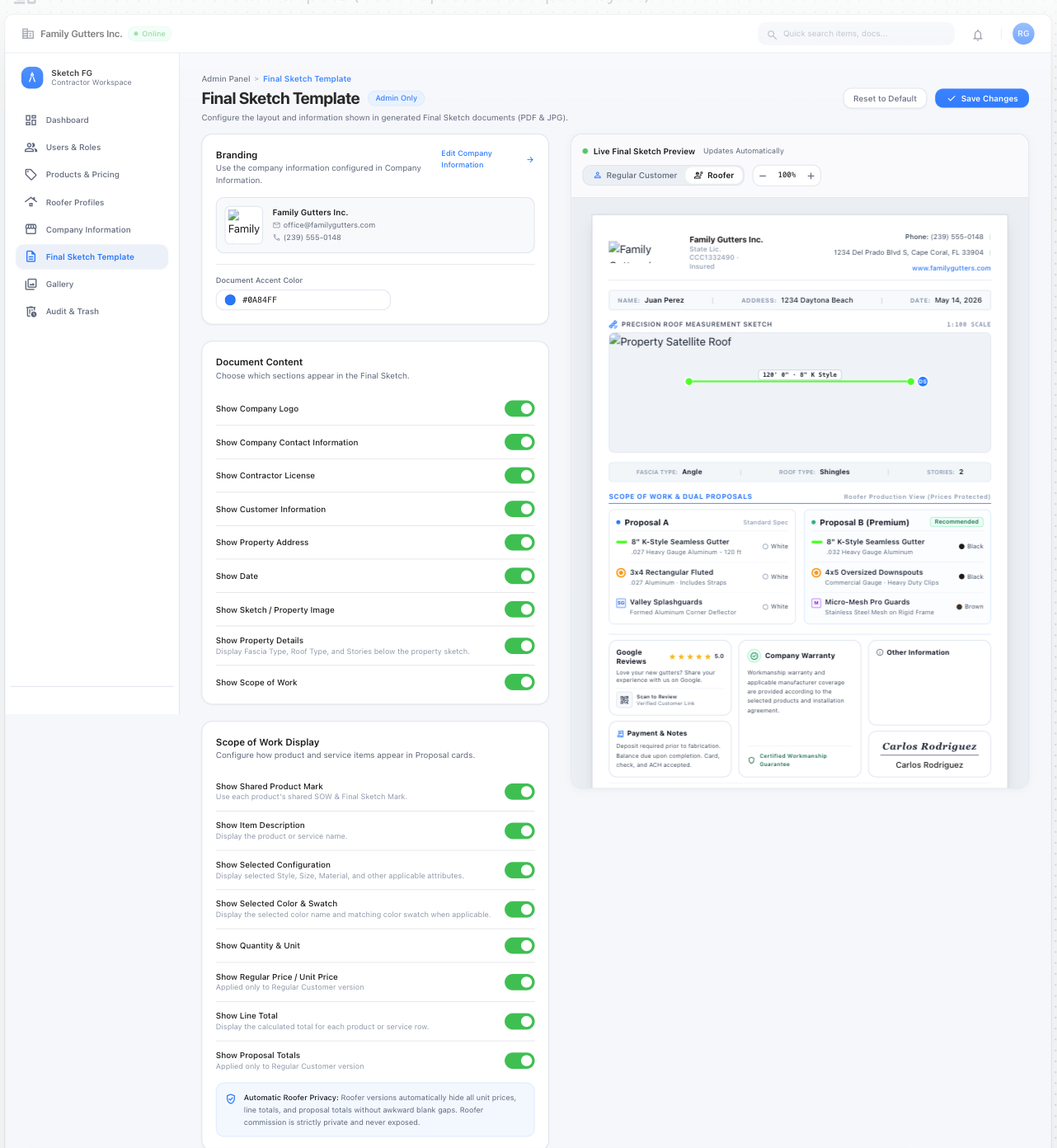
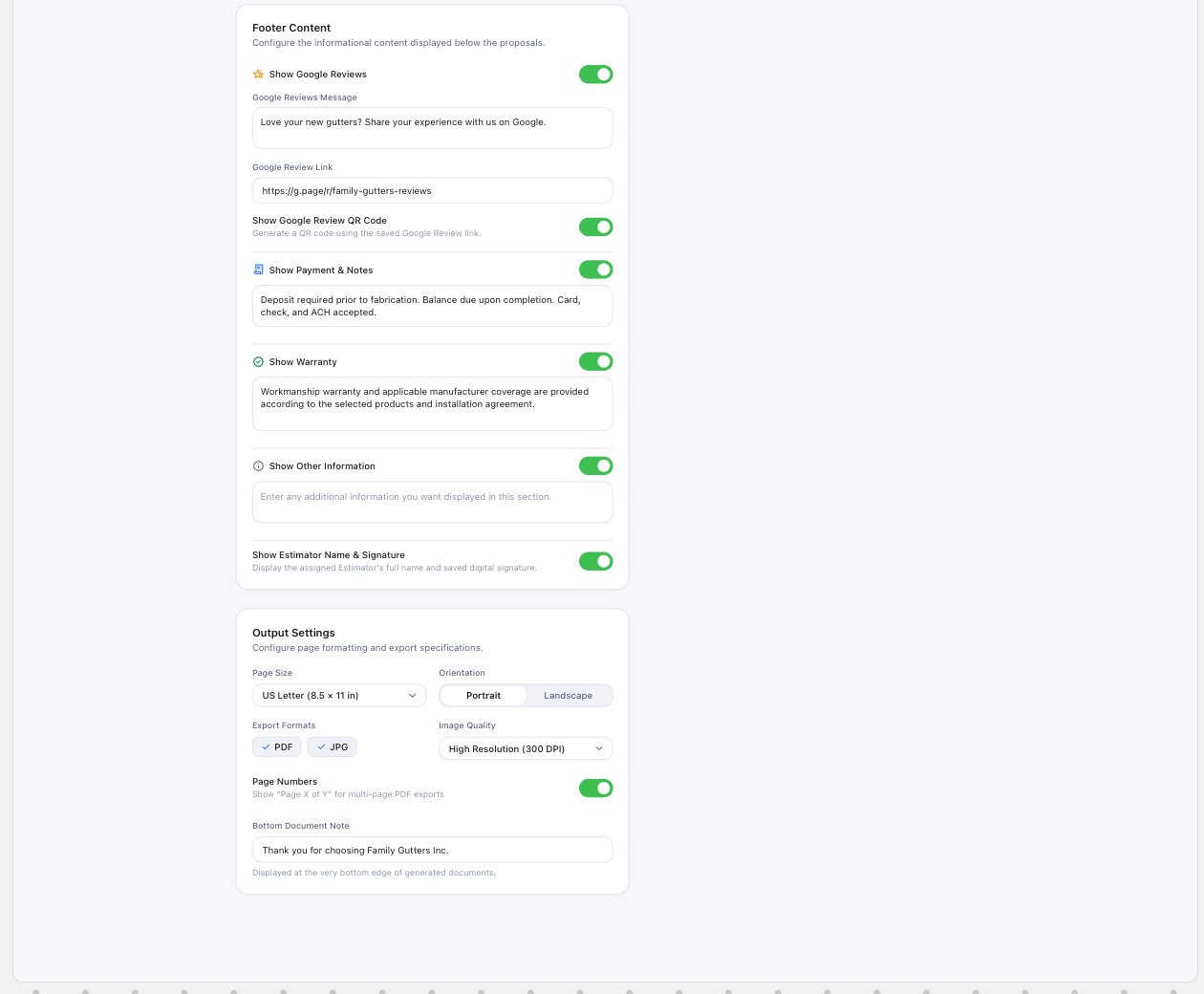
Visual references 49–50 — approved visual direction for this section. The written requirements above prevail over labels, sample data, or prices shown in the images. See Admin Screens
Gallery management
Section titled “Gallery management”Follows all Gallery rules in Navigation & Main Screens: metadata dependencies, upload modal, tagging, permissions, and Trash rules.
Audit, Versions, Locks & Trash
Section titled “Audit, Versions, Locks & Trash”- Apple-style Audit Log with Audit Log/Trash segmented tabs; search; Module, Action, User, Time filters; count; table; View details; pagination.
- Modules: Estimates, Products & Pricing, Gallery, Roofer Profiles, Company Information, Final Sketch Template, Users & Roles, User Profile & Security. (Estimate/sketch/canvas/SOW activity is normalized under Estimates.)
- Records estimate price/content edits, catalog changes, gallery actions, roofer changes, company/template changes, invitations/roles/permissions/status, profile/password/signature changes. View Details shows field-level previous/new values. Passwords, hashes, reset links, tokens, secrets are never logged. Audit events are immutable.
- Version recovery and deletion, Force Unlock, Trash restore and permanent deletion.
- Trash receives cancelled Drafts, deleted estimates, and deleted versions; auto-purge after 30 days; purge and permanent deletion are auditable.
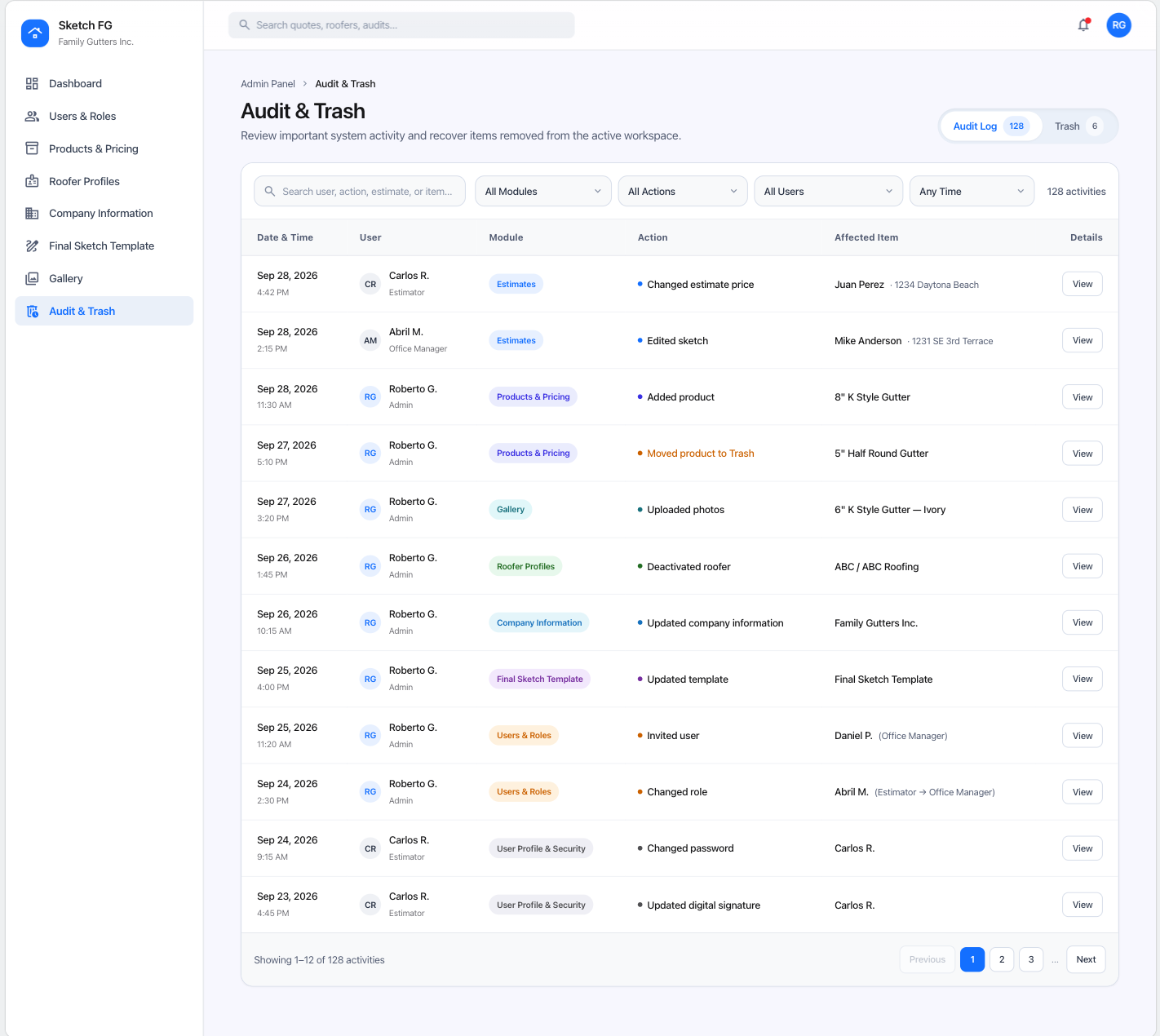
Visual reference 53 — approved visual direction for this section. The written requirements above prevail over labels, sample data, or prices shown in the images. See Admin Screens