
Visual Reference: New Estimate Flow
05 — New Estimate, background selector
Section titled “05 — New Estimate, background selector”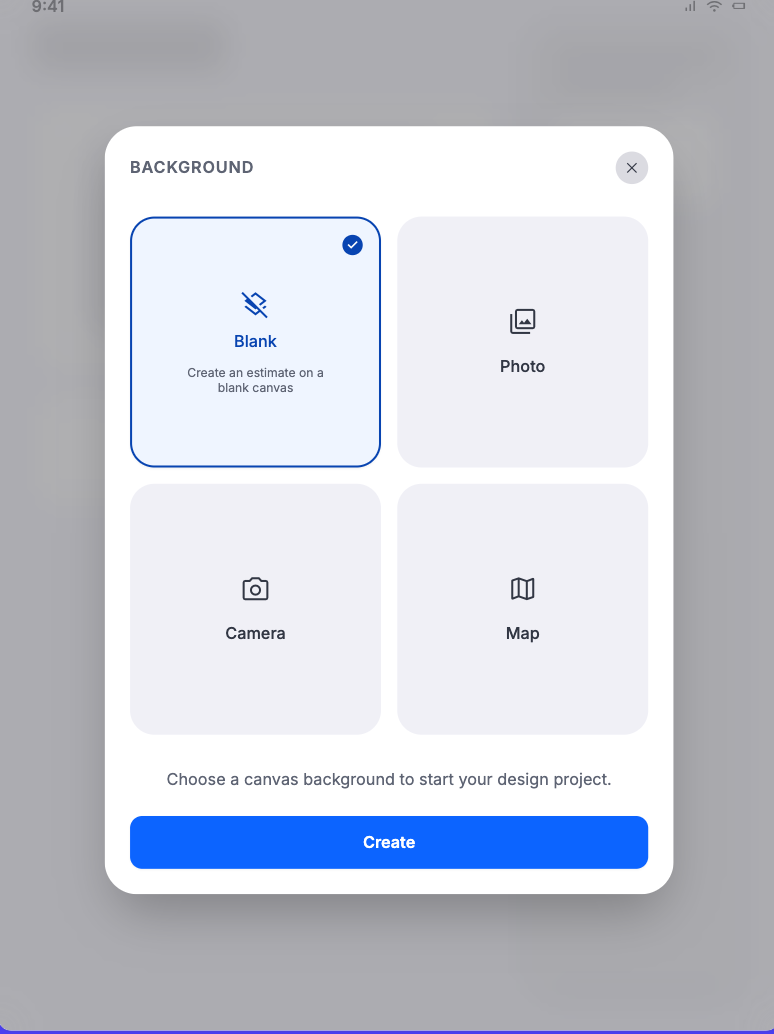
- Context: All roles creating an estimate
- Spec: Estimate Lifecycle
- Status: Approved visual reference with label normalization
- Notes: The four official options are Map, Blank Canvas, Upload Image, Camera. This selector reopens via Save & Add Another Sketch for Same Client.
06 — Satellite map search and capture
Section titled “06 — Satellite map search and capture”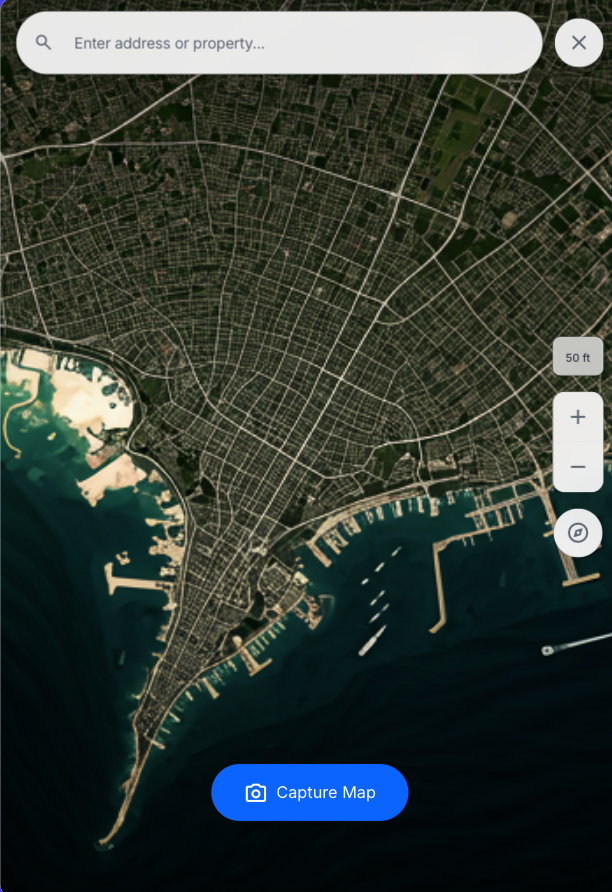
- Context: Map start option
- Spec: Estimate Lifecycle
- Status: Approved visual reference
- Notes: Full-screen satellite selector with search, close, scale, zoom, orientation control, and Capture Map. Satellite imagery is illustrative.
07 — Satellite property positioned
Section titled “07 — Satellite property positioned”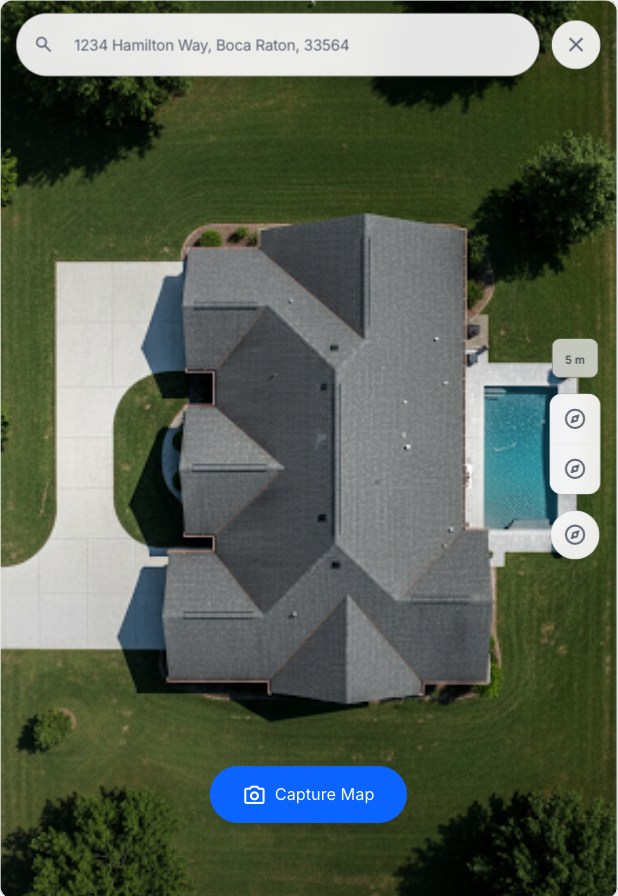
- Context: Map start option, after address selection
- Spec: Estimate Lifecycle
- Status: Approved visual state
- Notes: The user centers, scales, and orients the property before Capture Map. Sample address is illustrative.
08 — Client name and address modal
Section titled “08 — Client name and address modal”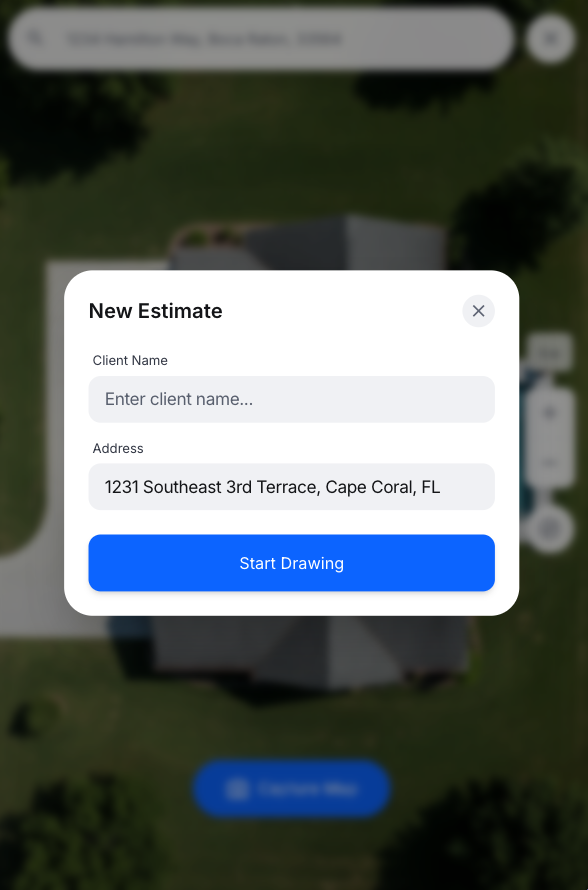
- Context: After Map capture
- Spec: Estimate Lifecycle
- Status: Approved visual reference
- Notes: Address prefilled and reviewable; Client Name entered here; Start Drawing opens the canvas.
09 — Map workflow overview
Section titled “09 — Map workflow overview”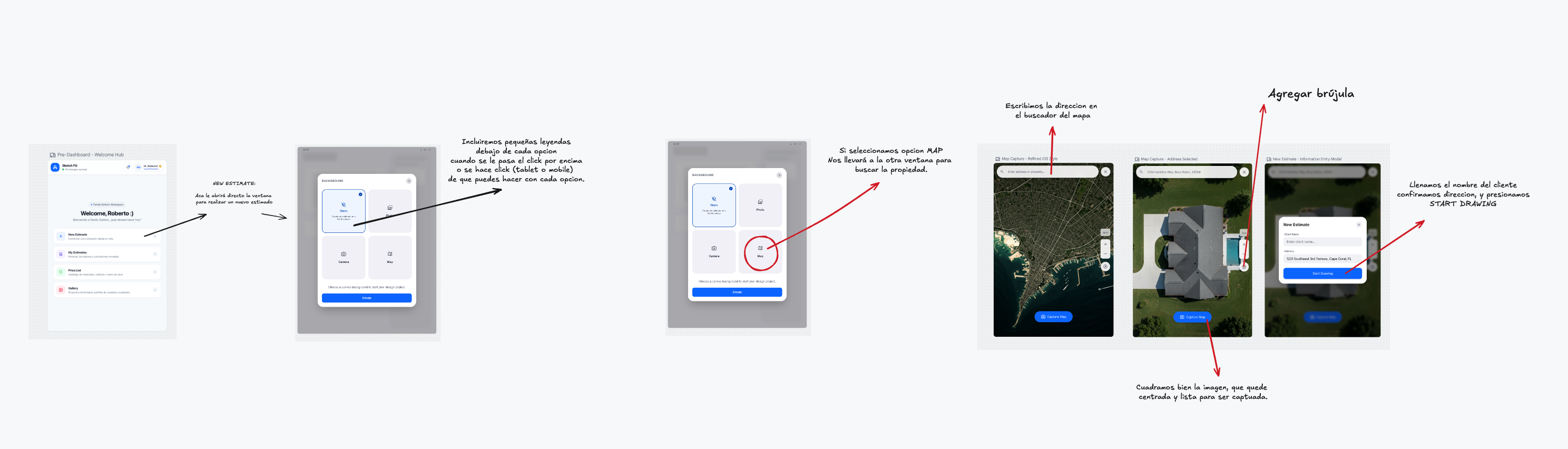
- Context: All roles creating an estimate
- Spec: Estimate Lifecycle
- Status: Approved annotated workflow reference
- Notes: Annotated board: Dashboard → New Estimate → background selector → Map search → positioned property → client/address modal → Start Drawing. Includes the map orientation/compass control.