
Proposals
import { Aside } from ‘@astrojs/starlight/components’;
Source: Master Spec v2.0, §11.
A Proposal is an alternative commercial package, not a product. Default titles: Proposal A, Proposal B, … — editable, e.g. Proposal A — Right Side. The full custom title appears in SOW, Preview, and JPG.
- A Proposal contains one or more product/service/accessory rows.
- An item moved into a Proposal is removed from the individual list — never copied to both.
- Duplicate Proposal makes an independent copy (rows, configurations, quantities/footage, prices, Proposal Total). Editing the duplicate never changes the original. Shared physical canvas measurements stay linked: a measurement change updates every Proposal referencing that source group; deleting a shared canvas element updates every linked Proposal after confirmation. Duplicating a Proposal never duplicates canvas geometry.
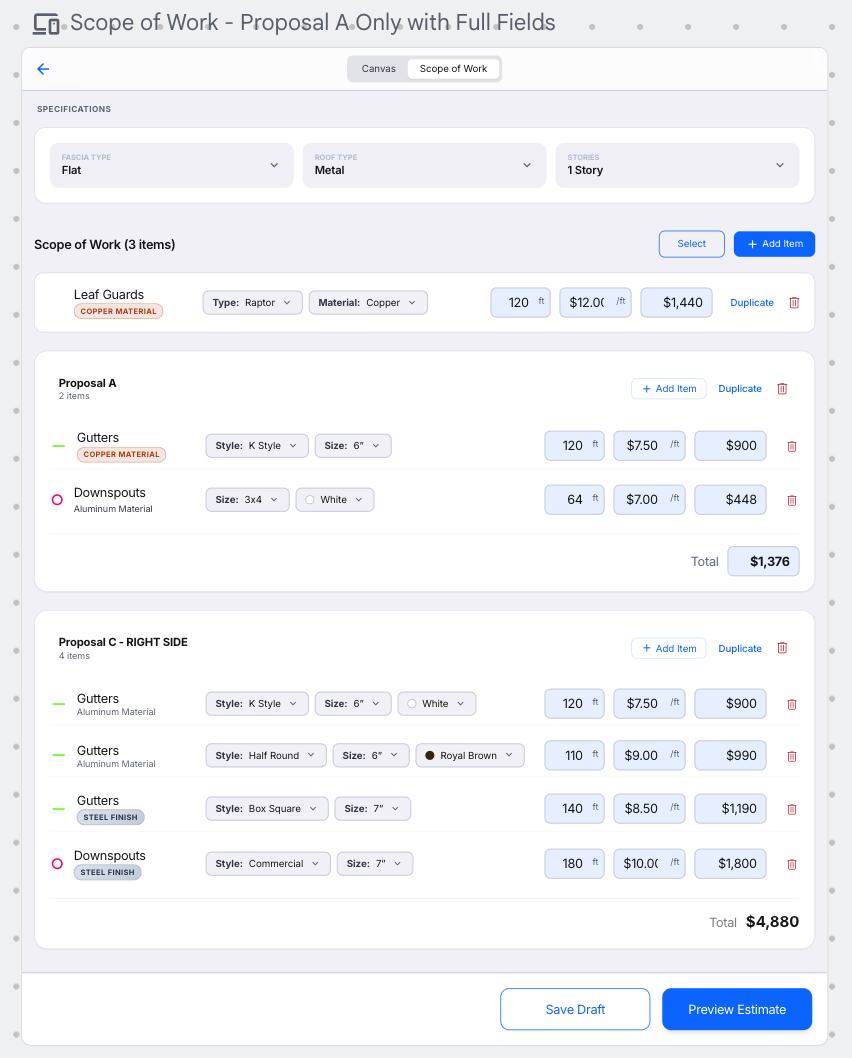
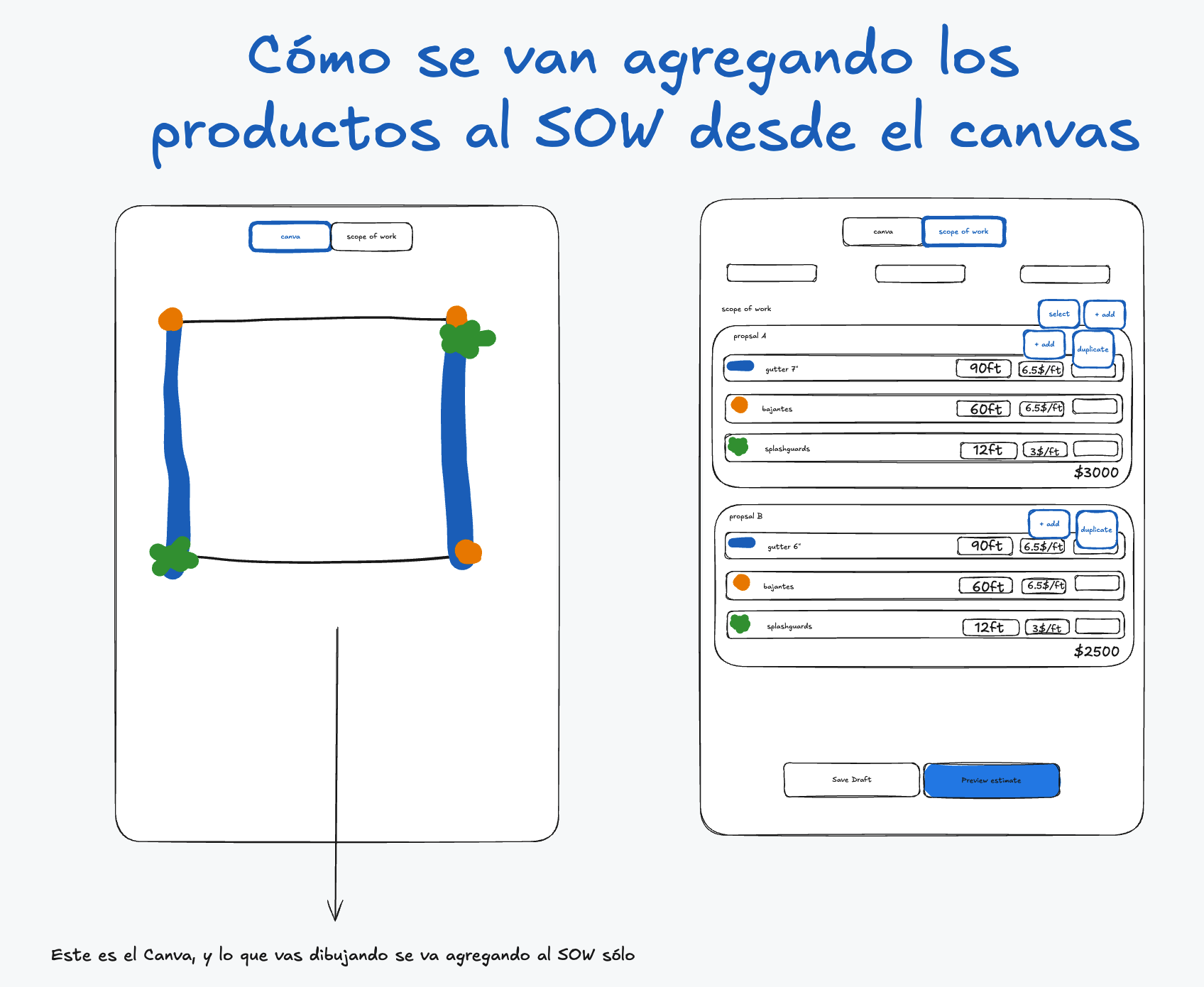
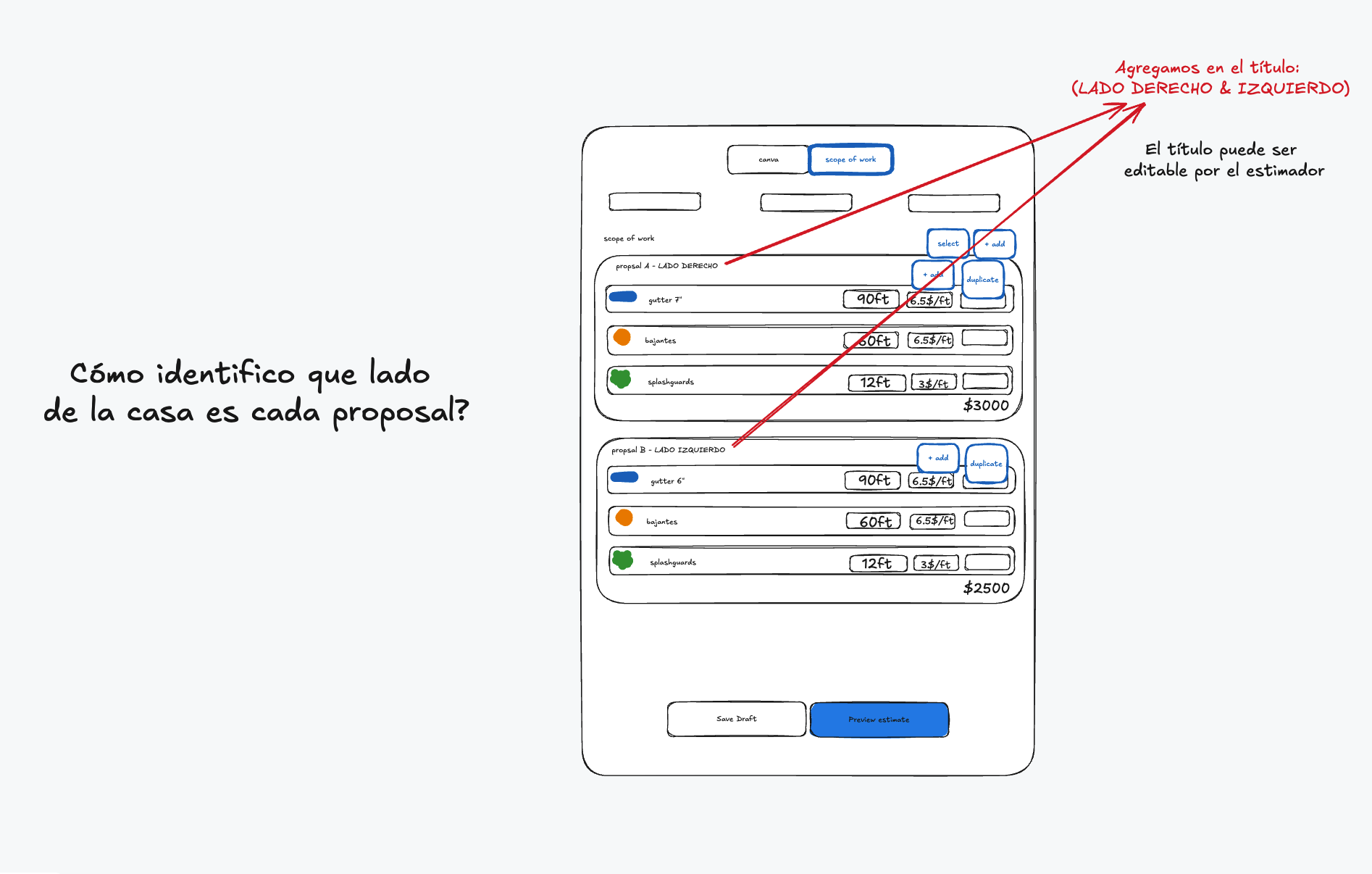
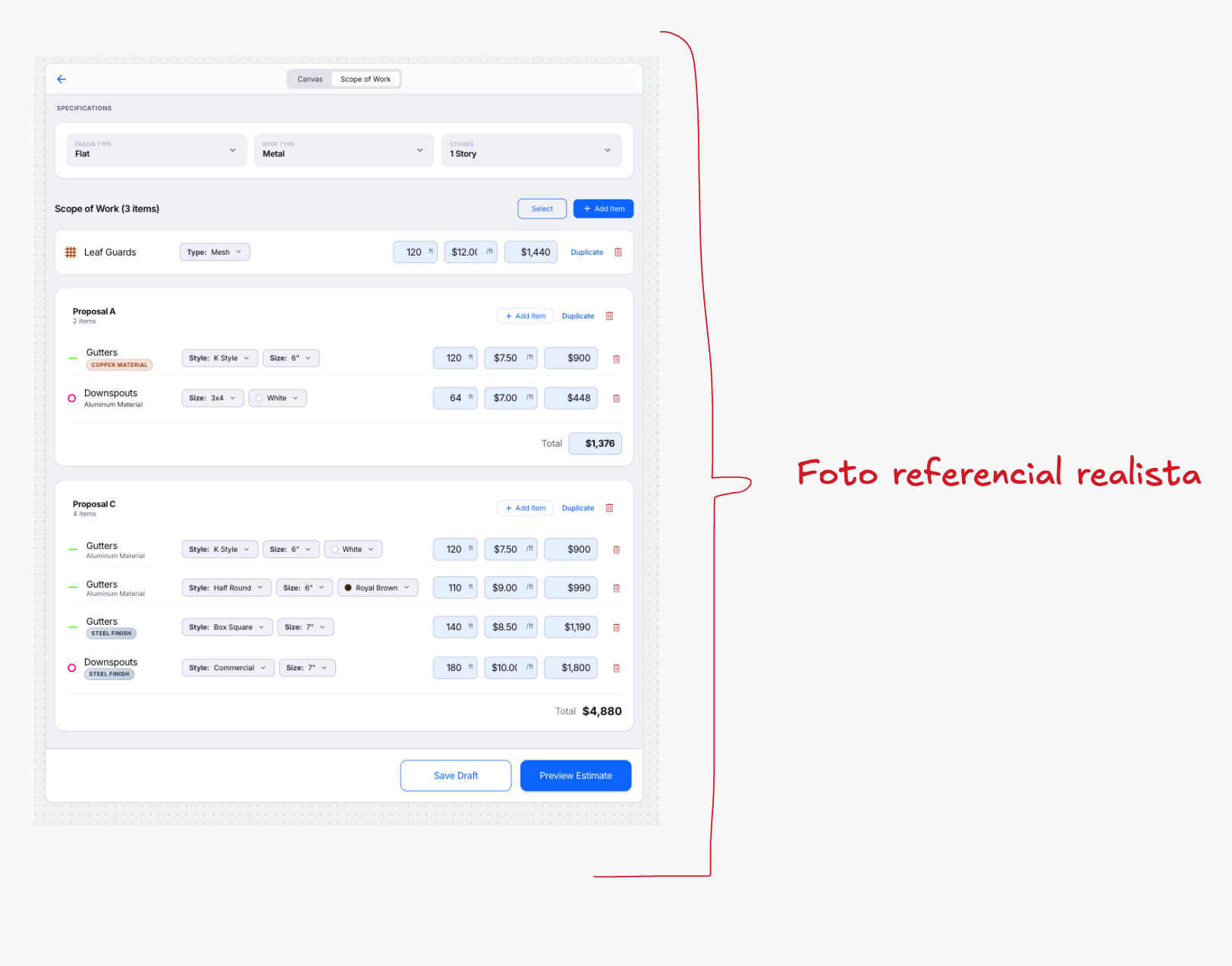
Visual references 26, 28–30 — approved visual direction for this section. The written requirements above prevail over labels, sample data, or prices shown in the images. See Scope of Work & Proposals references
Proposal pricing
Section titled “Proposal pricing”- Rows inside a Proposal keep Price per ft/Unit and Line Total for internal calculation.
- Proposal Total initially = sum of effective Line Totals; the Estimator may manually override it (effective until explicitly returned to automatic or the pricing profile switches).
- Different Proposals never produce a Grand Total.
Creating a Proposal from individual items
Section titled “Creating a Proposal from individual items”- Tap Select in the SOW — a checkbox appears beside every eligible individual item.
- Select one or more items.
- The contextual action area offers Create Proposal, Delete Items, Cancel.
- Create Proposal moves the items into a new Proposal (no duplication, no leftover copies); the new Proposal gets the next default title, immediately editable.
- Configurations, Quantity/Footage, unit prices, and Line Totals are retained; the Estimator may edit/clear internal prices and enter one manual Proposal Total.
- If required pricing fields are cleared, automatic total is no longer complete — a manual Proposal Total is required before completion/export.
- Delete Items requires confirmation; for canvas-linked items the confirmation states their canvas elements will also be deleted.
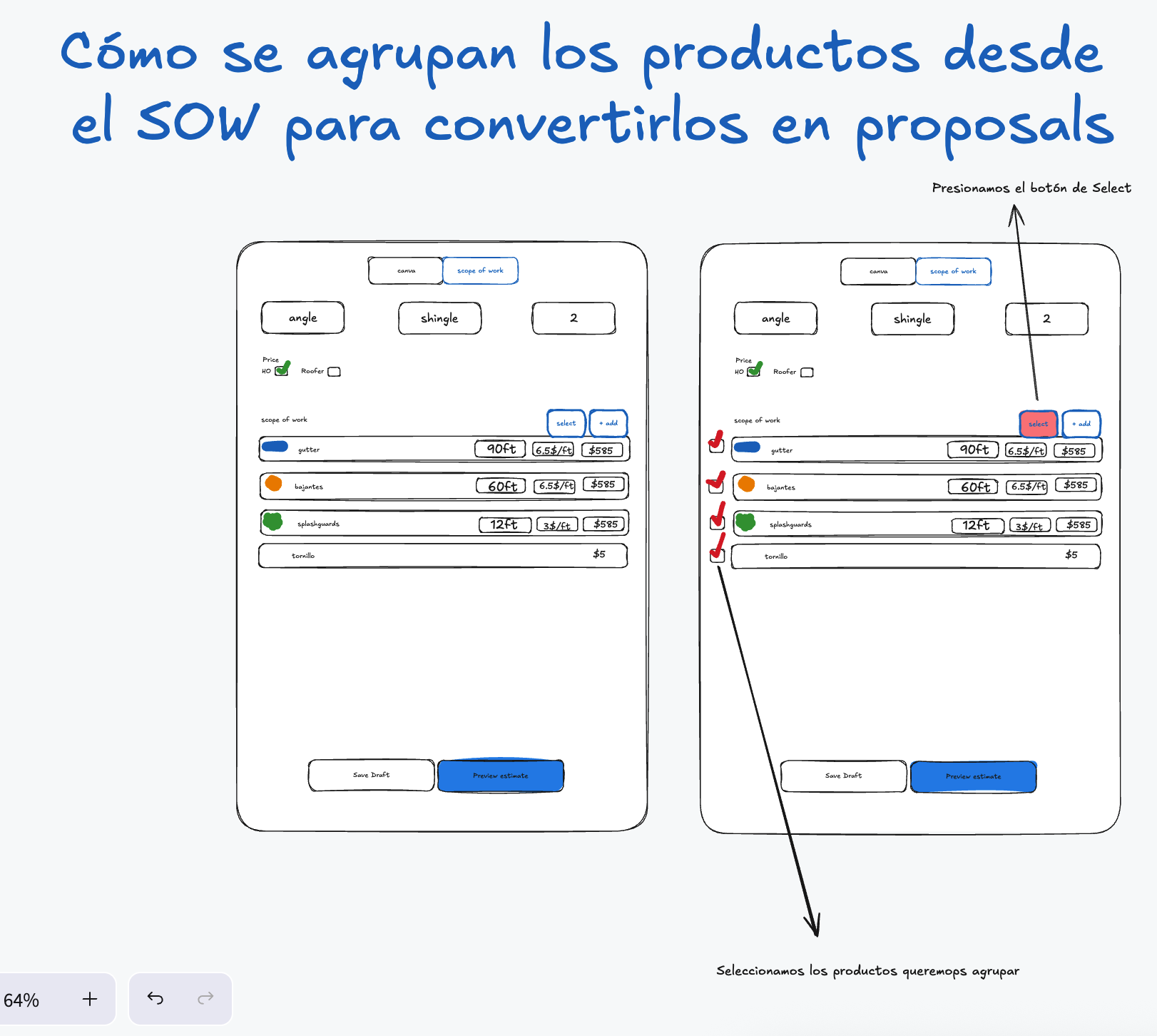
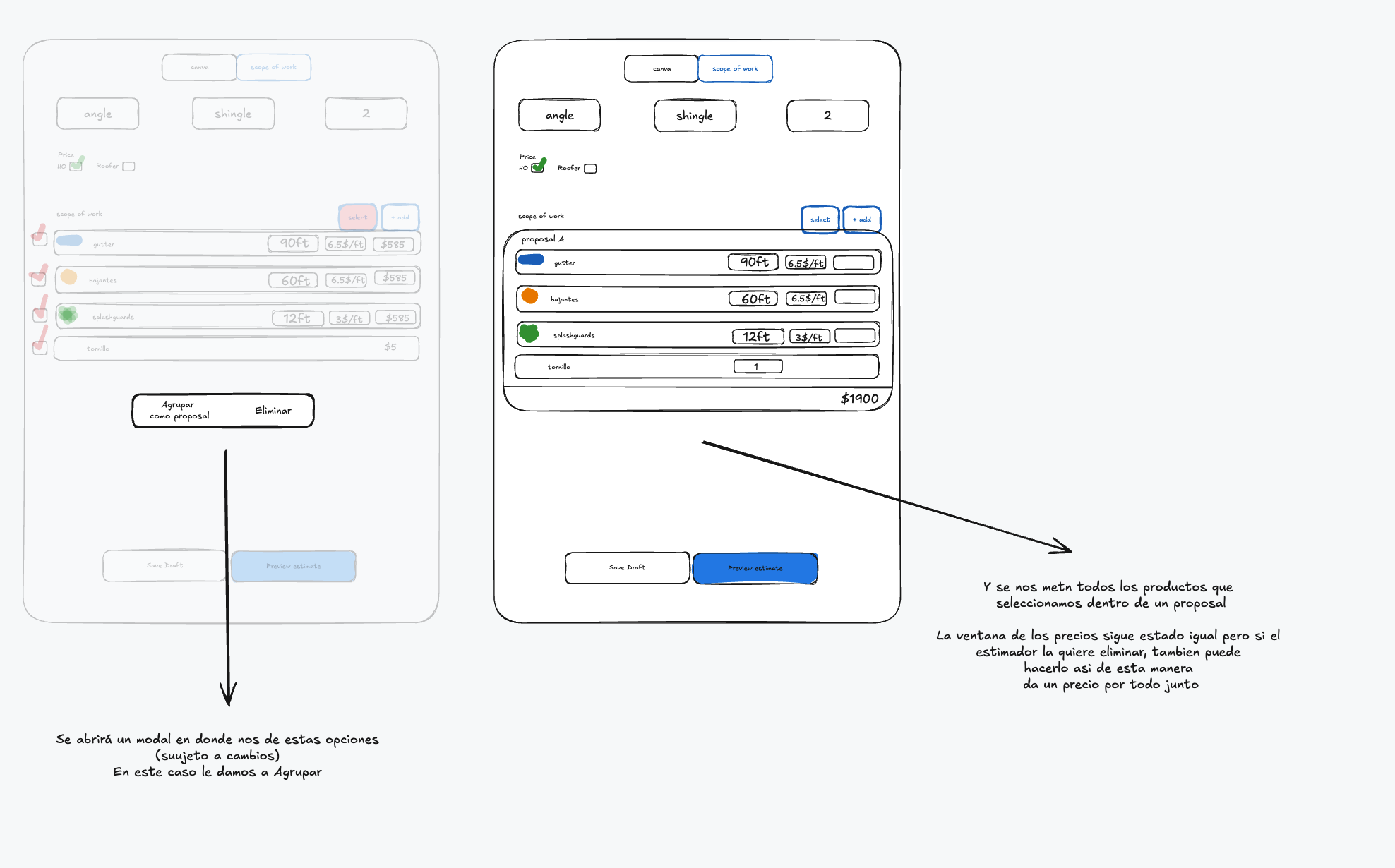
Visual references 31–32 — approved visual direction for this section. The written requirements above prevail over labels, sample data, or prices shown in the images. See Scope of Work & Proposals references
Export visibility
Section titled “Export visibility”- Regular Final Sketch: rows inside Proposals show product, configuration, quantity/footage, and Proposal Total. Per-item Price per ft/Unit and Line Totals are hidden.
- Roofer Final Sketch: hide all prices, totals, commission percentages, and financial values.
- Preview Estimate must exactly match these export rules.
- Each Proposal and individual item has an Include in Final Sketch control in Preview (default on).
- Export requires at least one included Proposal with a product, or one included individual commercial product.