
Visual Reference: Admin Screens
Gallery
Section titled “Gallery”11 — Gallery, Admin grid
Section titled “11 — Gallery, Admin grid”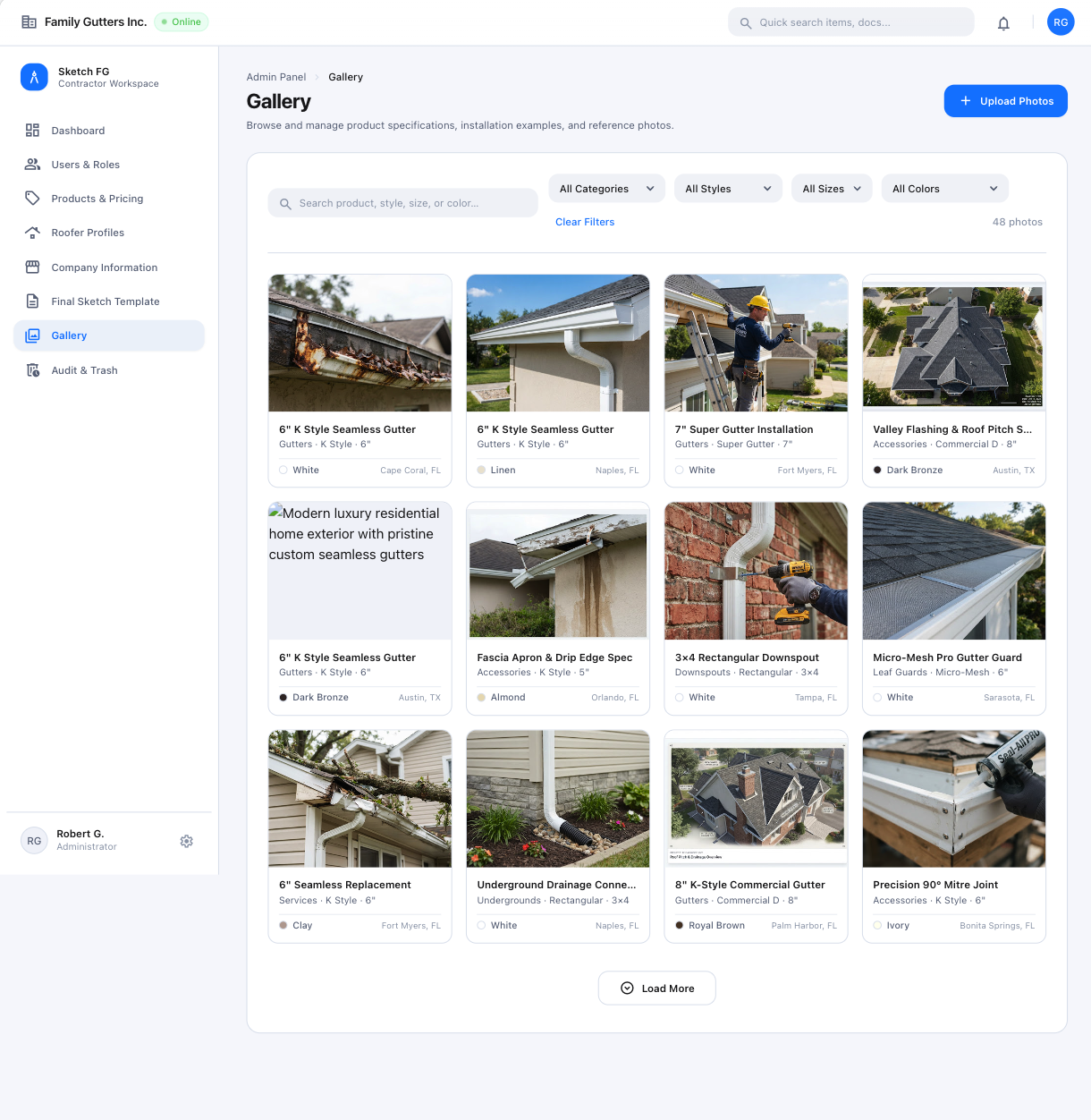
- Spec: Navigation & Main Screens (§5.4)
- Status: Approved visual reference with catalog normalization
- Notes: Searchable grid with Category, Style/Type, optional Size, Color, Clear Filters, count, Load More. Card data illustrative; validate against the master catalog.
12 — Gallery, Upload Photos modal
Section titled “12 — Gallery, Upload Photos modal”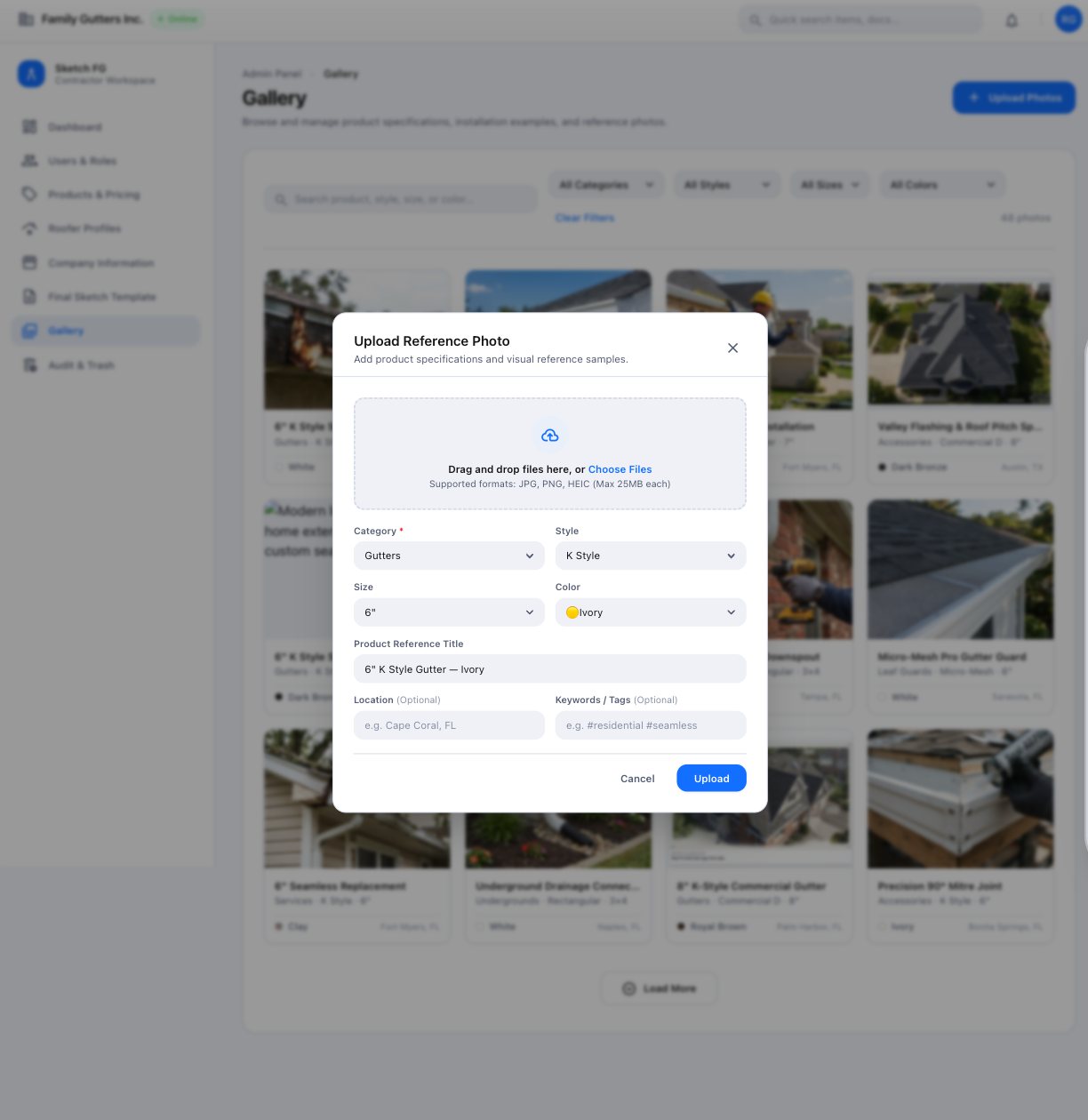
- Spec: Navigation & Main Screens (§5.4)
- Status: Approved modal styling with functional normalization
- Notes: Official title Upload Photos; multiple files; Category → Style/Type → optional Size; Color only when applicable.
51 — Gallery Management, revised
Section titled “51 — Gallery Management, revised”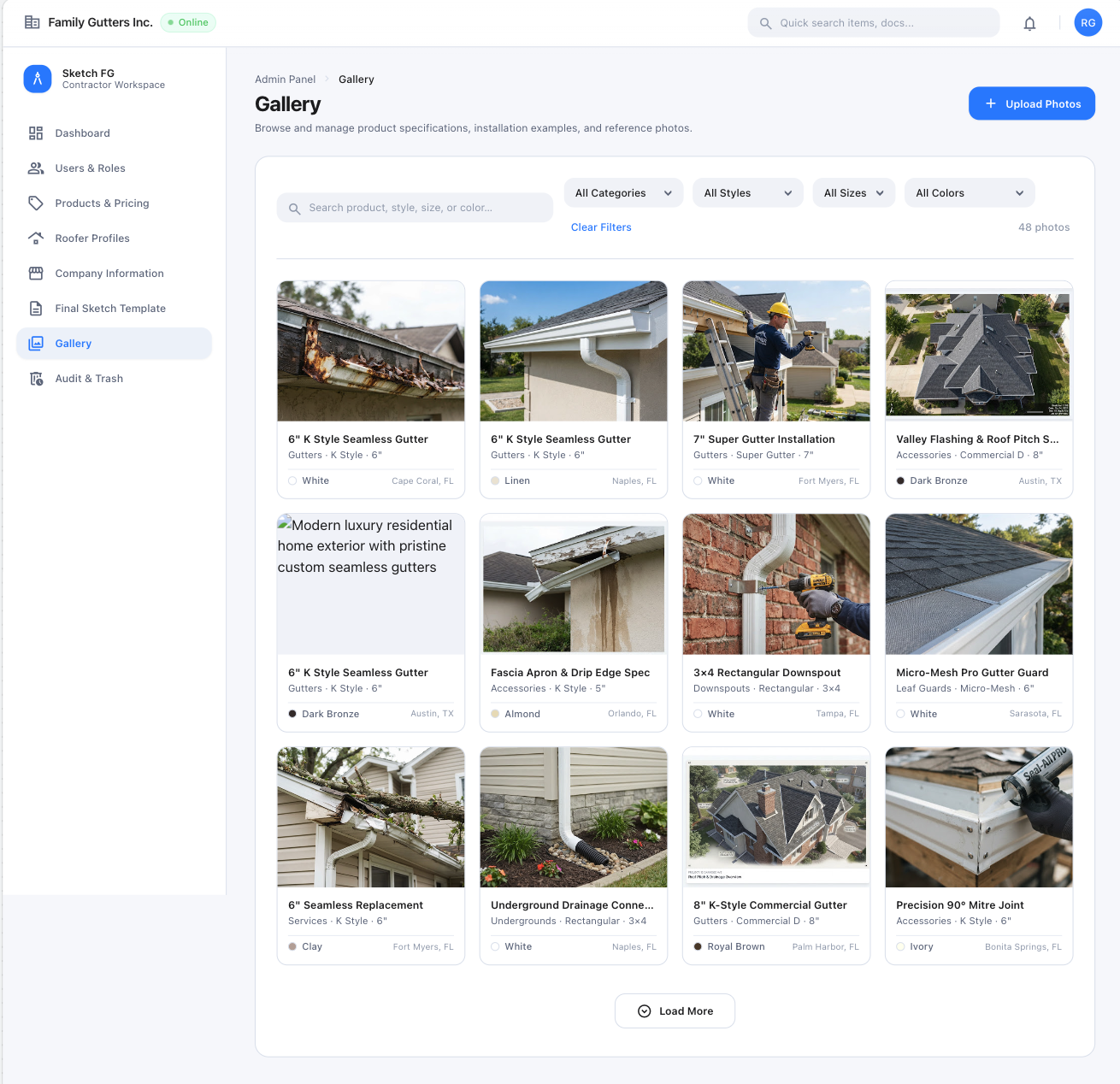
- Spec: Navigation & Main Screens (§5.4), Admin Panel
- Status: Latest primary Gallery grid reference; card data illustrative
- Notes: Four-column thumbnail grid; Admin sees management actions, others read-only.
52 — Gallery Upload Modal, revised
Section titled “52 — Gallery Upload Modal, revised”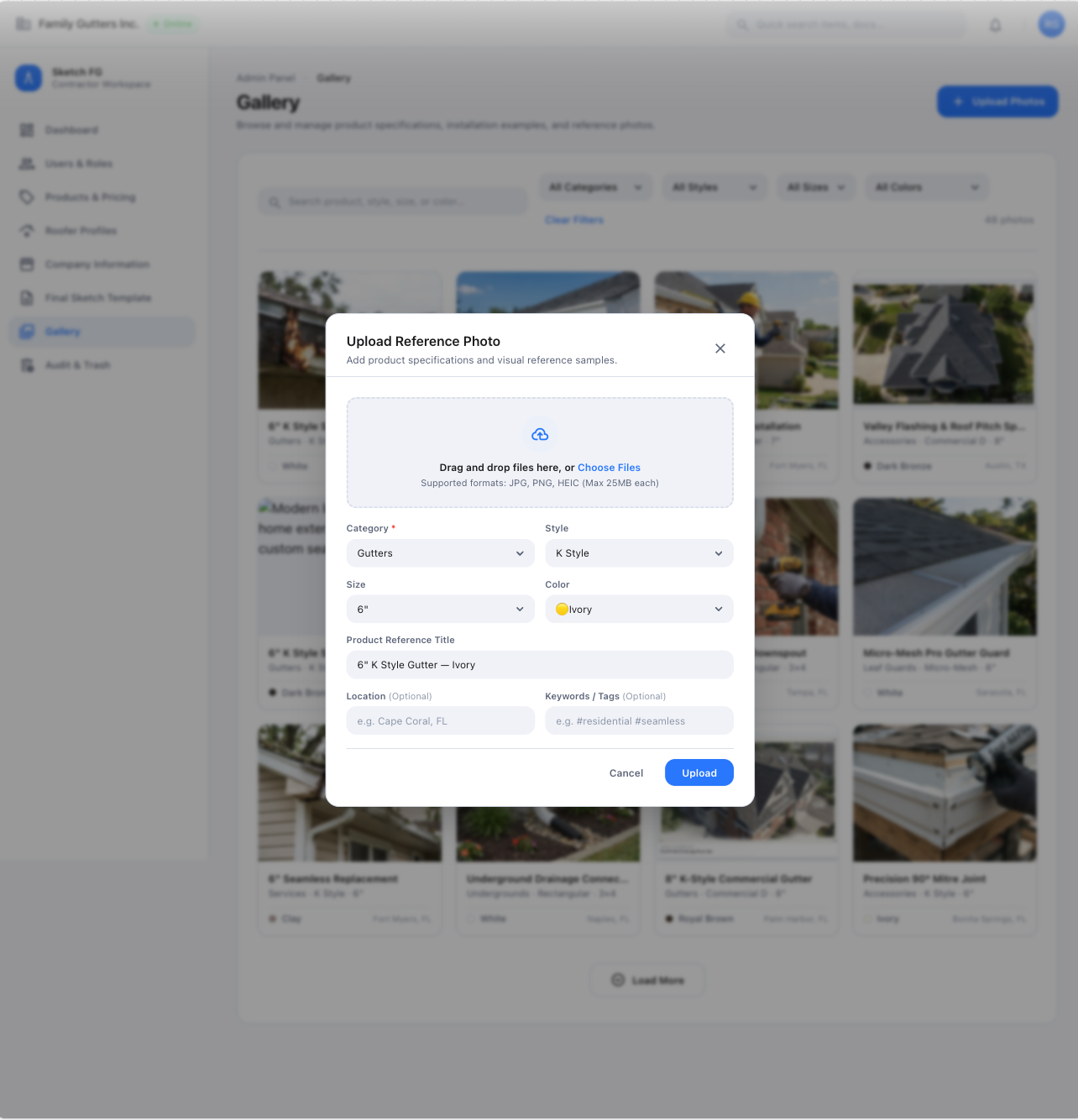
- Spec: Navigation & Main Screens (§5.4)
- Status: Latest primary compact upload-modal reference; metadata illustrative
- Notes: Drag-and-drop, JPG/PNG/HEIC ≤ 25 MB each, thumbnails, Add More, Apply these details to all selected photos.
Admin Panel navigation
Section titled “Admin Panel navigation”13 — Admin Panel navigation sidebar
Section titled “13 — Admin Panel navigation sidebar”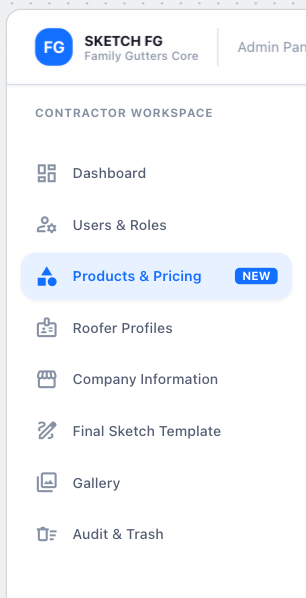
- Spec: Admin Panel
- Status: Approved navigation reference
- Notes: Dashboard, Users & Roles, Products & Pricing, Roofer Profiles, Company Information, Final Sketch Template, Gallery, Audit & Trash. Apple-blue selected state.
Products & Pricing builder (steps 1–5)
Section titled “Products & Pricing builder (steps 1–5)”35 — Add New Product: Basic Information
Section titled “35 — Add New Product: Basic Information”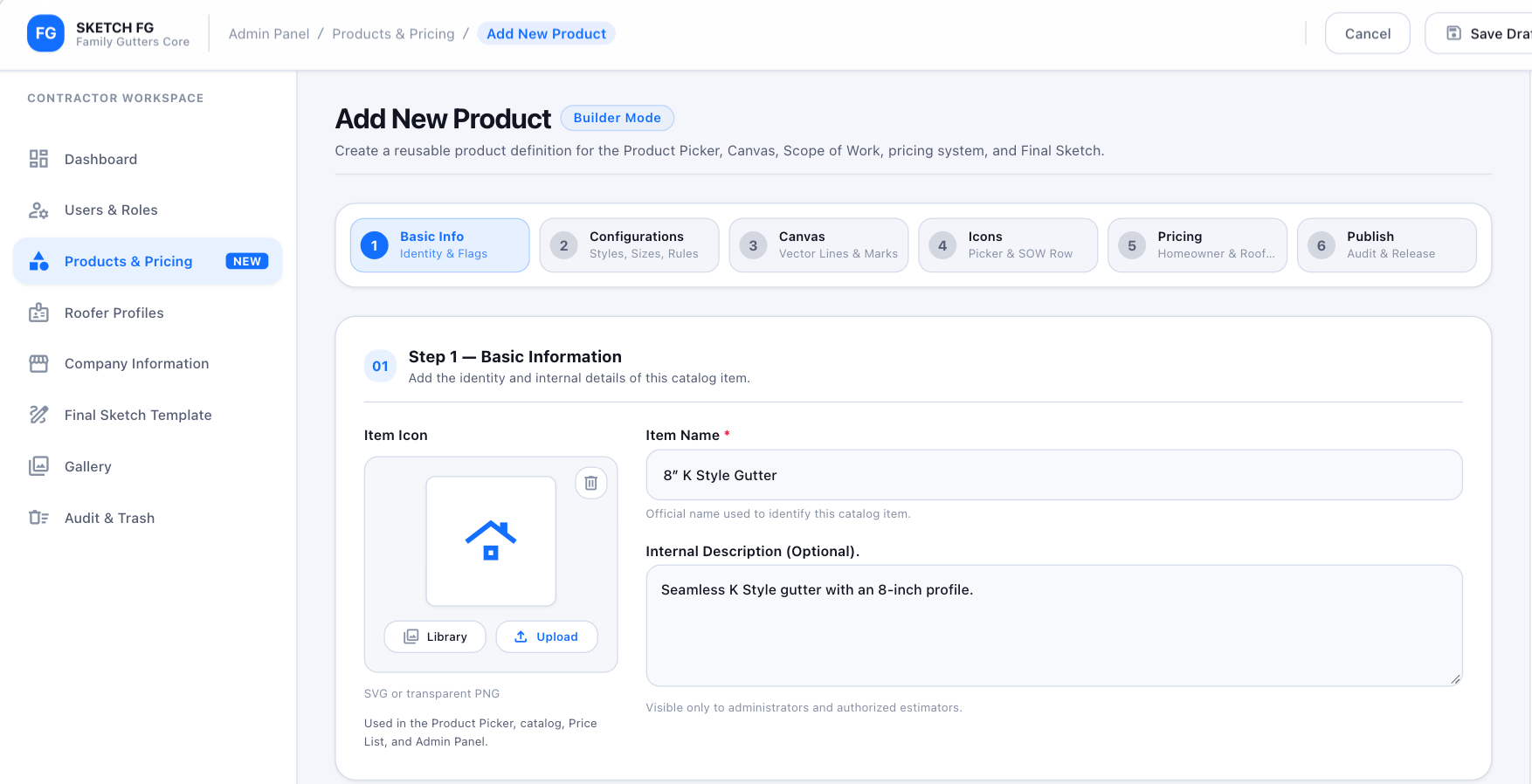
- Spec: Admin Panel (§16.2)
- Status: Approved visual reference with terminology/catalog normalization
- Notes: Icon, required Item Name, optional Internal Description, Cancel, Save Draft. Normalize
Homeowner→ Regular.
36 — Classification, Configurations & Rules
Section titled “36 — Classification, Configurations & Rules”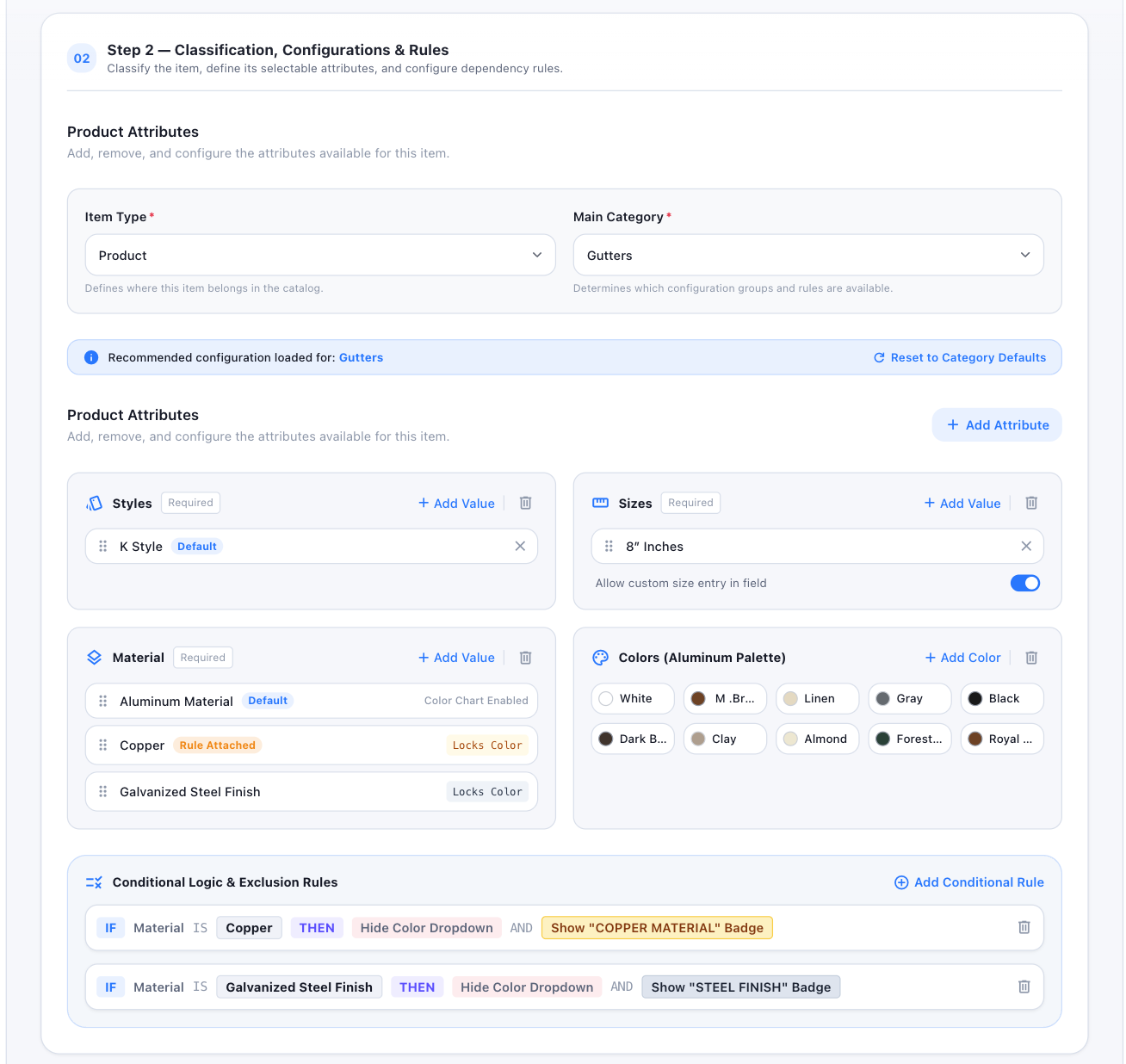
- Spec: Admin Panel (§16.2)
- Status: Approved visual reference with catalog normalization
- Notes: Item Type, Main Category, attributes, required/defaults, Custom Size/Color support, conditional rules. Use the full approved palette.
37 — Canvas Representation
Section titled “37 — Canvas Representation”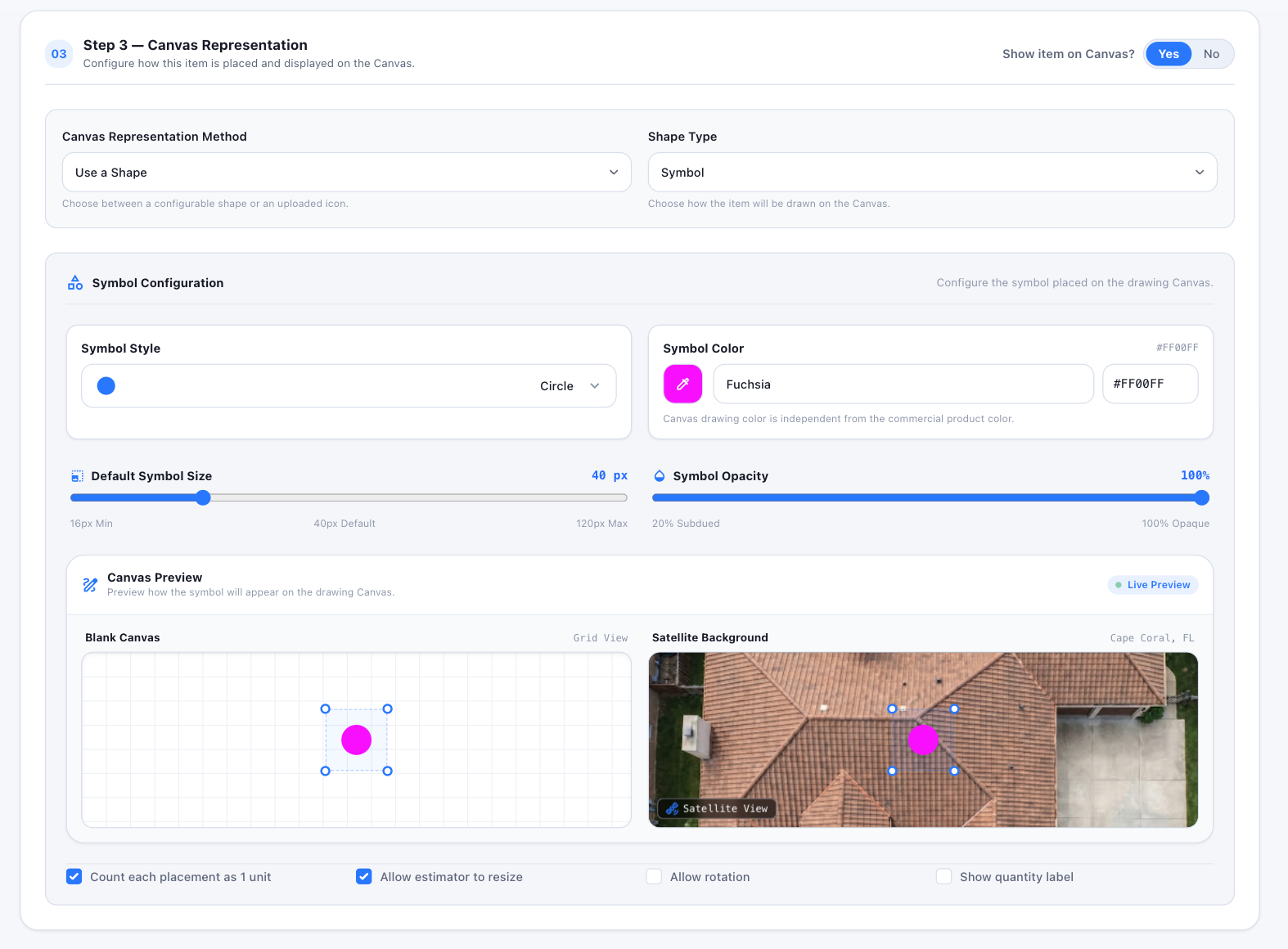
- Spec: Admin Panel (§16.2)
- Status: Approved visual reference; shown configuration illustrative
- Notes: Line/Symbol/Panel, uploaded SVG/PNG, technical canvas color independent from commercial Color, live preview on blank + satellite.
38 — Canvas Symbol Library
Section titled “38 — Canvas Symbol Library”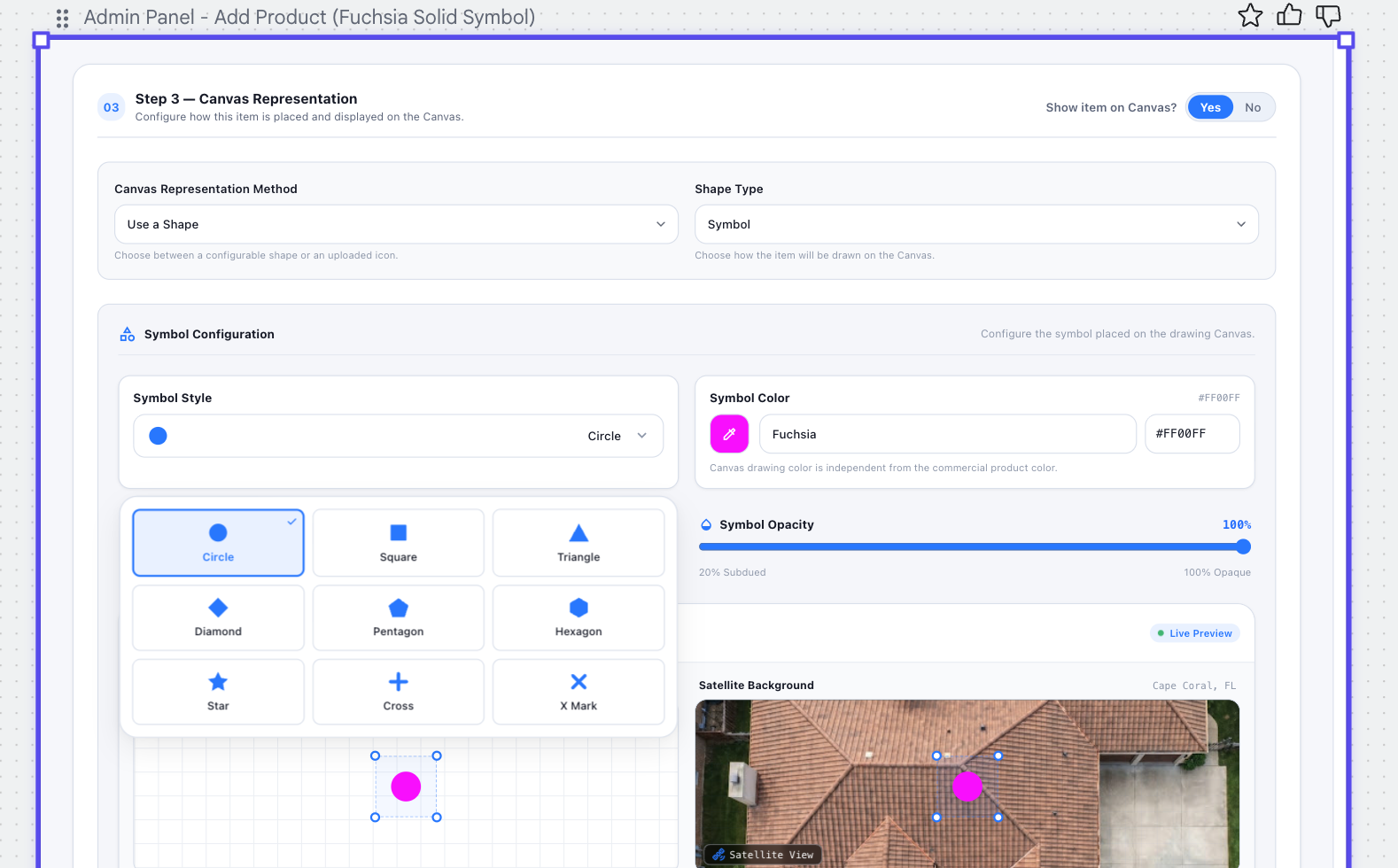
- Spec: Admin Panel (§16.2)
- Status: Approved detailed selector reference; values illustrative
- Notes: Circle, Square, Triangle, Diamond, Pentagon, Hexagon, Star, Cross, X Mark.
39 — Measurable Line Configuration
Section titled “39 — Measurable Line Configuration”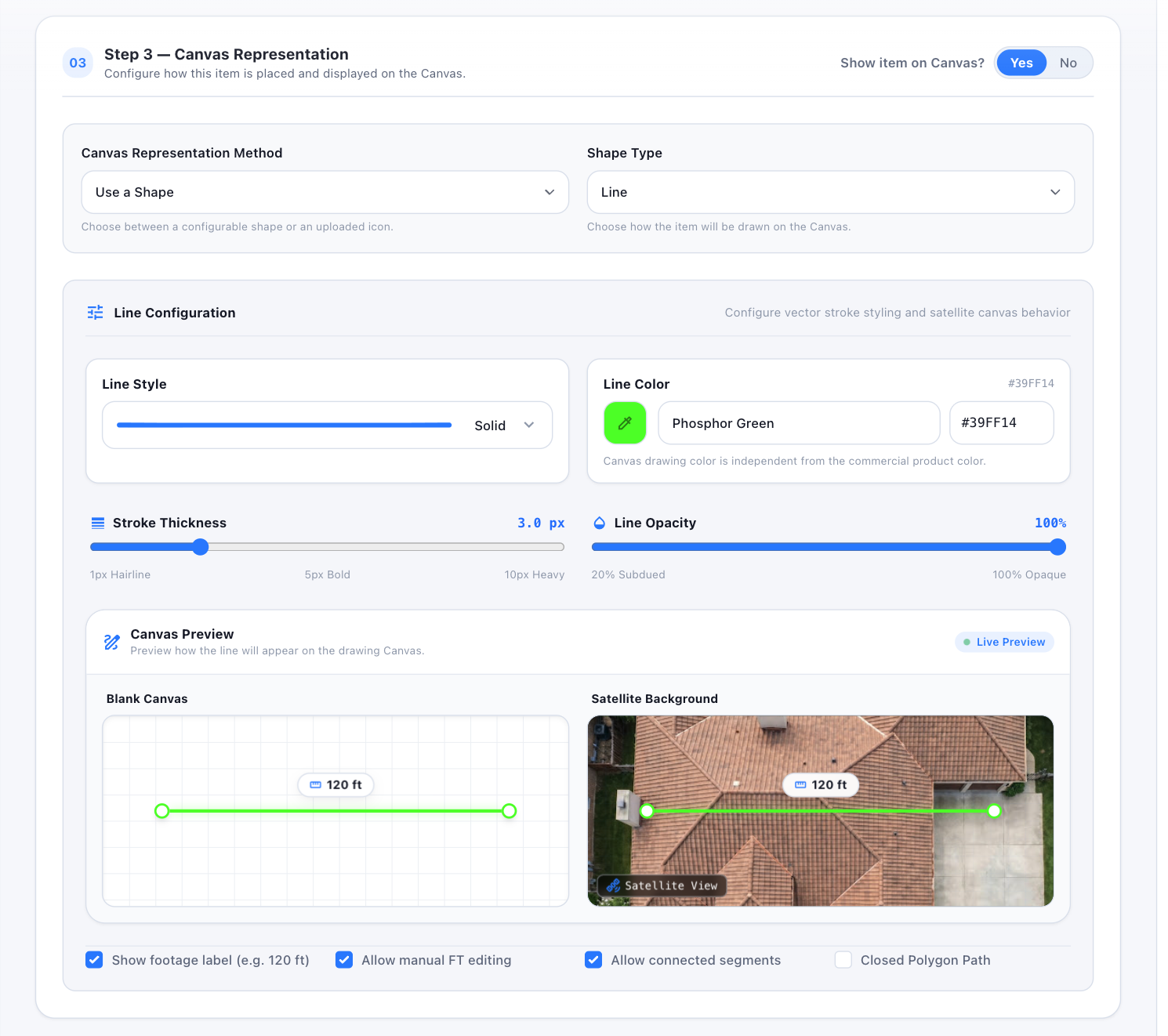
- Spec: Admin Panel (§16.2)
- Status: Approved detailed line reference; values illustrative
- Notes: Line style, technical color, thickness, opacity, footage label, manual FT, connected segments, closed-polygon path.
40 — Line Style Menu
Section titled “40 — Line Style Menu”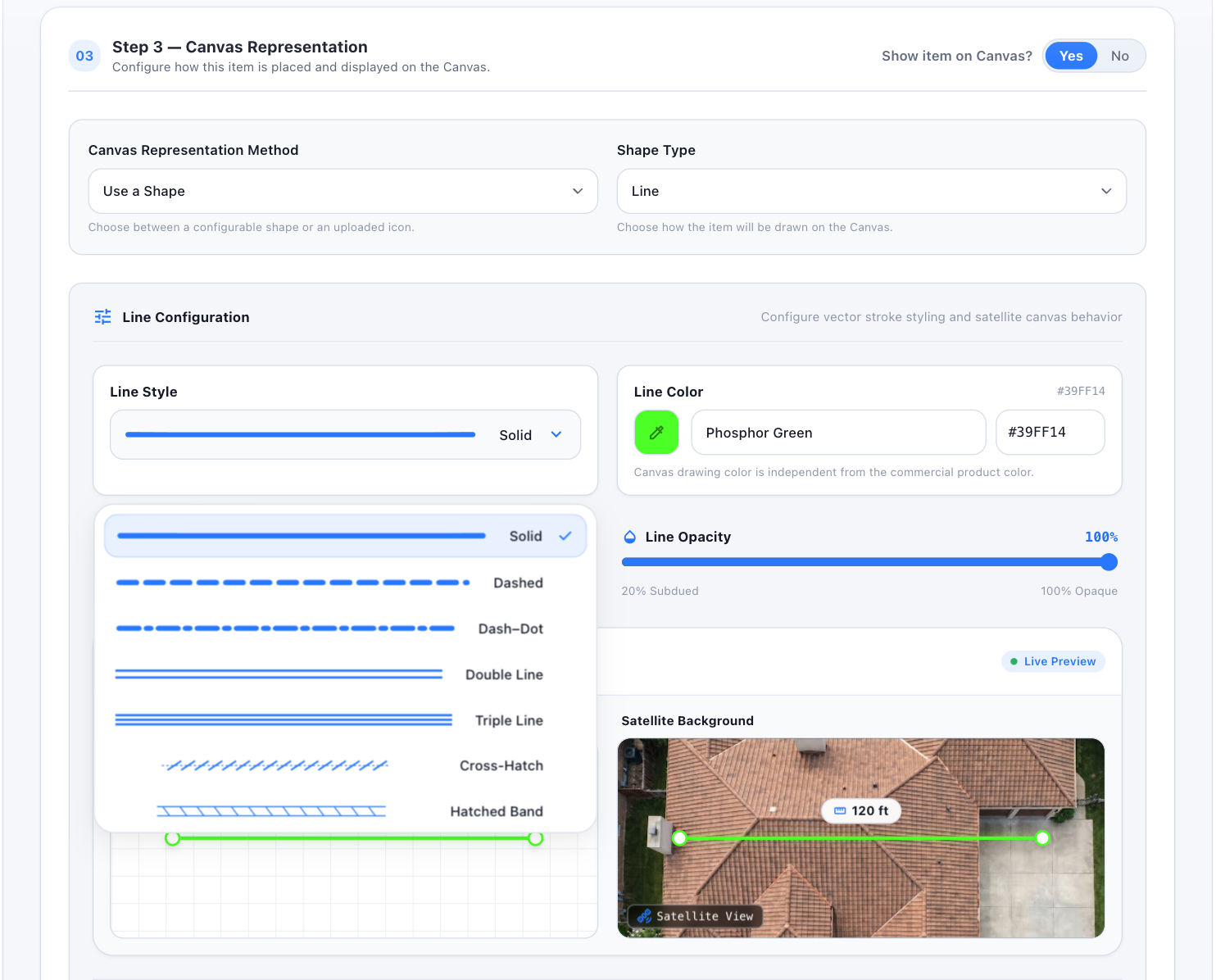
- Spec: Admin Panel (§16.2)
- Status: Approved selector and preview reference
- Notes: Solid, Dashed, Dash–Dot, Double, Triple, Cross-Hatch, Hatched Band (+ Zigzag, Wavy where configured).
41 — SOW Mark, Pricing & Final Preview
Section titled “41 — SOW Mark, Pricing & Final Preview”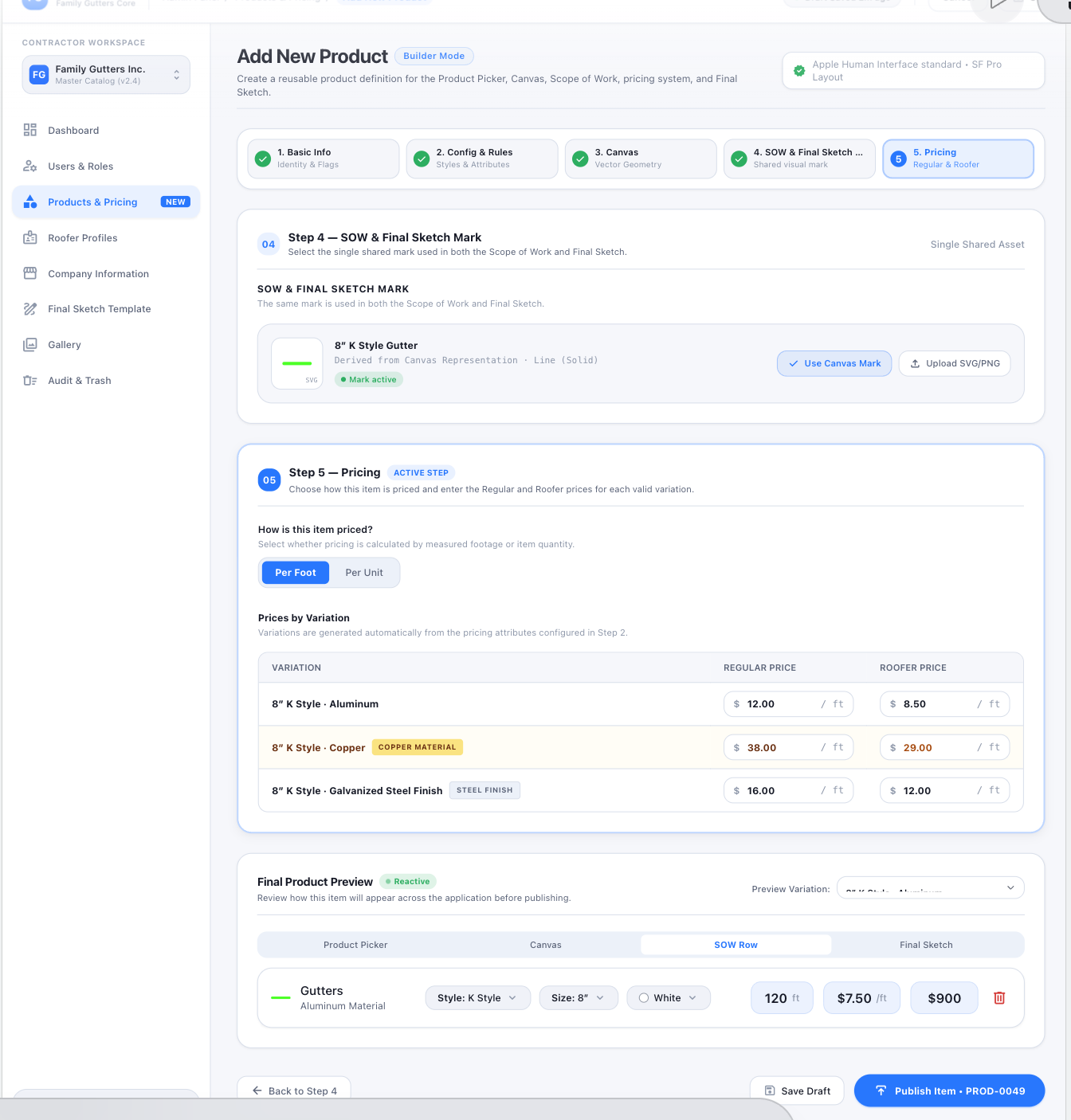
- Spec: Admin Panel (§16.2)
- Status: Primary approved reference for Steps 4–5; sample product/prices illustrative
- Notes: Step 4 = one shared SOW/Final Sketch mark. Step 5 = Per Foot/Per Unit, Regular + optional Roofer prices per variation, reactive previews (Product Picker, Canvas, SOW Row, Final Sketch tabs), Save Draft / Publish Item.
42 — Products & Pricing Catalog
Section titled “42 — Products & Pricing Catalog”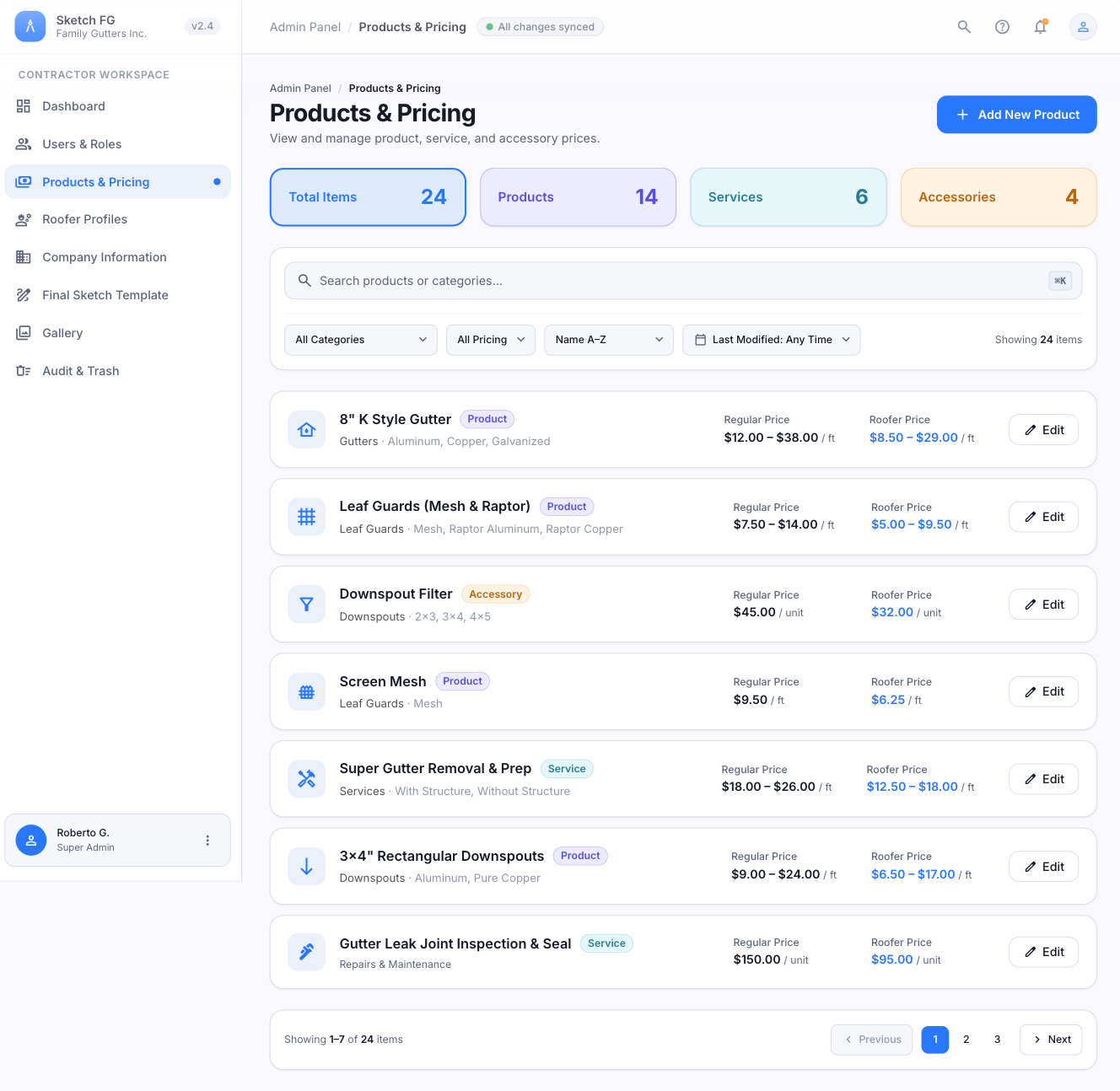
- Spec: Admin Panel (§16.2)
- Status: Primary approved page-layout reference with role/catalog normalization
- Notes: Summary cards, Add New Product, search/filter panel, compact rows, Regular/Roofer prices, Edit. Role badge must display Admin.
43 — Edit Product State
Section titled “43 — Edit Product State”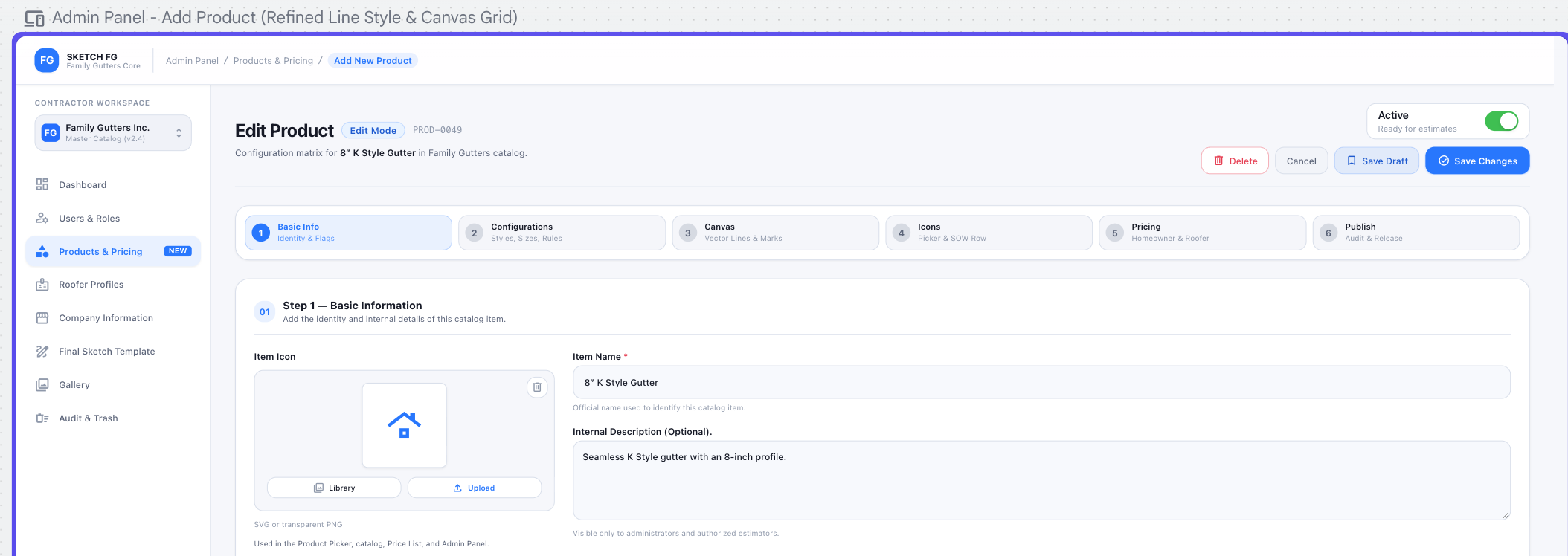
- Spec: Admin Panel (§16.2)
- Status: Approved Edit-mode header/action reference
- Notes: Reuses the five-step builder; Active/Inactive, Delete (recoverable to Trash), Cancel, Save Draft, Save Changes. The visible six-step bar and
Homeownerwording are from an older iteration — do not implement.
61 — Products & Pricing, approved Apple design
Section titled “61 — Products & Pricing, approved Apple design”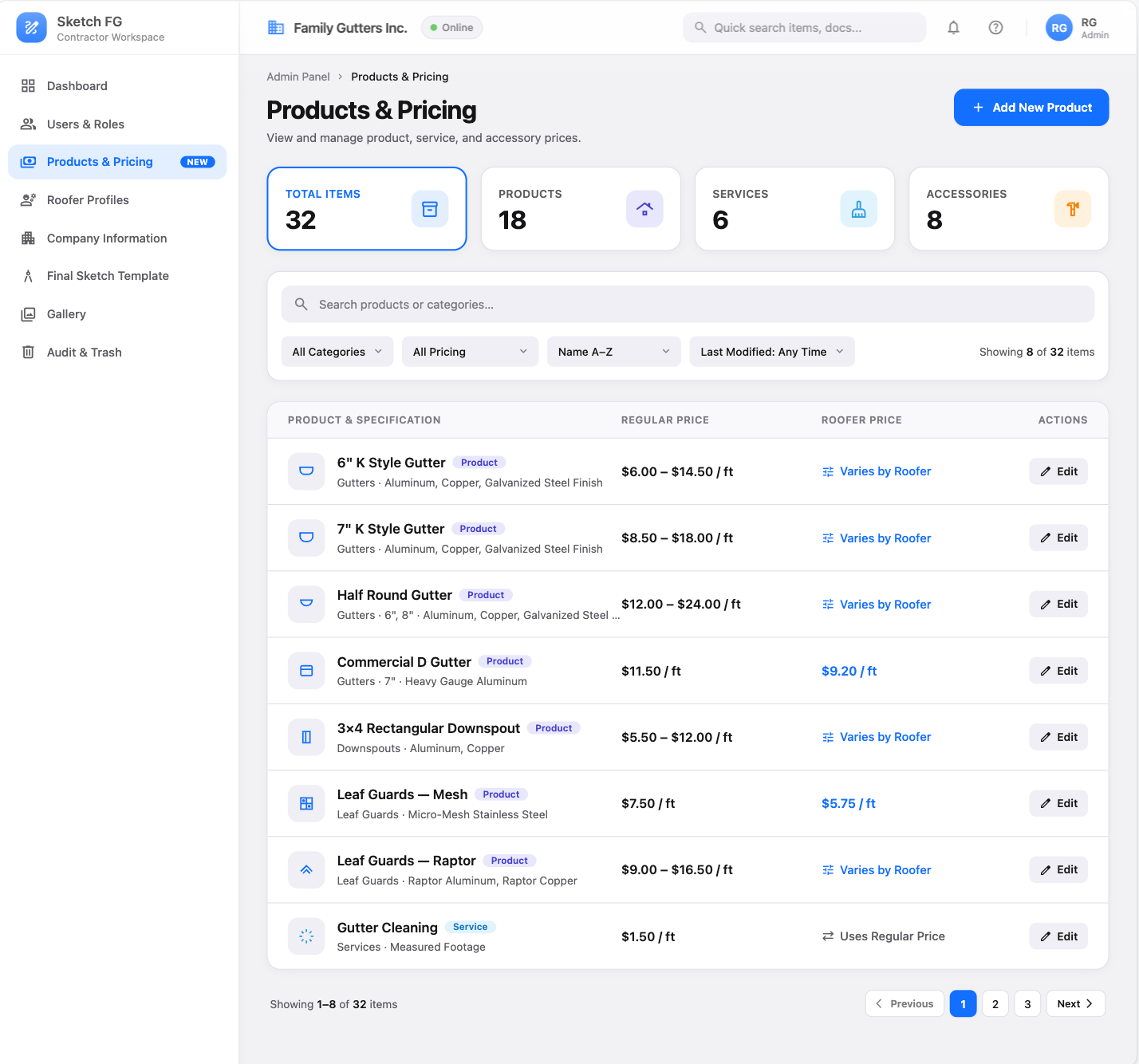
- Spec: Navigation & Main Screens (§5.3), Admin Panel (§16.2)
- Status: Latest primary Products & Pricing visual reference
- Notes: For Office Manager/Estimator: same content and design, but the administrative sidebar, Add New Product, Actions column, and Edit controls are completely removed. Only 6/7 in K Style show Varies by Roofer.
Roofer Profiles
Section titled “Roofer Profiles”44 — Roofer Profiles List
Section titled “44 — Roofer Profiles List”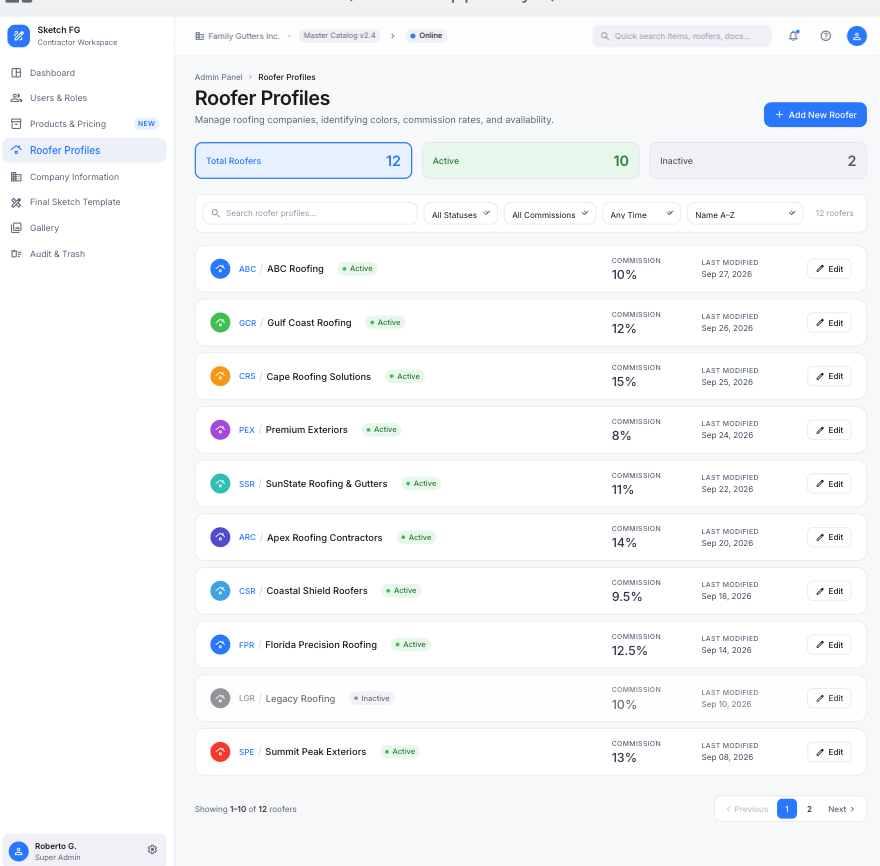
- Spec: Admin Panel (§16.3)
- Status: Primary approved list reference with role/data normalization
- Notes: Summary cards, Add New Roofer, search, filters; rows with color icon,
Abbreviation / Roofer Name, status, Commission, Last Modified, Edit. No Lower/Standard/Higher levels.
45 — Add New Roofer Modal
Section titled “45 — Add New Roofer Modal”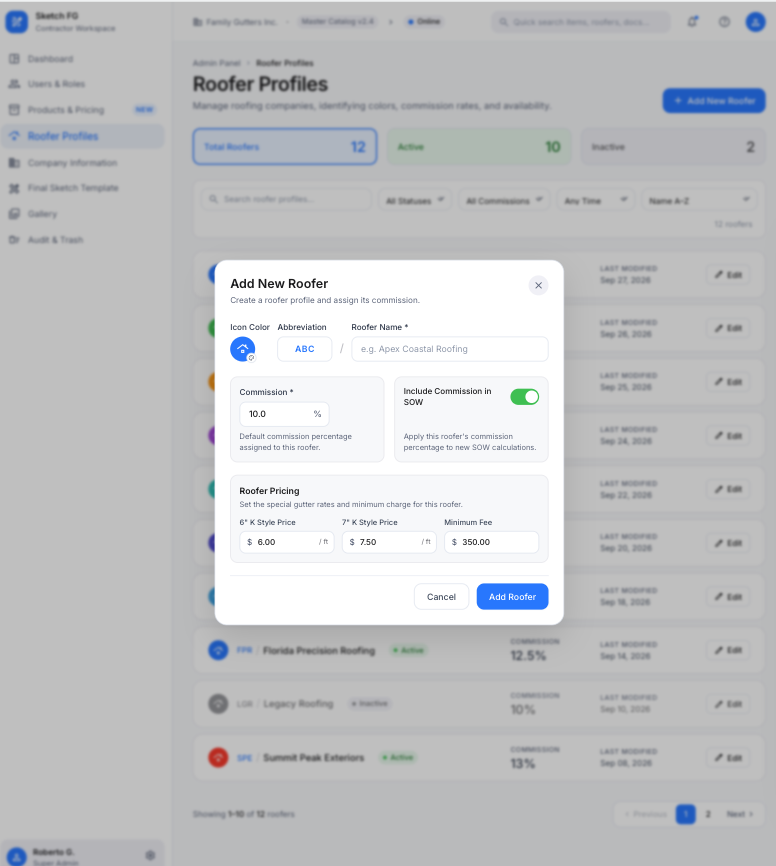
- Spec: Admin Panel (§16.3)
- Status: Primary approved creation-modal reference
- Notes: In-page modal: color icon, unique abbreviation, Roofer Name, commission, Include Commission in SOW, 6/7 in K Style prices, Minimum Fee (reference only), Cancel, Add Roofer.
46 — Edit Roofer Inline
Section titled “46 — Edit Roofer Inline”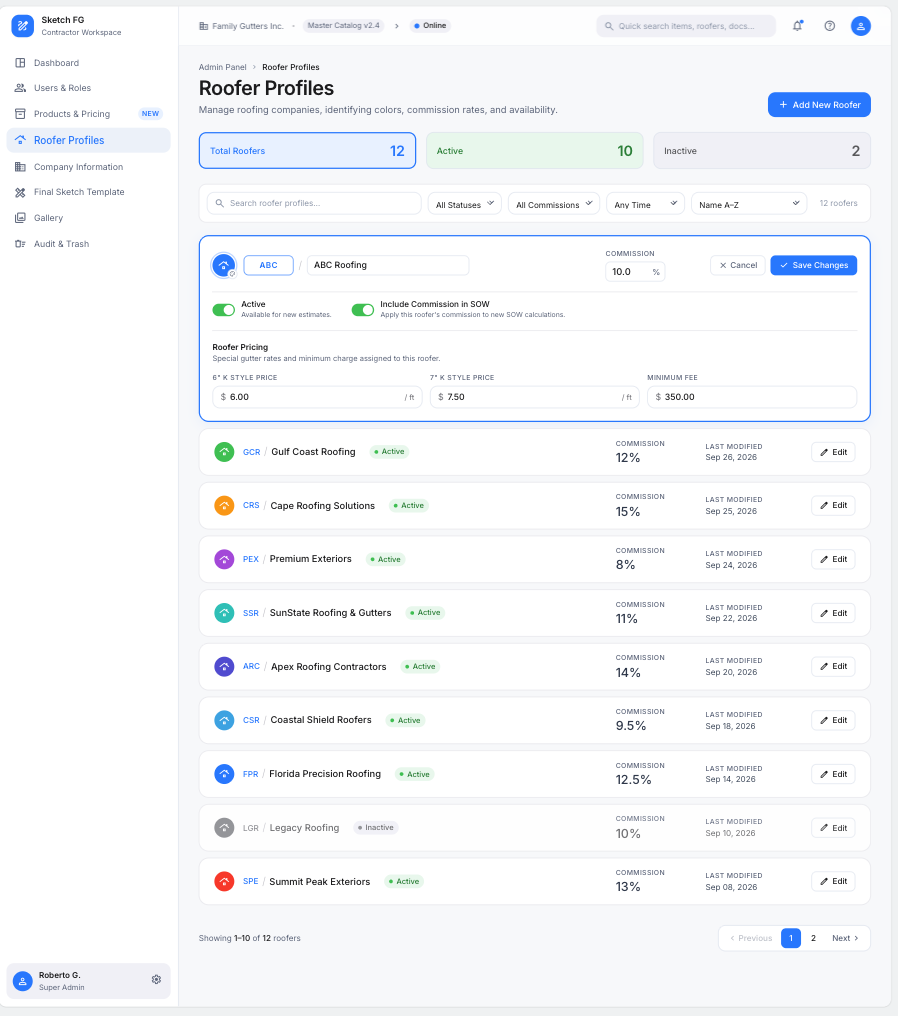
- Spec: Admin Panel (§16.3)
- Status: Primary approved inline-edit reference with role/data normalization
- Notes: Expanded row editing; only one profile at a time.
Users & Roles
Section titled “Users & Roles”47 — Users & Roles: Users List
Section titled “47 — Users & Roles: Users List”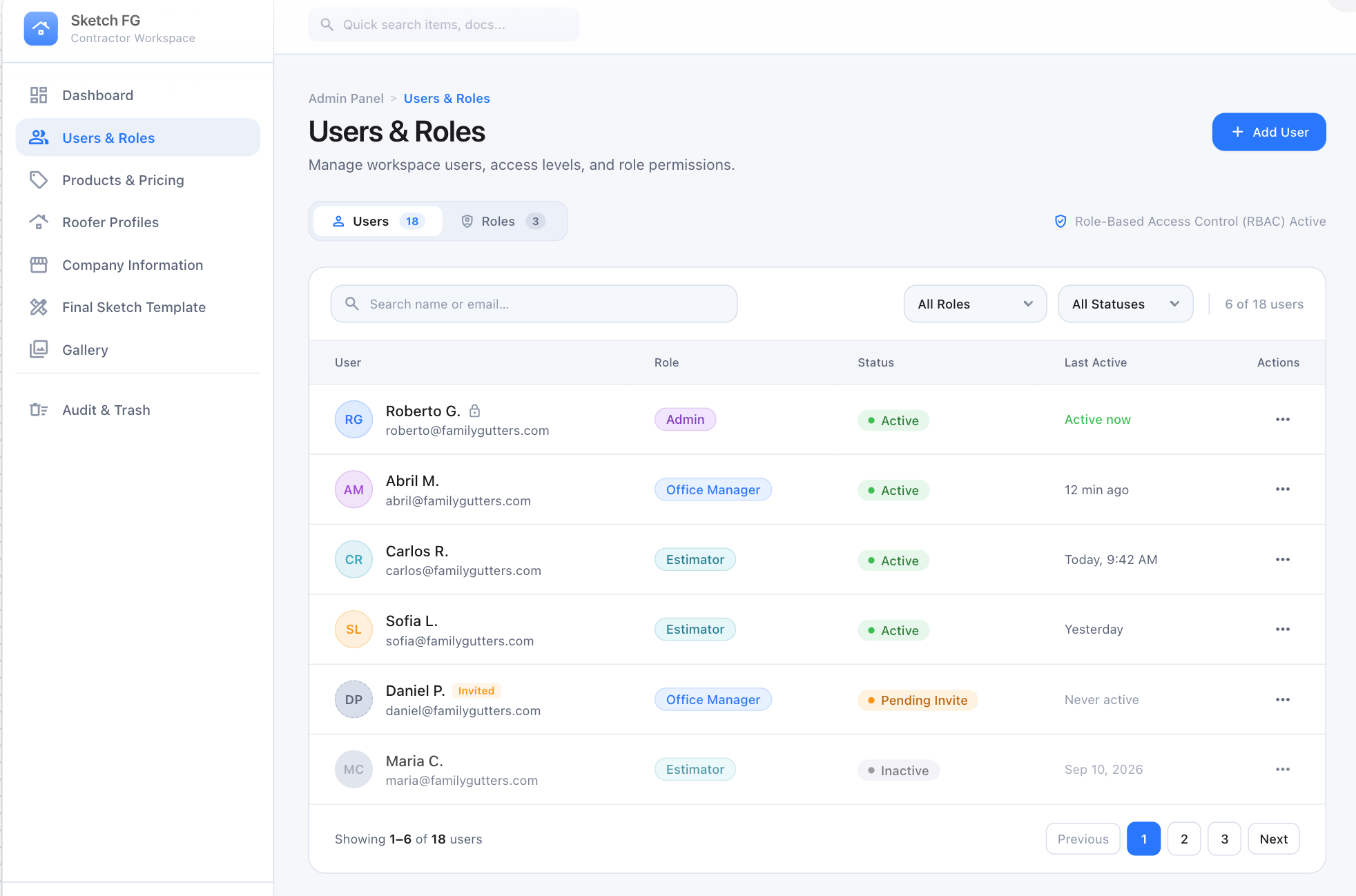
- Spec: Admin Panel (§16.1)
- Status: Primary approved Users-tab reference
- Notes: Admin Panel opens here by default. Role badges/filters: only Admin, Office Manager, Estimator. Roles tab shows the fixed matrix, never Add Role.
56 — User Detail: Overview
Section titled “56 — User Detail: Overview”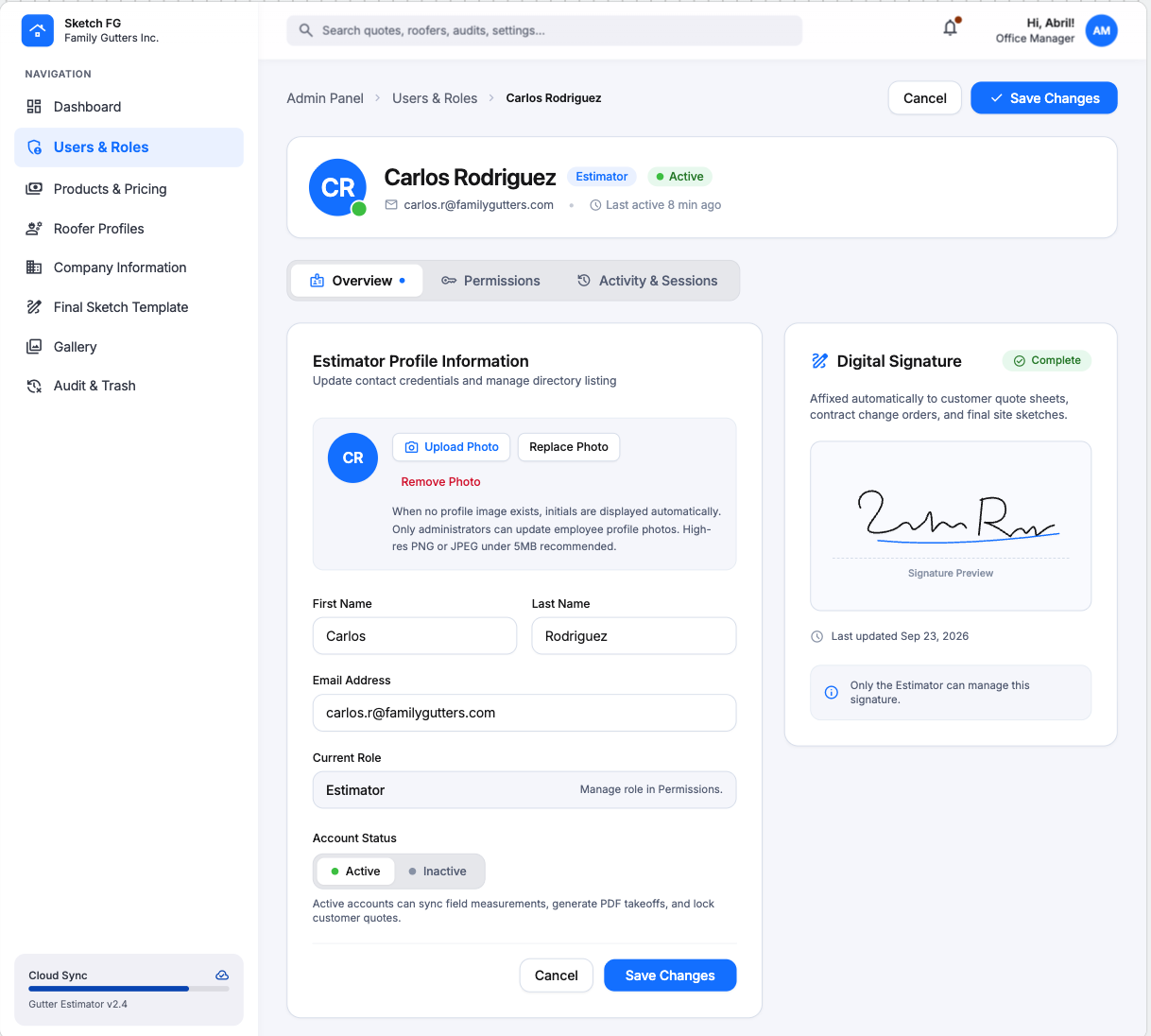
- Spec: Admin Panel (§16.1)
- Status: Primary approved Overview reference with header-role correction
- Notes: Header identity must render as Admin. Signature status + read-only preview for Estimators.
57 — User Detail: Permissions
Section titled “57 — User Detail: Permissions”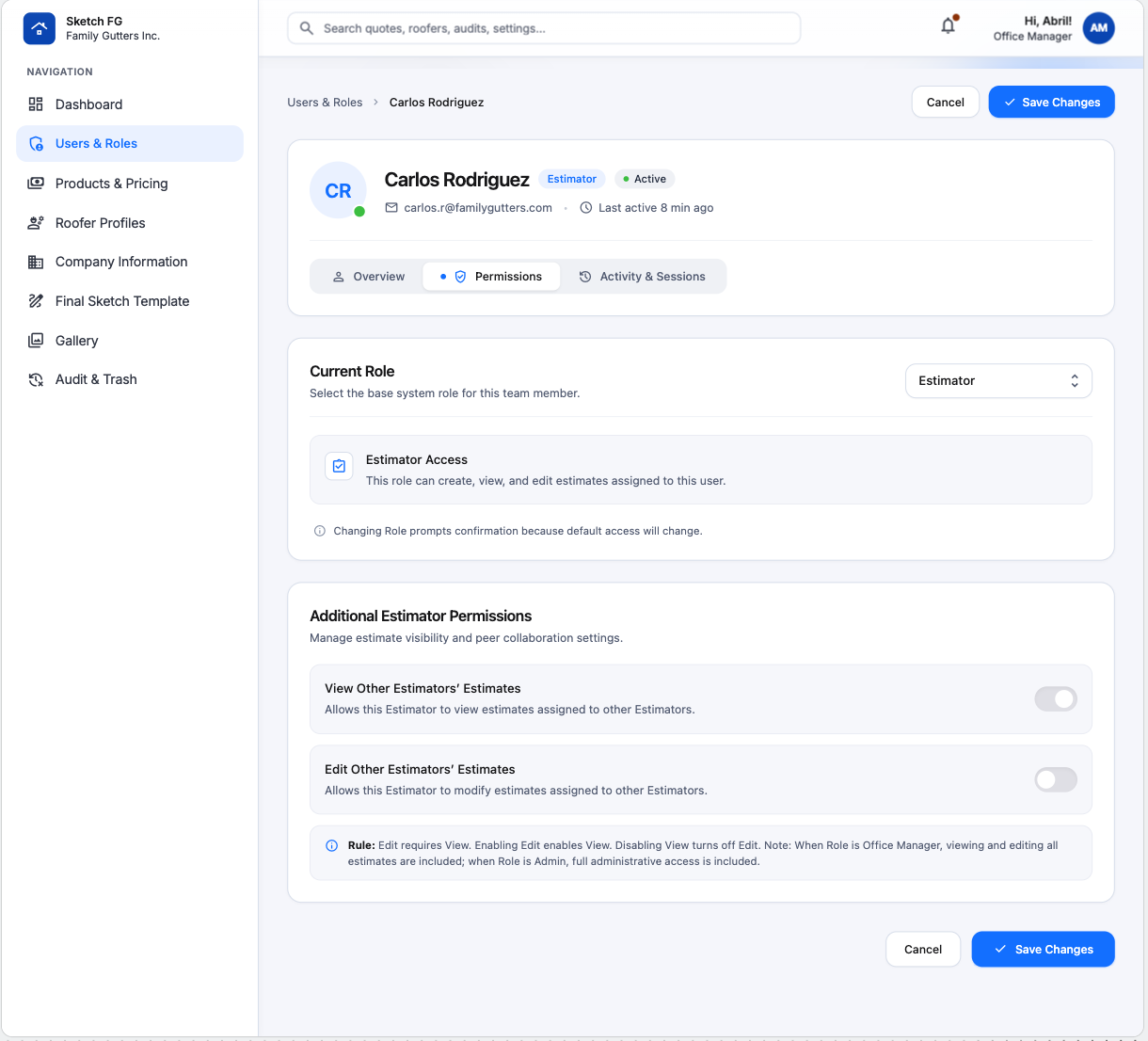
- Spec: Admin Panel (§16.1)
- Status: Primary approved Permissions reference with header-role correction
- Notes: Role selector (exactly three roles), read-only baseline, approved overrides. Header must be Admin.
58 — User Detail: Activity & Sessions
Section titled “58 — User Detail: Activity & Sessions”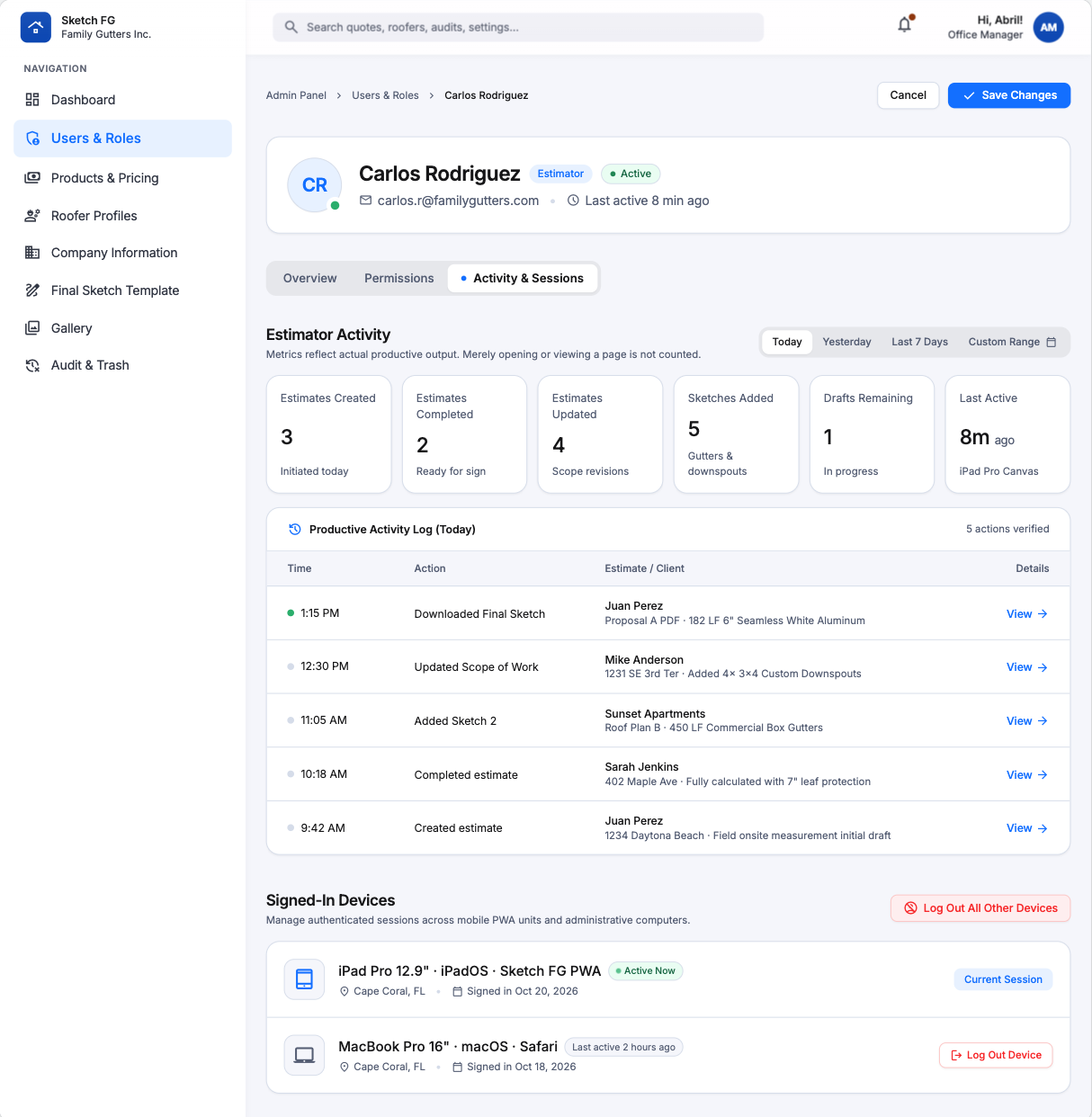
- Spec: Admin Panel (§16.1)
- Status: Primary approved Activity & Sessions reference with header-role correction
- Notes: Date scopes, productive-event metrics, activity timeline, device sessions with revocation. Never expose tokens or precise GPS.
Company, Template, Audit
Section titled “Company, Template, Audit”48 — Company Information
Section titled “48 — Company Information”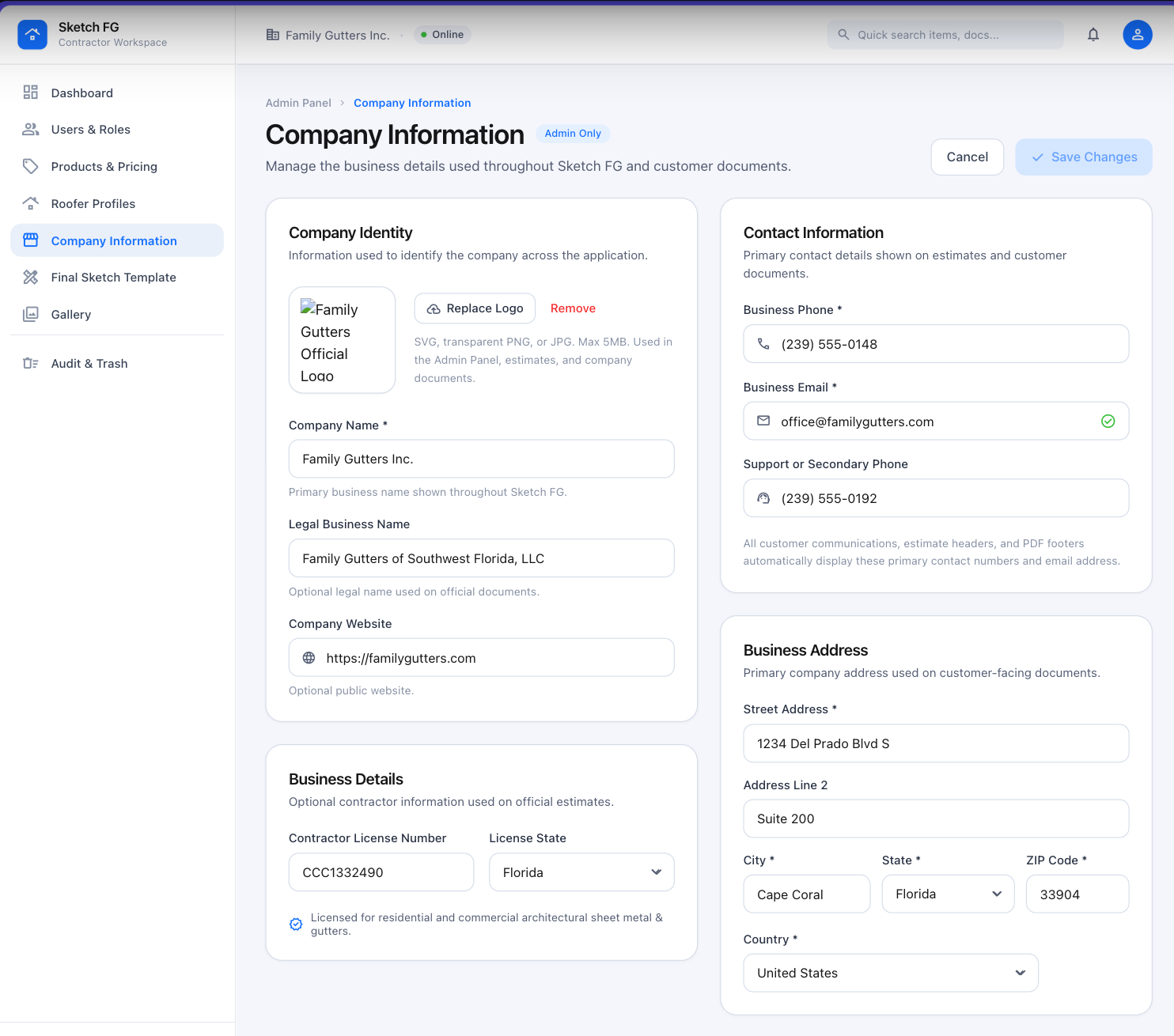
- Spec: Admin Panel (§16.4)
- Status: Primary approved form-layout reference; company data illustrative
- Notes: Company Identity, Contact, Business Address, Business Details cards; logo upload (SVG/PNG/JPG ≤ 5 MB).
49 — Final Sketch Template Editor & Live Preview
Section titled “49 — Final Sketch Template Editor & Live Preview”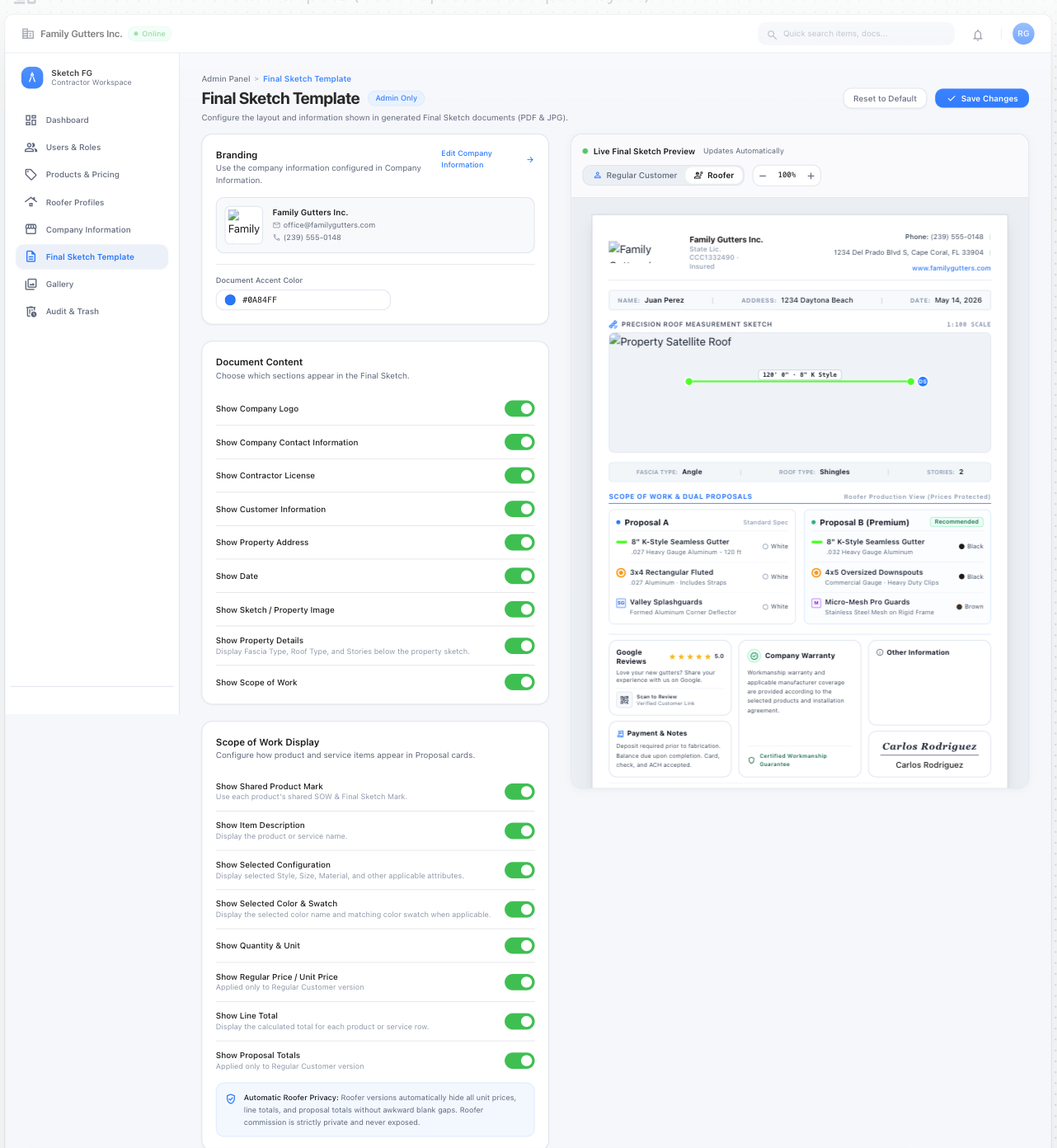
- Spec: Admin Panel (§16.5), Final Sketch Export
- Status: Primary approved editor-layout and live-preview reference
- Notes: Config cards left, auto-updating preview right; Regular Customer / Roofer modes; Roofer mode removes every financial value and reflows.
50 — Template Footer & Output Settings
Section titled “50 — Template Footer & Output Settings”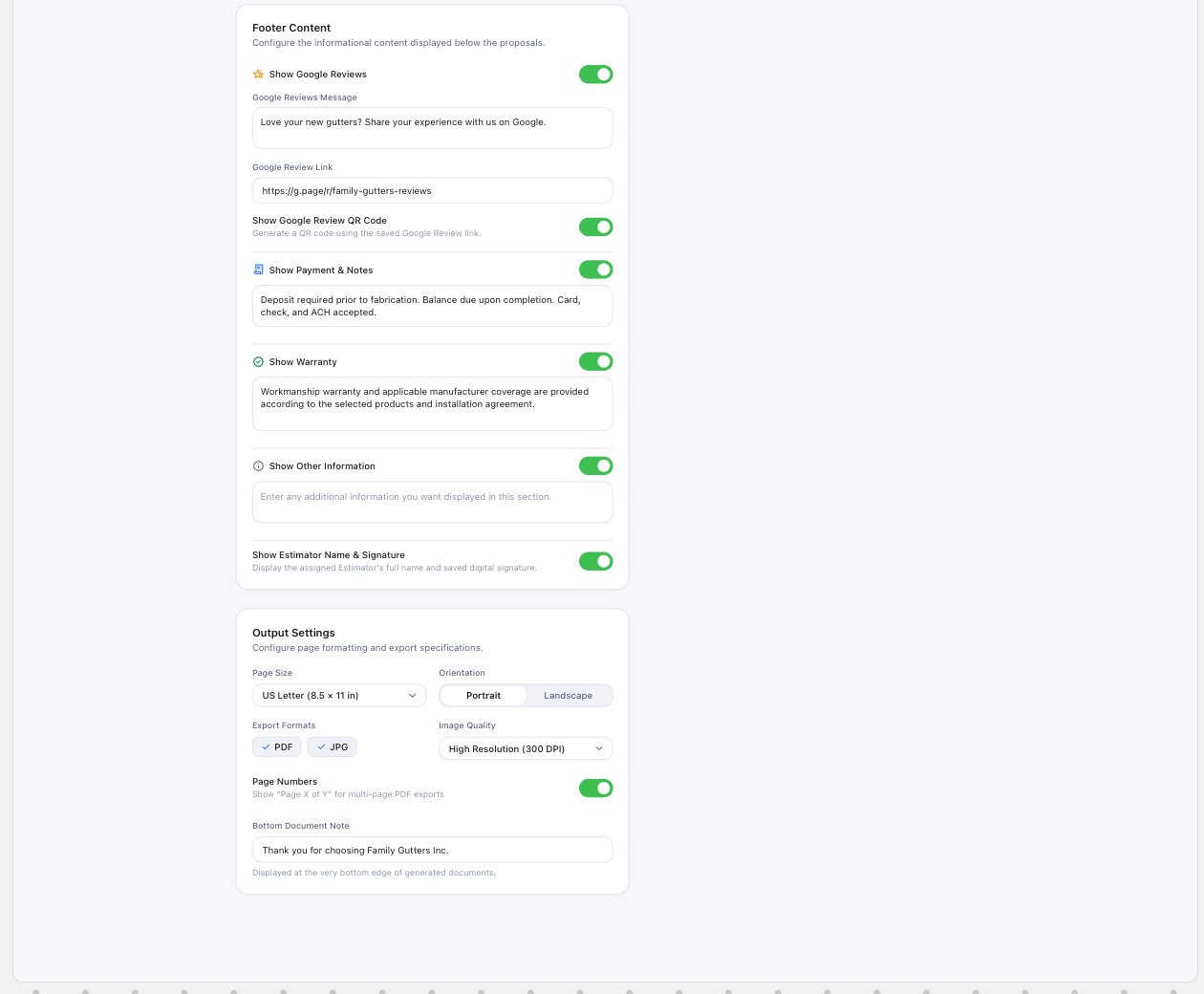
- Spec: Admin Panel (§16.5)
- Status: Primary approved continuation of 49; sample copy illustrative
- Notes: Google Reviews/QR, Payment & Notes, Warranty, Other Information (blank default), signature block; US Letter, Portrait/Landscape, PDF/JPG, 300 DPI, page numbers, bottom note.
53 — Audit & Trash: Audit Log
Section titled “53 — Audit & Trash: Audit Log”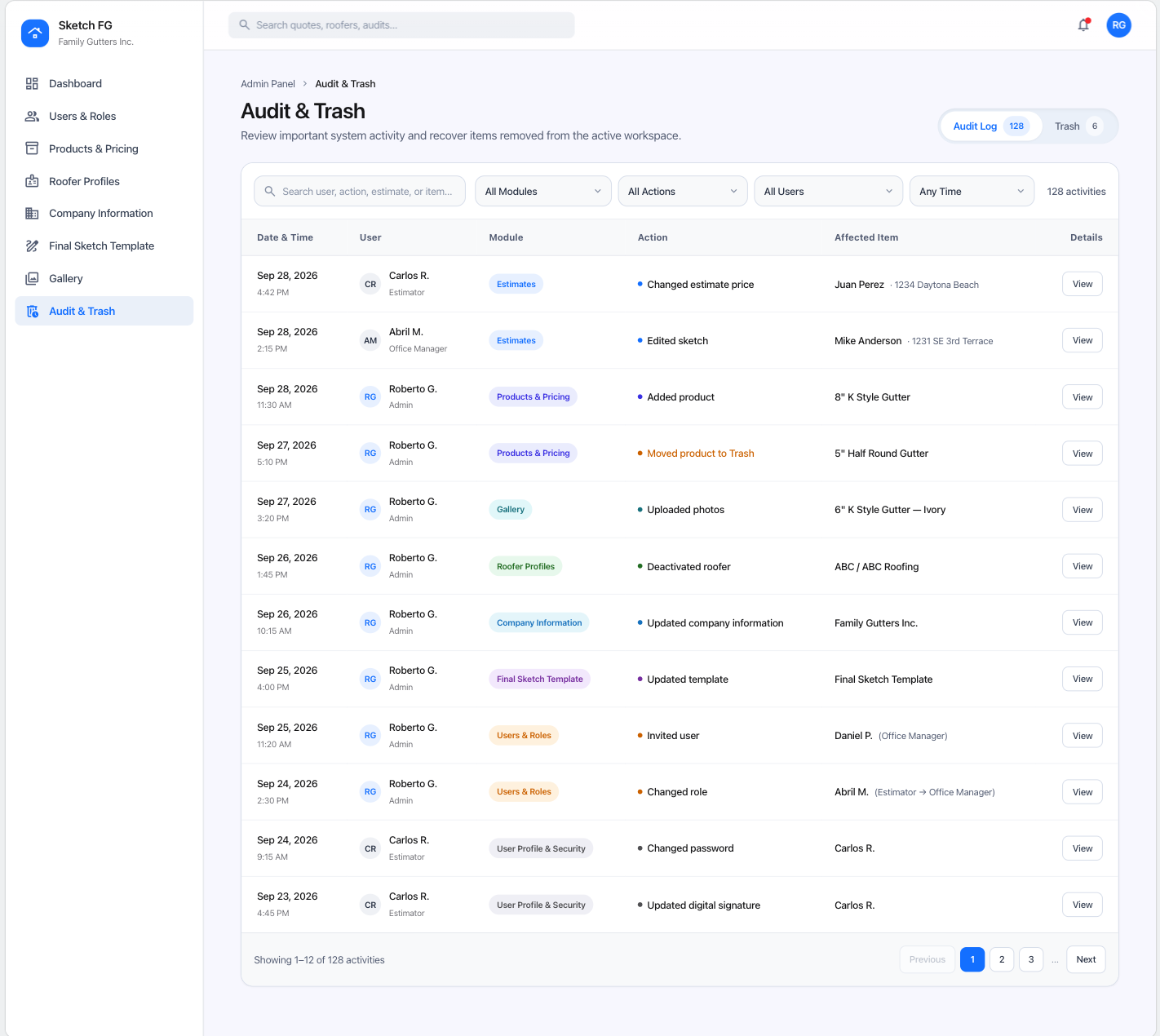
- Spec: Admin Panel (§16.7)
- Status: Primary approved Audit Log reference; activity data illustrative
- Notes: Segmented Audit Log/Trash tabs; search; Module/Action/User/Time filters; View details; pagination. Historical events immutable.
Account & Profile
Section titled “Account & Profile”54 — Account Avatar Menu
Section titled “54 — Account Avatar Menu”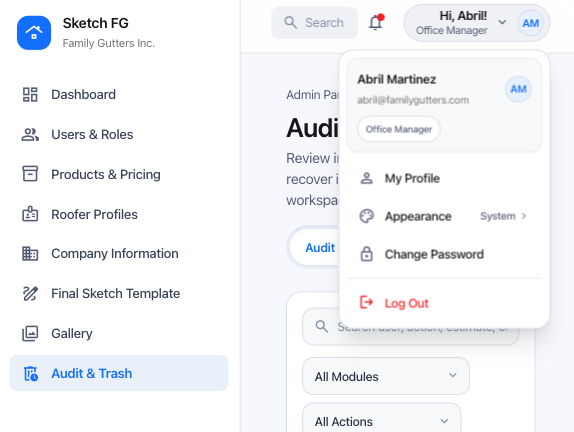
- Spec: Users & Roles (§4.4)
- Status: Primary approved compact-menu reference; personal data illustrative
- Notes: My Profile, Appearance (System/Light/Dark), Change Password, divider, Log Out. No Admin Panel or role switching.
55 — Profile Settings: Profile & Digital Signature
Section titled “55 — Profile Settings: Profile & Digital Signature”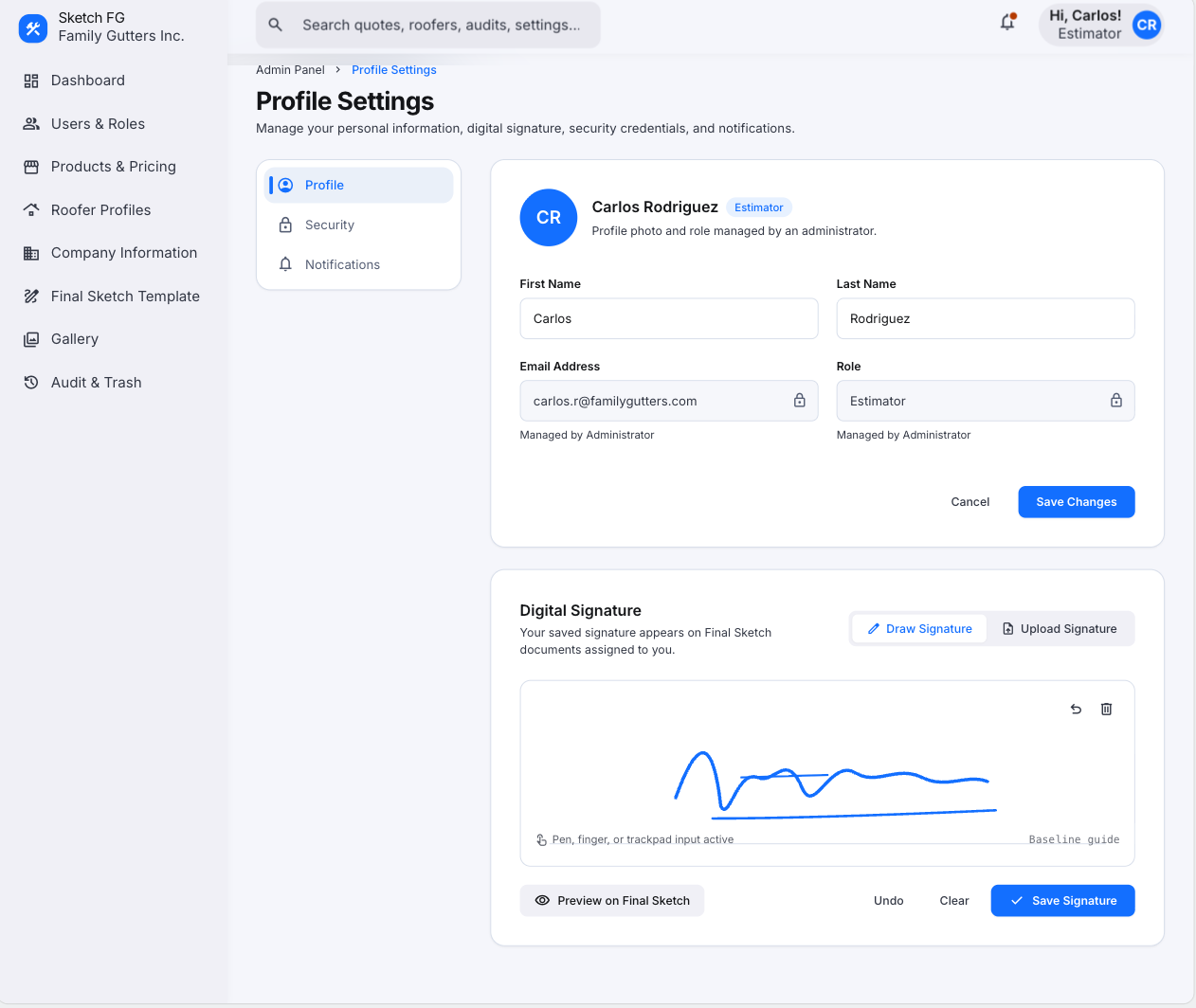
- Spec: Users & Roles (§4.3)
- Status: Primary approved Profile-view reference with navigation-permission correction
- Notes: Three internal views, not stacked. Digital Signature for Estimator only. For Estimator/Office Manager the primary sidebar shows only Dashboard.