
Navigation & Main Screens
import { Aside } from ‘@astrojs/starlight/components’;
Source: Master Spec v2.0, §5.
Home Hub
Section titled “Home Hub”Every role enters the Dashboard after login; navigation is permission-aware. The header shows Sketch FG / Family Gutters identity, sync status, notifications, and the profile entry point.
| Estimator | Office Manager | Admin |
|---|---|---|
| New Estimate | New Estimate | New Estimate |
| My Estimates (own, unless granted broader access) | Estimates (all) | Estimates (all) |
| Price List | Price List | Price List |
| Gallery | Gallery | Gallery |
| — | — | Admin Panel (Admin only) |
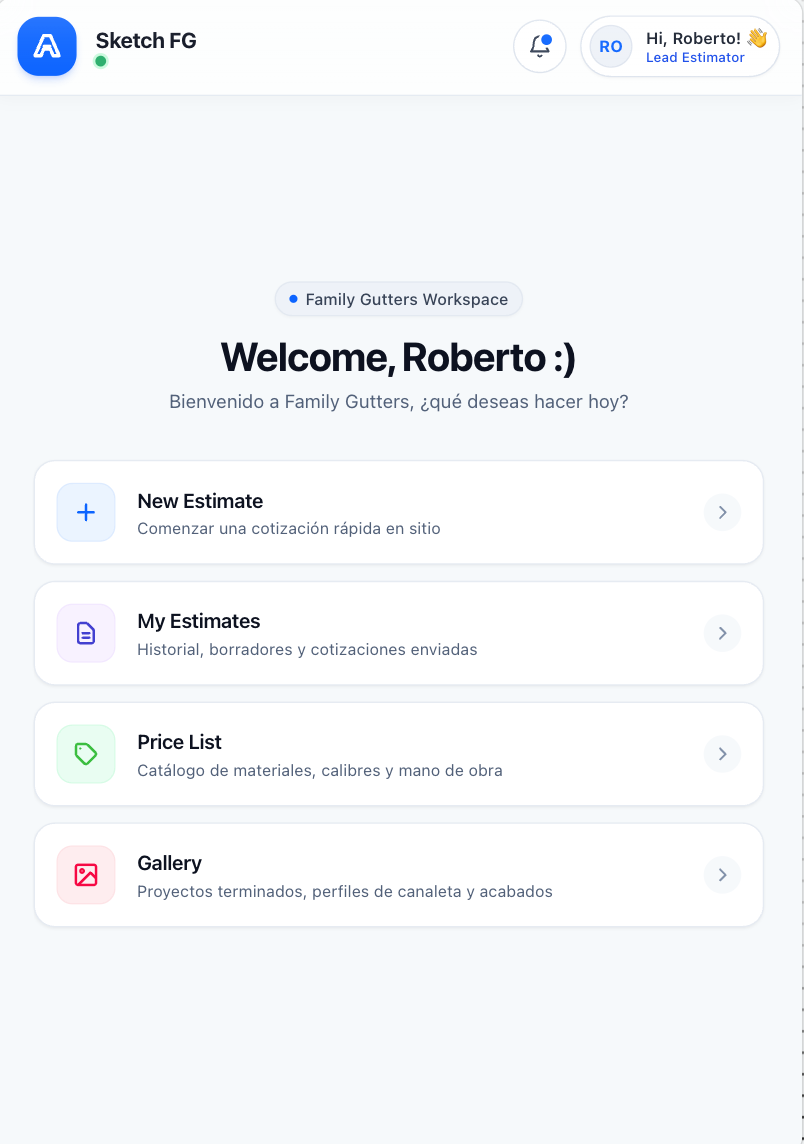
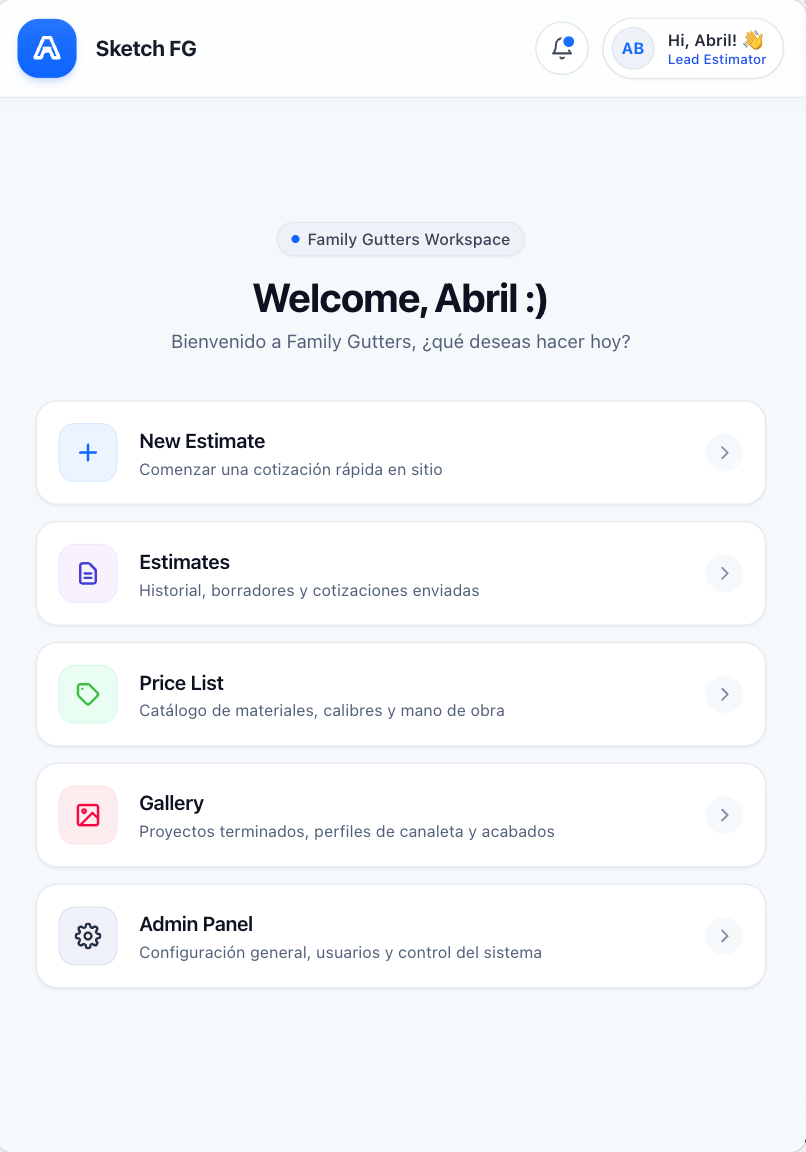
Visual references 01–02 — approved visual direction for this section. The written requirements above prevail over labels, sample data, or prices shown in the images. See Dashboards & Estimates
My Estimates / Estimates
Section titled “My Estimates / Estimates”- Search by Client Name or Property Address; filters for Status and Estimator.
- Status shortcuts: All, Draft, In Progress, Completed, Archived.
- Sort by Date and Amount (amount sorting never merges the independent Proposal totals).
- List and grid views; each card shows Client Name, Address, Status, date, assigned Estimator when applicable, and last-update/progress info.
- Do not show a misleading single total on the card.
- Opening a card opens its most recently saved Editable Version; Version History stays accessible.
- Label is My Estimates for Estimators (default personal scope), Estimates for Office Manager and Admin.
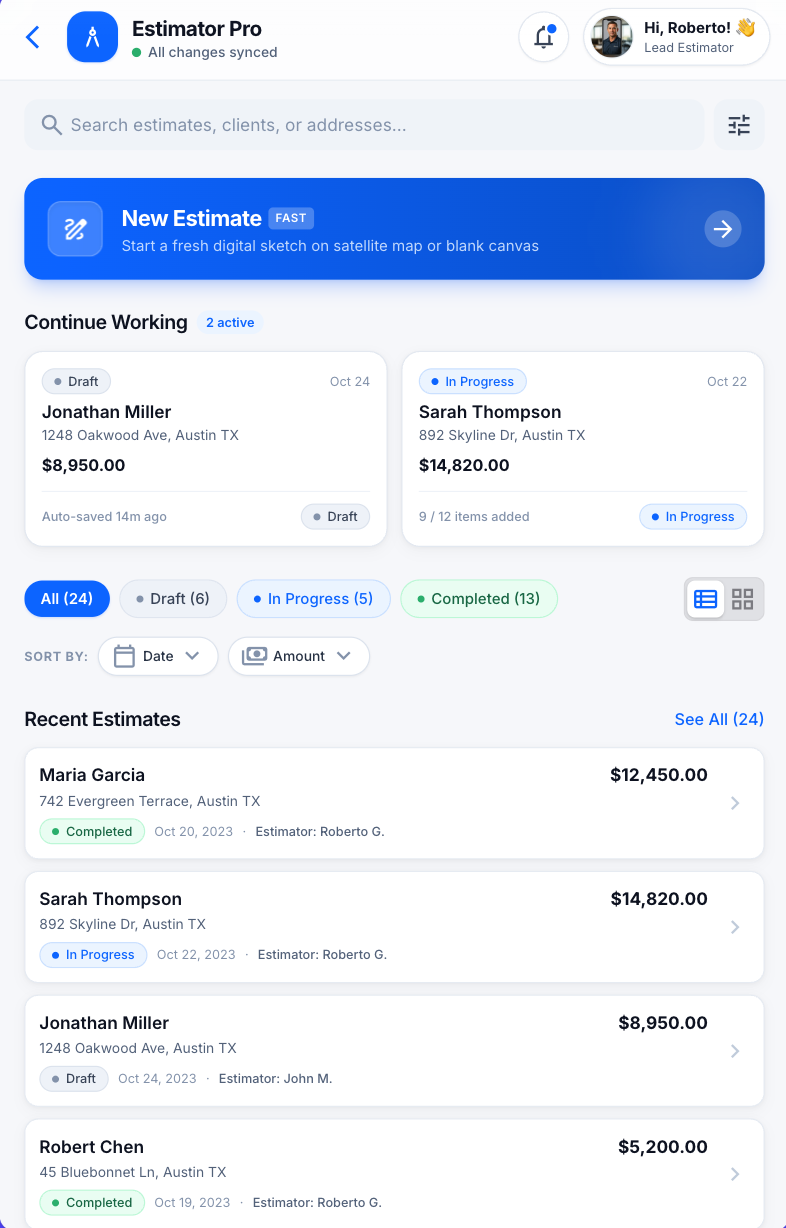
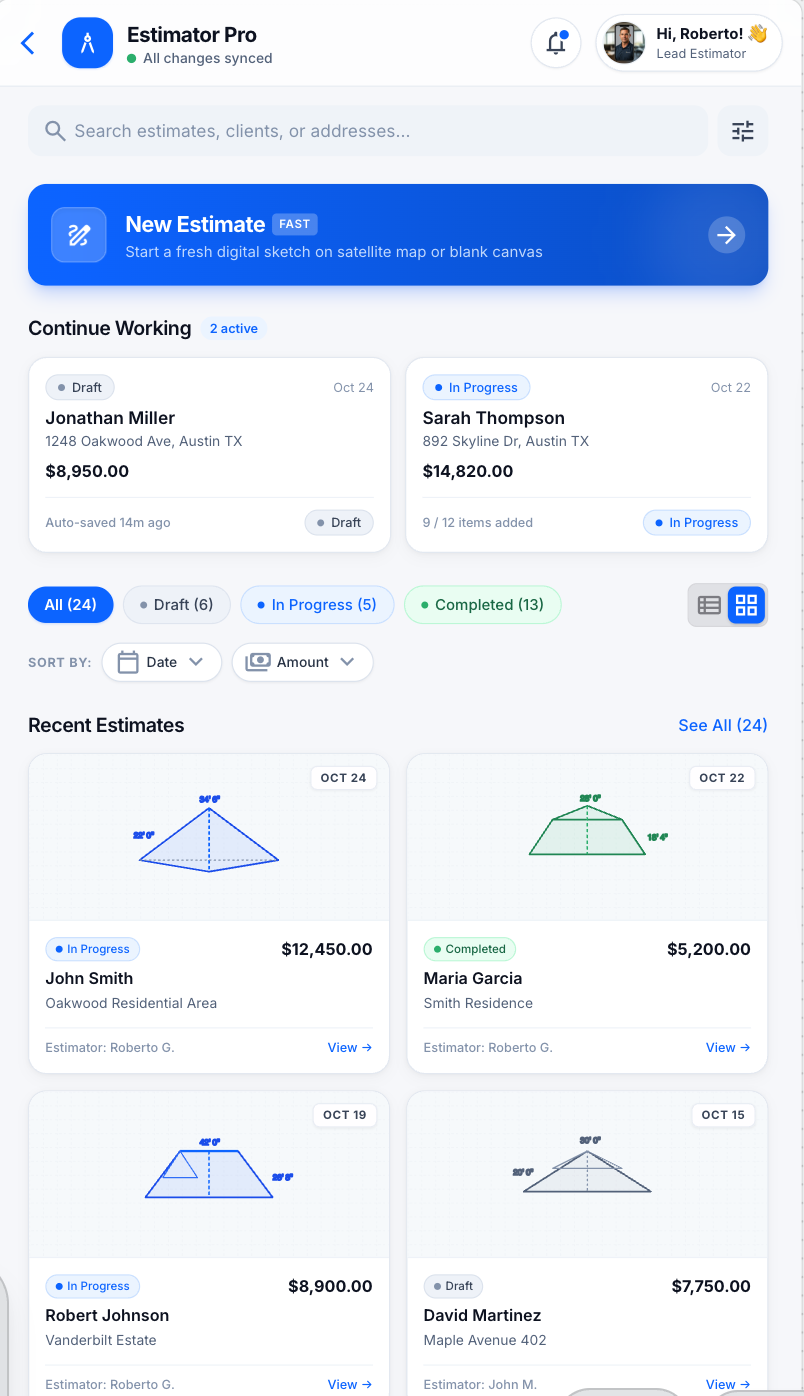
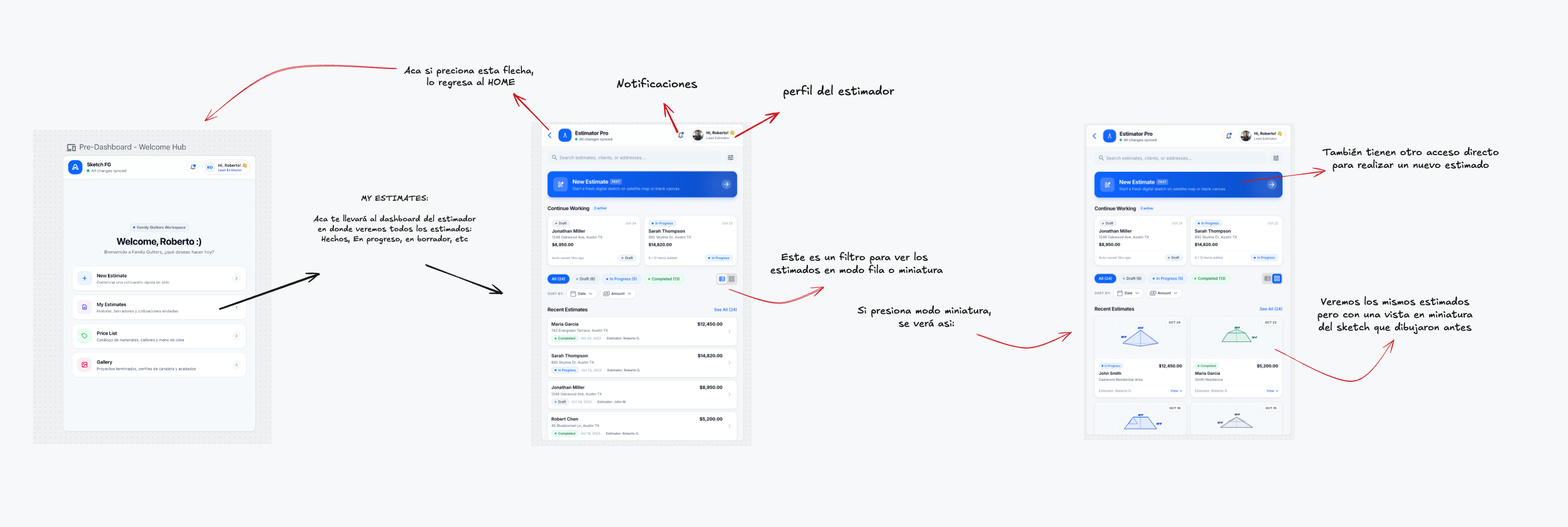
Visual references 03–04, 10 — approved visual direction for this section. The written requirements above prevail over labels, sample data, or prices shown in the images. See Dashboards & Estimates
Price List
Section titled “Price List”- Read-only for Estimator and Office Manager; editable by Admin only.
- One general comparison table — no Regular/Roofer mode switching. Primary columns: Product / Configuration, Regular Price, Roofer Price.
- Search by product, service, accessory, Style, Type, Size, Material, Color; filters for Products, Services, Accessories, product, Style, Type, Size, Material.
- Roofer Price is optional; when empty, the SOW falls back to Regular Price under Roofer pricing.
- 6 in and 7 in K Style gutters show “Varies by Roofer” — their per-foot price comes from the selected Roofer Profile. Expanding it may show a compact read-only list (Abbreviation, Roofer Name, rate). No Lower/Standard/Higher levels.
- Each row identifies Price per ft vs Price per Unit. Shows Last Updated; historical estimates keep their snapshots.
- Admin sees the catalog inside the Admin Panel with the administrative sidebar, Add New Product, Actions column, and Edit controls. For Office Manager and Estimator those are removed entirely, not merely disabled.
- Tapping an editable price in the SOW may show a compact explanation: Pricing Profile, configuration, configured default, and whether it was manually overridden.
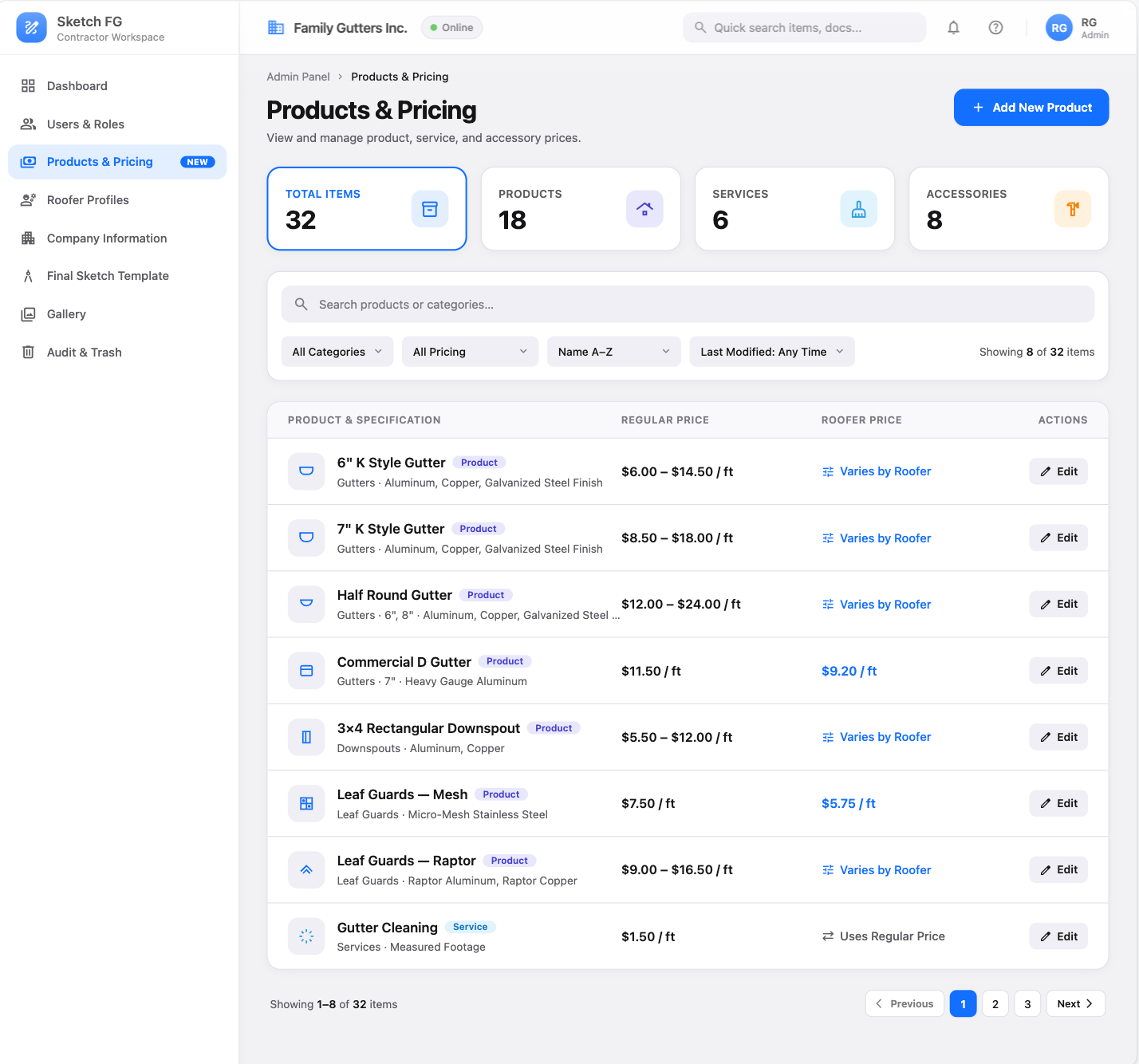
Visual reference 61 — approved visual direction for this section. The written requirements above prevail over labels, sample data, or prices shown in the images. See Admin Screens
Gallery
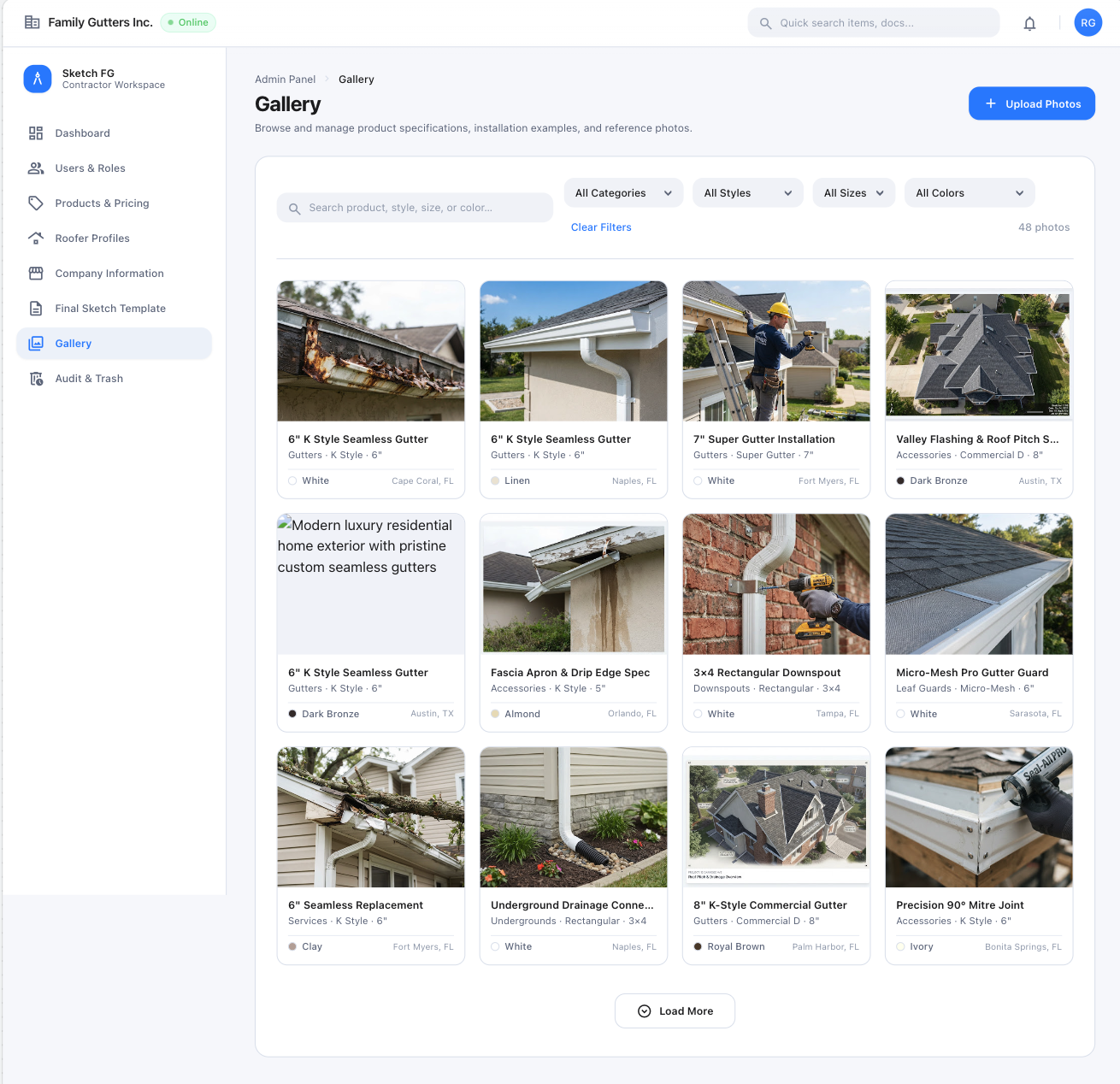
Section titled “Gallery”- Readable by all roles; mutable only by Admin (others see Upload/Edit/Trash visible-but-disabled with a permission explanation; backend must also enforce).
- A simple visual reference library: product photos and representative completed installations. Not a customer timeline or field-photo album.
- Search across title, category, style/type, size, color, description, tags. Filters: Category, Style/Type, Size, Color (no date/customer/Before-During-After filters).
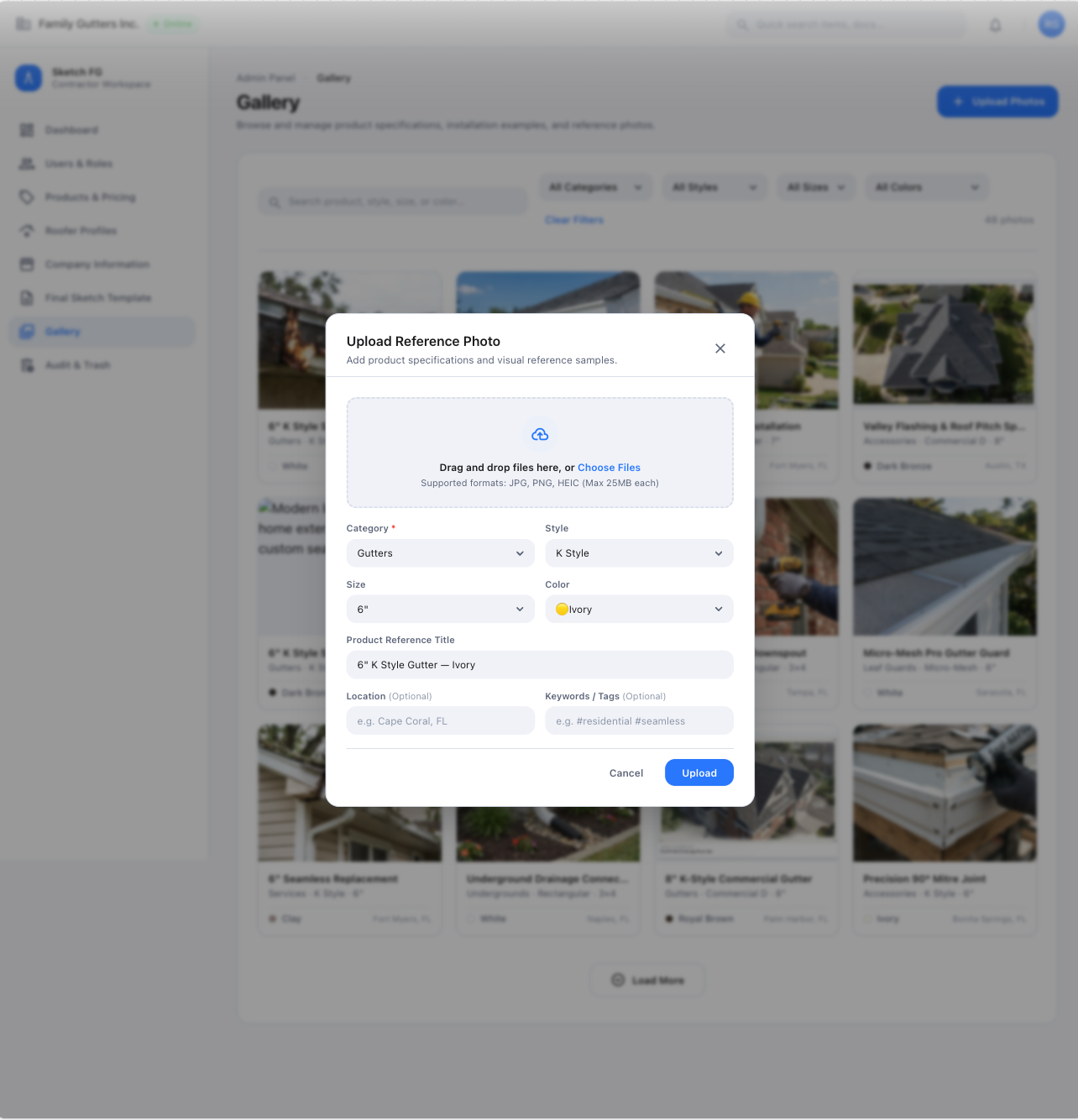
- Metadata per image: auto or custom Title, Category, dependent Style/Type, optional dependent Size, applicable Color, optional Property Address, up to 10 reusable case-insensitive Tags with autocomplete. No Category / Other allowed only with a custom title + at least one tag.
- Category → Style/Type → Size dependencies reuse the Products & Pricing catalog (never a hard-coded list); changing an upstream field clears invalid downstream values.
- Thumbnail grid opens a detail/full-screen view with metadata and previous/next navigation.
- Admin Upload Photos: in-page modal, multiple files, thumbnails, remove-before-upload, Add More, Apply these details to all selected photos; JPG/PNG/HEIC up to 25 MB per file.
- Gallery images are references only — never auto-attached to estimates or Final Sketch exports. No Gallery shortcut needed inside Canvas/SOW.
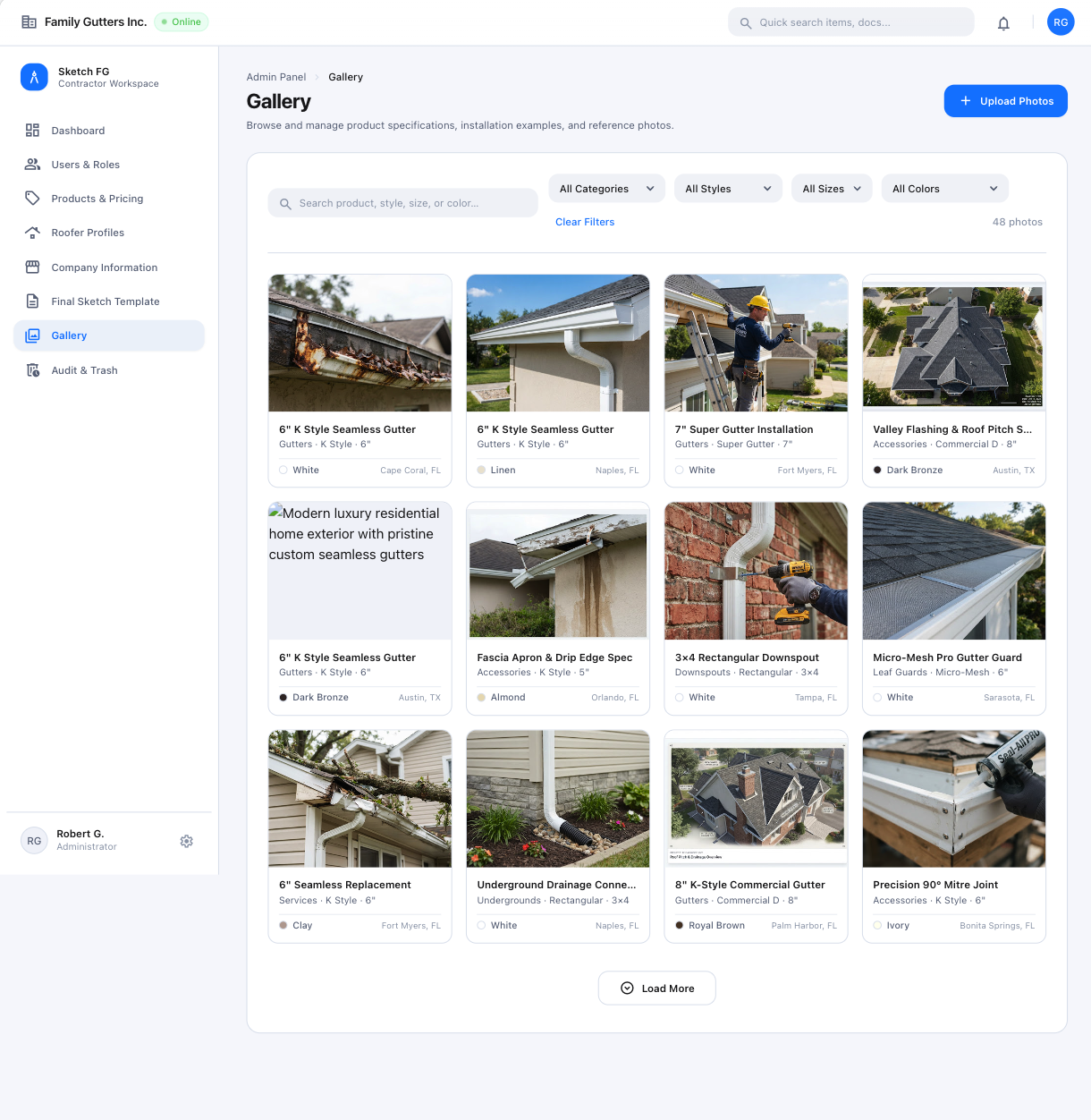
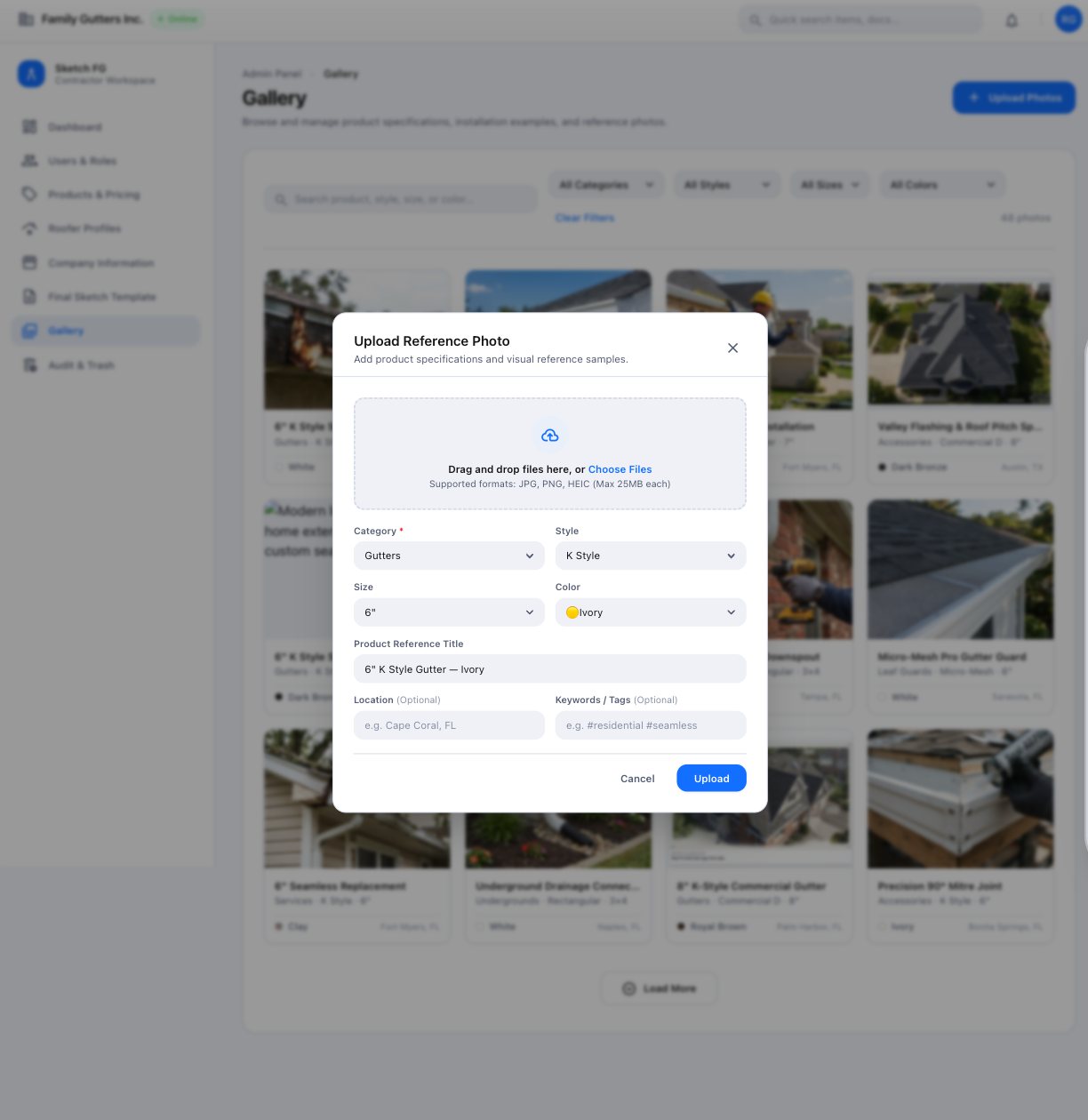
Visual references 11–12, 51–52 — approved visual direction for this section. The written requirements above prevail over labels, sample data, or prices shown in the images. See Admin Screens