
Visual Reference: Dashboards & Estimates
01 — Estimator Dashboard (vertical view)
Section titled “01 — Estimator Dashboard (vertical view)”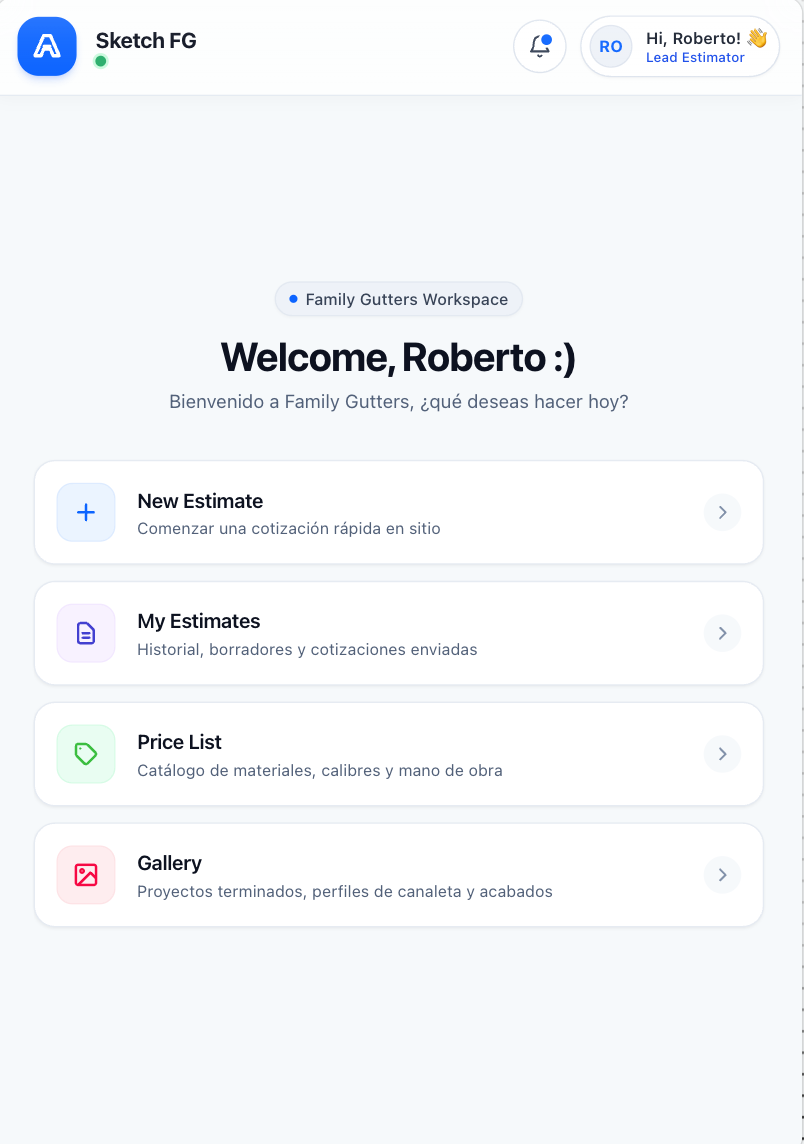
- Context: Estimator, default personal estimate scope
- Spec: Navigation & Main Screens (§5.1)
- Status: Approved visual reference
- Notes: Shows New Estimate, My Estimates, Price List, Gallery. No Admin Panel. Account badge must display Estimator.
02 — Admin Dashboard (vertical view)
Section titled “02 — Admin Dashboard (vertical view)”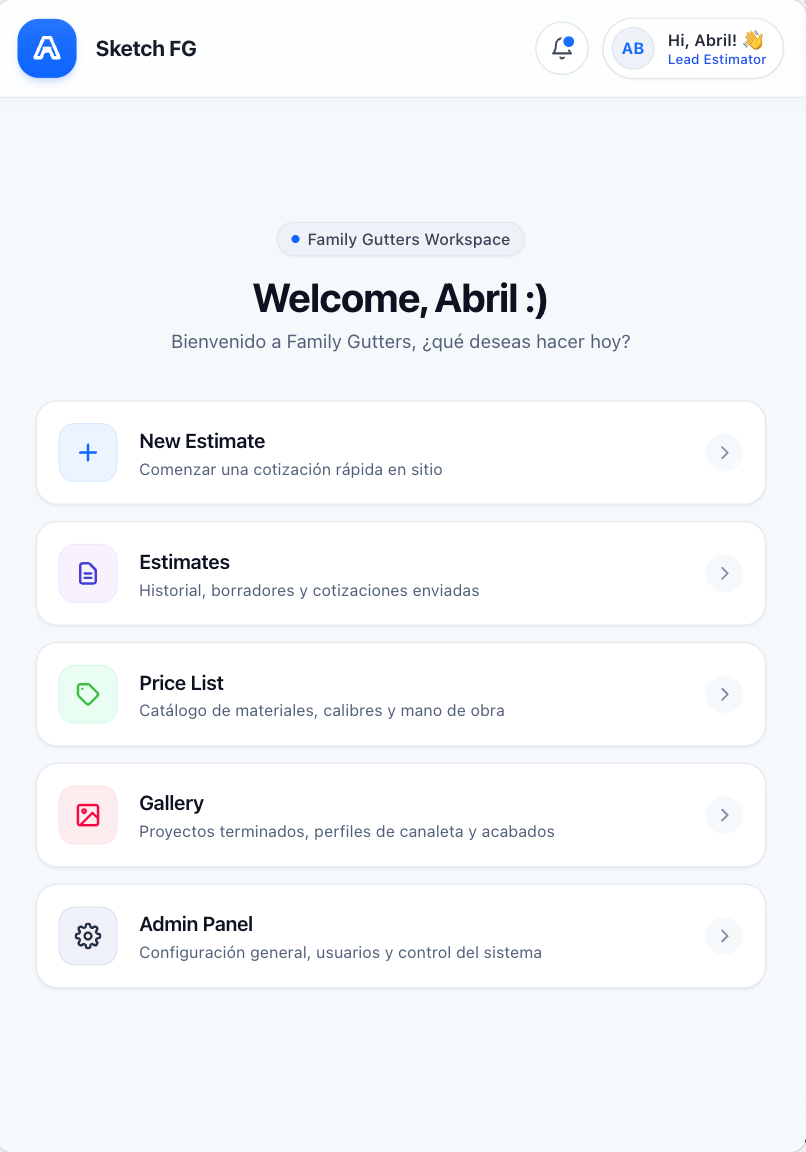
- Context: Admin
- Spec: Navigation & Main Screens (§5.1)
- Status: Approved visual reference
- Notes: Shows New Estimate, Estimates, Price List, Gallery, Admin Panel. Account badge must display Admin.
03 — My Estimates, list view
Section titled “03 — My Estimates, list view”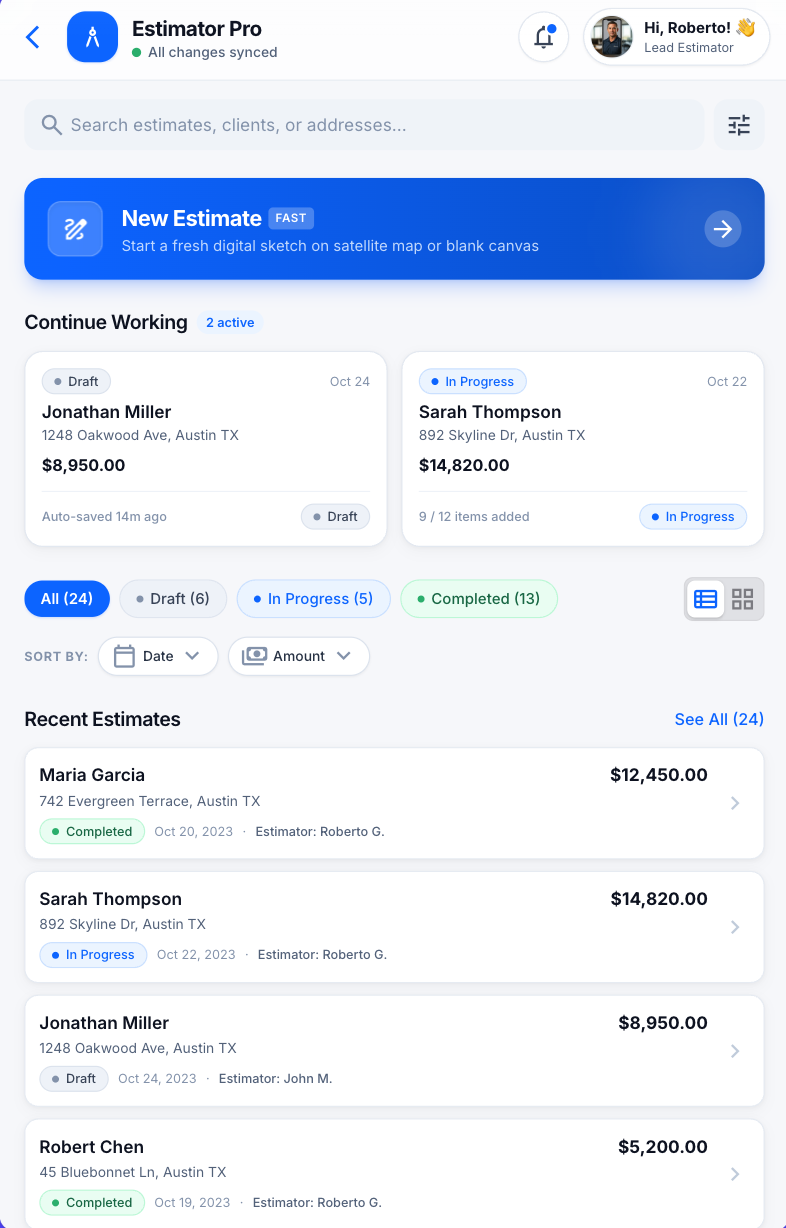
- Context: Estimator, default personal estimate scope
- Spec: Navigation & Main Screens (§5.2)
- Status: Approved layout reference with functional corrections
- Notes: Preserve search, New Estimate entry, Continue Working, status filters, list/grid control, Sort by Date, Sort by Amount. Sample clients, dates, prices, statuses are illustrative.
04 — My Estimates, grid view
Section titled “04 — My Estimates, grid view”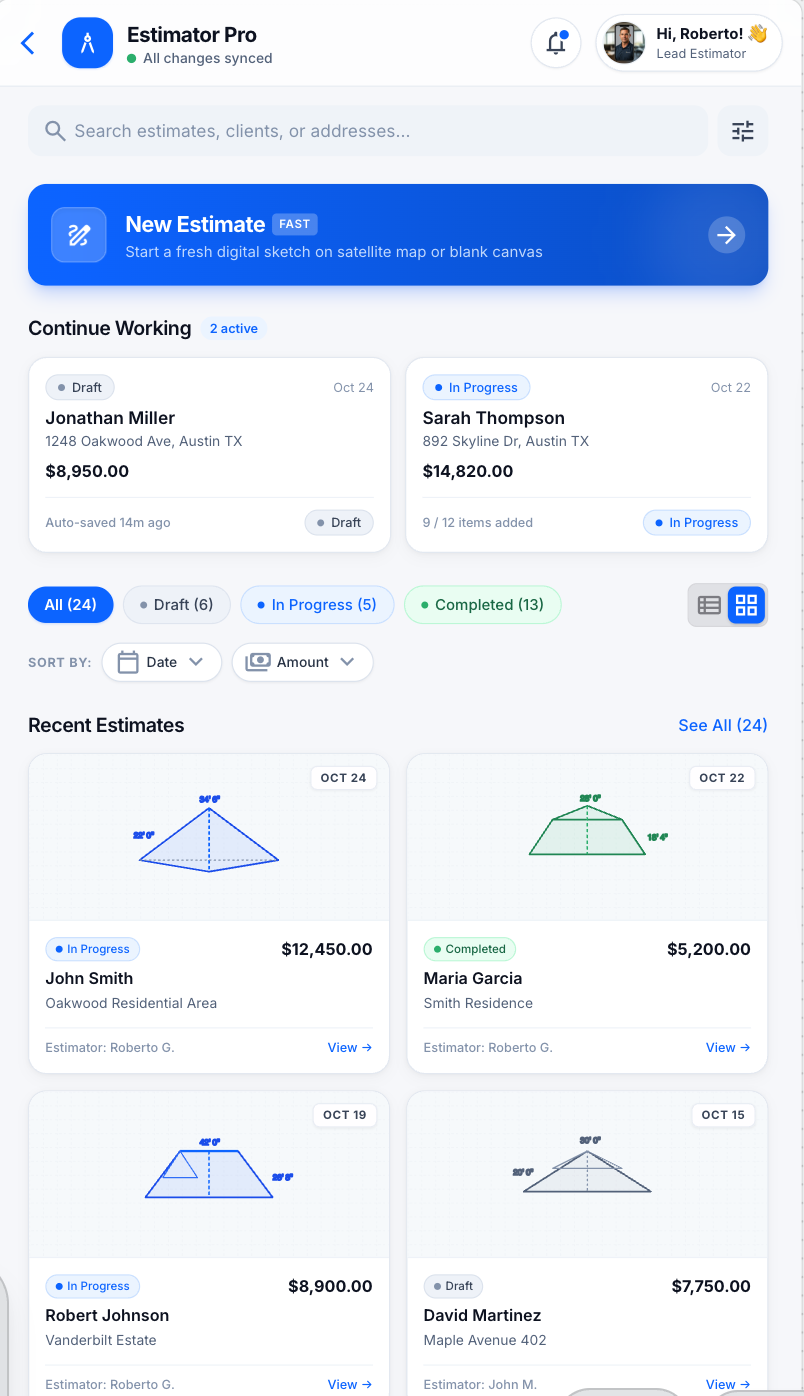
- Context: Estimator, default personal estimate scope
- Spec: Navigation & Main Screens (§5.2)
- Status: Approved grid-view reference with functional corrections
- Notes: Alternate presentation of 03 with the grid control selected. Cards may show a compact preview of the saved sketch.
10 — Dashboard → My Estimates workflow overview
Section titled “10 — Dashboard → My Estimates workflow overview”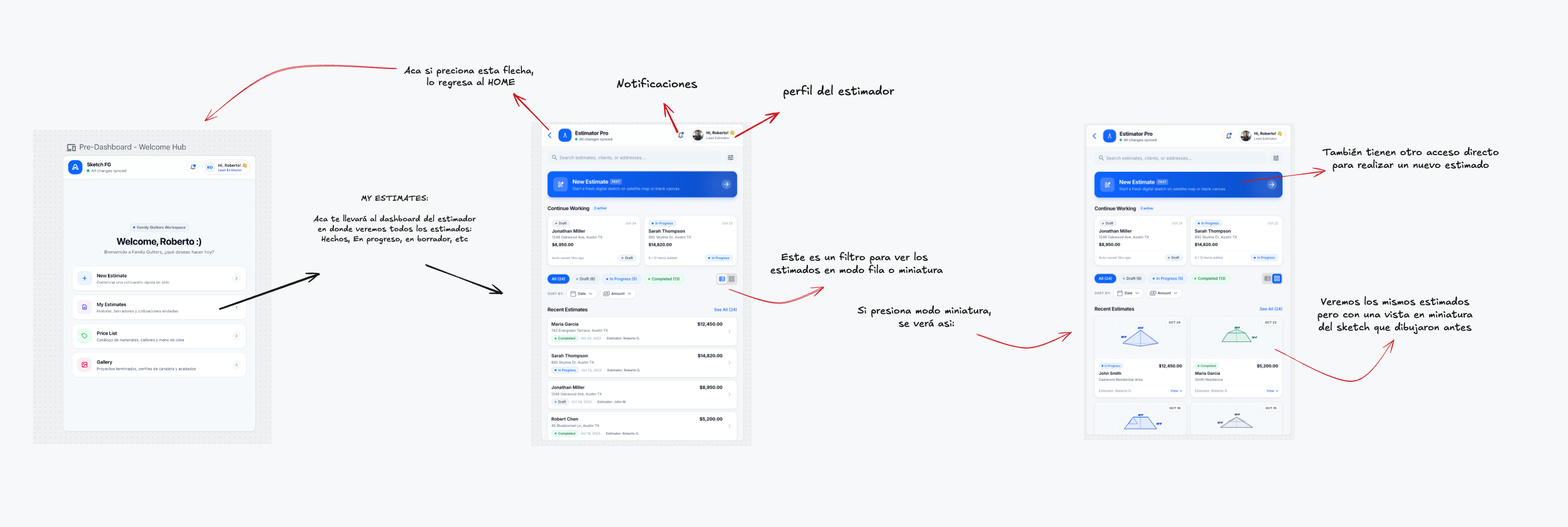
- Context: Estimator with default personal scope
- Spec: Navigation & Main Screens (§§5.1–5.2)
- Status: Approved annotated workflow reference
- Notes: Shows navigation, back-to-Home control, notifications, account control, New Estimate entry, status filters, sorting, and list/grid switch.